
Which encoder will keep your live streams smooth when viewers count spikes and networks hiccup?
This guide is all about finding the right IPTV encoder for 2026. Whether you need one for a church, campus, or OTT startup, we’ve got you covered. We’ll compare top brands like Blackmagic Design and Magewell, and also look at budget-friendly options from Kiloview and Osprey.
Encoders turn camera feeds into compressed streams. They use H.264 or H.265 and send them over RTMP, SRT, HLS, or MPEG‑TS. We’ll help you understand the differences and find the best encoder for your needs in 2026.
Key Takeaways
- The Best IPTV Encoder depends on use case—field, house of worship, broadcaster, or OTT service.
- Hardware encoders from Teradek, LiveU, and VeCASTER often win for long-session stability.
- Software and cloud options offer flexibility but need careful CPU and bandwidth planning.
- Look for H.265 support, multi-protocol output, and bonding (Ethernet/Wi‑Fi/4G/5G) for future-proofing.
- Price tiers guide choice: under $500, $600–$1,000, $1,000–$2,500, and enterprise 4K over $2,000.
Why choosing the right encoder matters for IPTV quality and reliability
Choosing the Best IPTV Encoder is key for a great viewer experience. A good encoder keeps the bitrate steady, color true, and frames intact. These elements are crucial for a smooth viewing experience, whether at home, in a church, or for broadcasters.
Impact of encoder choice on viewer experience
Encoders affect how smooth and clear the picture is. Hardware encoders from Magewell, Osprey, and Blackmagic use special chips. They keep the bitrate constant and prevent frame loss.
Software encoders like OBS and vMix offer flexibility but rely on the host PC’s performance. If the PC is too busy, it can cause stutters and changes in bitrate. This can ruin the viewer’s experience.
Stability and uptime: hardware vs software encoders
Hardware encoders are built for long, continuous use. They come in rack-mount designs, have strong cooling, and are made to last. The VeCODER ULTRA-8 and VeCASTER PRO 4K are examples designed for constant use in headends or studios.
Software systems are great for quick changes and are cost-effective. OBS and vMix allow for fast updates and adding graphics. But, they need powerful PCs and constant monitoring. If the PC fails, it can disrupt the stream and affect stability.
Latency and real-time interaction for live broadcasts
Latency is critical for live events like sports, gaming, and worship. Hardware encoders often have lower delay by doing compression on silicon. This helps keep the live interaction between hosts and viewers intact.
Network features also play a role in delay. SRT, low-latency HLS, and bonded cellular systems from LiveU and Kiloview reduce overall delay. Managing latency across the encoder, network, and CDN is vital for live, real-time experiences.
Understanding encoder types: hardware, software, cloud, and hybrid
Choosing the right encoder type affects your workflow, budget, and video quality. This guide helps you understand the different types of encoders. It’s designed to help you find the best fit for your needs, whether you’re streaming live or pre-recorded content.
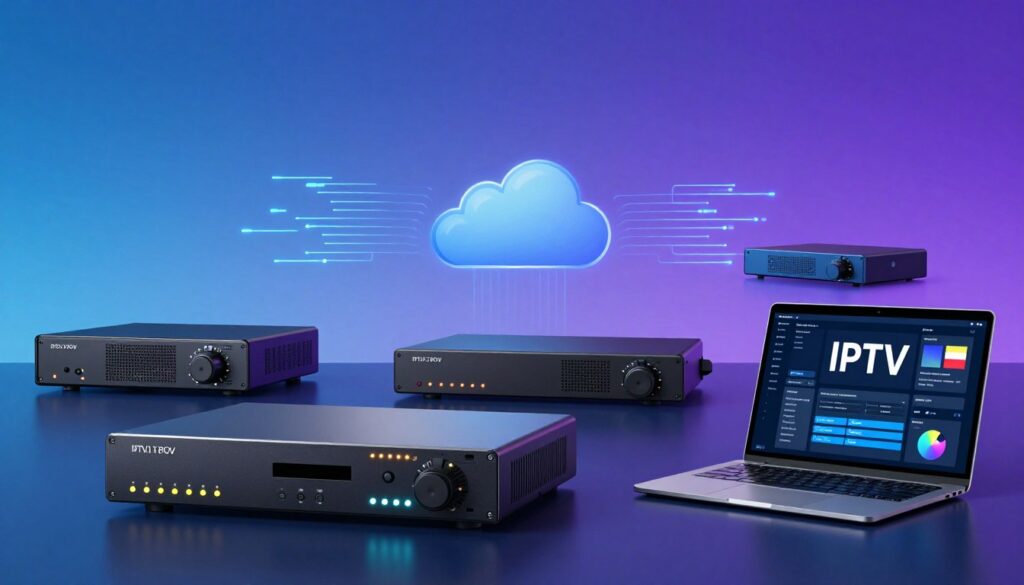
Hardware encoders use special chips to compress video quickly and reliably. Devices like Teradek VidiU X and Magewell Ultra Encode SDI are great for long sessions and handling multiple cameras. They offer steady performance and low latency.
These devices have inputs for SDI or HDMI, and they can stream directly to platforms like YouTube. They’re perfect for those who need reliable performance in the field.
Software encoders offer flexibility and come with tools for mixing and adding graphics. OBS Studio, vMix, and Adobe Media Encoder are examples. They’re great for teams that need to make changes quickly and don’t want to spend a lot upfront.
Software like OBS can use your computer’s CPU or GPU to encode video. This makes it ideal for small projects and testing. It’s all about finding a balance between quality and resource use.
Cloud encoding provides scalable, pay-as-you-go transcoding for streaming on many devices. Services like Encoding.com work with AWS and major CDNs. They’re perfect for large volumes of video-on-demand and multiscreen content.
Cloud encoding is great for handling big volumes of content without needing a lot of hardware. It’s perfect for when you need to scale up quickly.
Hybrid encoding workflow combines local and cloud resources. You can encode live locally for fast delivery, then send recordings to the cloud for further processing. This way, you get the best of both worlds.
Big broadcasters use hybrid setups to manage high volumes of content. They use systems from Elemental, Harmonic, or Cisco. This approach helps them scale during busy times while keeping live feeds stable.
Key technical features to evaluate in the best IPTV encoder
Choosing the right features is key for quality, cost, and long-term use. Look at codec support, inputs and outputs, and resolution limits. Also, consider network flexibility and failover design. Here are the technical points to compare when shopping for the best IPTV encoder features.
Supported codecs
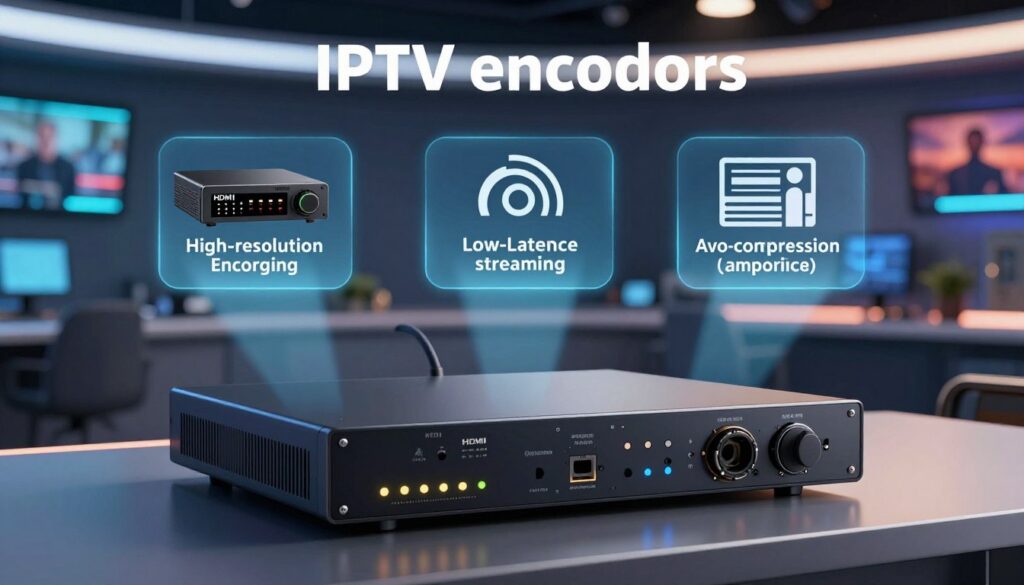
Codec choice affects compatibility and bandwidth. H.264 is widely supported, while H.265 (HEVC) is better for 4K or limited connections. Many products from Kiloview, LiveU, and Magewell offer both codecs for future-proofing.
Input and output options
Choose based on your camera and switcher gear. Professional setups often use SDI, while DSLRs and mirrorless cameras use HDMI. A good HDMI SDI USB-C encoder offers flexibility for both field and studio use. Look for outputs for live switching and embedded audio support.
Resolution and frame-rate support
Ensure the device meets your resolution needs. 1080p60 is a common baseline. For 4K, check for 4K30 or 4K60 support and 10-bit 4:2:2 color depth. Some encoders reduce resolution with more channels, so check specs.
Network features and protocols
Network resilience is crucial for live streams. Bonding and multi-path designs use Ethernet, Wi-Fi, and cellular for reliability. A bonded cellular encoder ensures field feeds stay online. Support for SRT, HLS, RTMP/RTMPS, and MPEG-TS offers transport flexibility.
Redundancy, power, and long-term reliability
Enterprise setups need redundancy and robust power options. Look for dual power supplies, rack cooling, and clear MTBF figures. Portable units should have internal batteries and USB-C PD charging. PoE or PoE+ compatibility makes venue installs easier. Automatic failover and reconnection ensure uptime during issues.
Focus on features that fit your workflow, audience, and budget. Testing under real conditions shows how different features impact daily use.
Best IPTV Encoder models and who they’re for
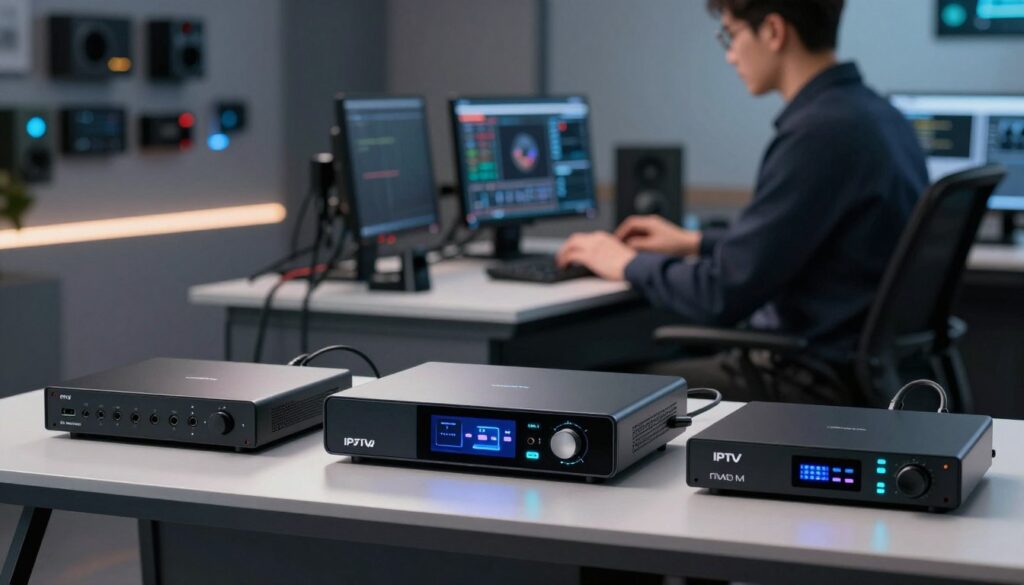
Choosing the right encoder depends on your project’s size, budget, and workflow. Below, we list some top picks across different price ranges. Each model has its strengths and limitations. Use this guide to find the perfect encoder for your needs.
Entry-level and budget picks under $500 for testing and small projects
The AVerMedia Live Gamer Portable 2 Plus and Magewell Ultra Stream HDMI are great for small projects. They handle 1080p60 well and are easy to set up. They also work with common platforms.
These encoders are easy to use but have some limitations. They don’t support H.265 well and have a limited set of protocols. If you’re on a tight budget for a small project, these are good choices.
Mid-range options ($600–$1,000) for small services and houses of worship
The Kiloview E1 HDMI, Teradek VidiU X, and Kiloview P3 Mini are good for steady use. They support various protocols and have bonding and failover options. This keeps your streams running smoothly.
These encoders can handle 1080p60 but are more reliable and portable. They’re perfect for small services that need reliable remote streaming.
Professional models ($1,000–$2,500) for broadcasters and production teams
The Magewell Director Mini, Epiphan Pearl Nano with add-ons, LiveU Solo Pro, and Blackmagic ATEM Mini Pro are for teams needing more. They handle multiple inputs, record, and can be controlled remotely. They also have professional I/O like SDI and strong software integration.
These devices are a good balance for production crews. They offer features at a reasonable cost. A 4K option in this range allows for future upgrades to higher resolutions.
Enterprise 4K encoders (over $2,000) for mission-critical IPTV platforms
The Osprey Talon 4K, VeCASTER PRO 4K, and high-end VeCODER or ORIVISION systems are for high-volume use. They support DCI 4K60, 10-bit 4:2:2 color, and are rack-mountable.
These units are for IPTV headends and broadcast-grade needs. They support advanced protocols and multiple 4K channels. Choose them for critical platforms needing top performance.
Quick comparison
| Category | Representative Models | Typical Use | Key Limits |
|---|---|---|---|
| Entry (under $500) | AVerMedia Live Gamer Portable 2 Plus, Magewell Ultra Stream HDMI | Testing, hobby streams, small church services | No H.265, limited protocol set, 1080p60 max |
| Mid-range ($600–$1,000) | Kiloview E1 HDMI, Teradek VidiU X, Kiloview P3 Mini | Regular streaming, compact installs, bonded backup | Mostly 1080p60, fewer advanced 4K features |
| Professional ($1,000–$2,500) | Magewell Director Mini, Epiphan Pearl Nano, LiveU Solo Pro, Blackmagic ATEM Mini Pro | Broadcast crews, production teams, multi-input setups | Costlier, some models need add-ons for true 4K |
| Enterprise 4K (over $2,000) | Osprey Talon 4K, VeCASTER PRO 4K, VeCODER / ORIVISION multi-channel | IPTV headends, large-scale delivery, mission-critical streams | Higher cost, requires rack infrastructure and skilled ops |
Hardware encoder spotlight: advantages and recommended use cases
Hardware encoders are great when you need reliability. They use special chips for compression, so they don’t slow down your computer. This makes them perfect for long streams and setups with many cameras.
Why long-session encoder choices matter
Long-session encoders keep your stream smooth and avoid using too much computer power. They’re a top choice for long broadcasts. This is why they’re loved by broadcasters, churches, and esports fans.
Use cases and recommended gear
Churches often use the Blackmagic ATEM Mini Pro for small camera mixes. The Epiphan Pearl Nano is great for streaming and recording at the same time. Magewell interfaces are perfect for professional SDI camera setups where speed is key.
For live events and remote shoots, go for a portable encoder like the Kiloview P3 Mini or Teradek VidiU X. The LiveU Solo Pro is ideal for situations where you need strong cellular network connections. These devices are easy to set up and have strong bonding and battery life.
IPTV headends and multi-room setups need encoders that can handle many inputs. The VeCODER ULTRA-8 can handle eight HDMI feeds for direct LAN distribution. The ORIVISION EH1304 is great for small spaces with its compact H.265 multi-channel encoding.
Portability and field features to check
Battery life is important; the Kiloview P3 Mini’s 5000mAh battery is a good example. Look for devices with fast PD charging, touch screens, tough cases, and USB-C modem support. Also, check for loop-out monitoring and light designs for easy carrying.
How to pick the best iptv encoder hardware
Choose a device based on how long you need it to run. Make sure it supports the right codecs for your delivery. For field work, look for encoders with bonding and batteries. For fixed setups, focus on devices that can handle many channels and run continuously.
| Use Case | Recommended Models | Key Advantage |
|---|---|---|
| Small multi-camera worship | Blackmagic ATEM Mini Pro, Epiphan Pearl Nano | Simple switch-plus-encode workflow, integrated recording |
| Field streaming and remote events | Kiloview P3 Mini, Teradek VidiU X, LiveU Solo Pro | Bonded cellular/Wi‑Fi, battery power, portable setup |
| Multi-room IPTV headend | VeCODER ULTRA-8, ORIVISION EH1304 | Multi-channel H.265 encoding, LAN distribution, rack-ready |
| Pro SDI camera chains | Magewell SDI encoders, Epiphan Pearl Nano | Low-latency SDI workflows, robust pro I/O |
Practical buying guide: match features to your IPTV workflow
First, think about who will watch your streams and what resolution they need. Most people prefer 1080p60 for a good balance of quality and bandwidth. If your viewers have compatible devices and you have enough bandwidth, consider 4K.
For 4K, use H.265 if you have limited bandwidth or if your devices support it. Make sure your devices can play back the stream smoothly.
Check if the encoder supports the right protocols before you buy. Look for RTMP/RTMPS, HLS, SRT, and MPEG-TS. This ensures your streams work on many platforms. Also, see if the device can send streams directly to CDNs or OTT providers.
Some devices, like those from Blackmagic Design, Teradek, and LiveU, can stream straight to platforms. Cloud encoders from Encoding.com and others handle the packaging for adaptive bitrate streaming.
Think about how you’ll grow your setup. For a headend, consider multi-channel units like VeCODER ULTRA-8 or VeCASTER PRO 4K. For field work, portable units from Kiloview, Teradek, and Magewell are better. Check if you can add more units or use cloud services for big events.
Don’t just look at the price. Consider the total cost of ownership. This includes power options, external modems, SIMs, batteries, and storage. Also, think about subscription fees for bonding, remote monitoring, and CDN delivery. Planning for maintenance and replacement cycles helps avoid surprises.
Here’s a quick checklist to help you pick the right IPTV encoder:
- Audience & resolution: 1080p60 standard, 4K only with device and bandwidth support.
- Codec needs: H.265 for bandwidth-limited or 4K; confirm playback compatibility.
- Protocol set: RTMP/RTMPS, HLS, SRT, MPEG-TS for broad platform reach.
- Integration: verify encoder CDN integration and native OTT endpoints.
- Scale plan: pick multi-channel rack units for headends, single-channel for field use.
- Budgeting: include accessories, subscriptions, CDN fees, and replacement costs for accurate TCO encoder estimates.
| Need | Recommended form factor | Key features to check | Example brands/models |
|---|---|---|---|
| Single-stream field work | Portable single-channel | Battery, 4G/5G bonding, SRT, RTMP | Kiloview P3, Teradek VidiU X, Magewell |
| Small service / worship | Mid-range desktop or rack 1–2RU | HD/4K support, adaptive bitrate, H.265 option | Epiphan Pearl Nano, Osprey Talon 4K |
| IPTV headend / campus | Multi-channel rack-mount | High channel density, encoder scalability, redundant power | VeCODER ULTRA-8, VeCASTER PRO 4K |
| Cloud-hybrid workflows | Cloud encoder or hybrid appliance | CDN packaging, VOD processing, API for automation | Encoding.com, Sorenson Squeeze Server |
Real-world encoder comparisons and recommended models
Choosing the right encoder means matching it to your needs. This comparison looks at different models for field streaming, multi-channel distribution, and 4K enterprise needs. It helps you understand the trade-offs between reliability, inputs, and networking for live and distributed workflows.
Blackmagic Design’s ATEM Mini Pro is great for live production. It has a four-camera switcher, a built-in streaming engine, and direct recording to USB. It’s perfect when you need to switch between multiple inputs and add graphics on the fly.
Teradek VidiU X is ideal for those who need a compact HDMI encoder. It supports bonding and platform-native streaming. It’s great for situations where you need a simple, portable encoder and don’t need to switch inputs yourself.
Kiloview P3 Mini review and LiveU Solo Pro features
Kiloview P3 Mini is perfect for bonded cellular field work. It supports 3×4G, Wi-Fi, and Ethernet bonding. It has dual video inputs, a 5000mAh battery, and H.265 support up to 1080p60. It’s great for ENG, small OB vans, and solo crews on a budget.
LiveU Solo Pro offers a pro-grade bonding stack for 4G/5G reliability and HEVC encoding. It has SDI, HDMI, and USB inputs. It’s more expensive but offers full bonding performance with an optional external modem.
VeCODER ULTRA-8 ORIVISION EH1304
VeCODER ULTRA-8 is designed for broadcast facilities and IPTV headends. It has eight HDMI inputs, can be rack-mounted, and streams directly over LAN. It’s ideal for situations where you need to manage many channels centrally.
ORIVISION EH1304 is a compact box with four channels. It supports H.265/H.264, uses bandwidth efficiently, and has overlays. It has HDMI-only inputs and offers two channels at 4K30 while the others are at 1080p.
VeCASTER PRO 4K, Osprey Talon 4K, Epiphan Pearl Nano, Magewell
Osprey Talon 4K supports 12G-SDI and HDMI 2.0, DCI 4K60, and 10-bit 4:2:2 encoding. It has loop-out and simultaneous recording. It’s perfect for concerts, esports, and archival workflows that require high fidelity.
VeCASTER PRO 4K offers an integrated server-plus-encoder approach. It delivers streams to smart TVs and device platforms with simplified deployment for enterprise customers.
Epiphan Pearl Nano pairs SDI/HDMI I/O with reliable recording and remote control via Epiphan Edge. Some advanced 4K features require add-ons but it’s a strong turnkey choice for small production teams.
Magewell Ultra Encode SDI keeps latency low and SDI signal fidelity high. It offers dual-stream outputs for multi-bitrate delivery. It trades maximum 4K ceiling for consistent, broadcaster-grade SDI handling.
| Use Case | Recommended Models | Key Strength |
|---|---|---|
| Multi-camera live production | ATEM Mini Pro | Integrated switching, streaming, and USB recording |
| Compact bonded field streaming | Kiloview P3 Mini, LiveU Solo Pro | Cellular bonding, HEVC/H.265 support, portable power |
| Multi-channel IPTV distribution | VeCODER ULTRA-8, ORIVISION EH1304 | High channel density, rack deployment, efficient encoding |
| Enterprise 4K & archival | VeCASTER PRO 4K, Osprey Talon 4K, Epiphan Pearl Nano, Magewell | 4K60 support, 12G-SDI, recording and multi-bitrate outputs |
This comparison highlights practical trade-offs. It helps teams prioritize input types, bonding, channel count, and 4K capabilities. Always test with your network and cameras before committing to production deployments.
Conclusion
Choosing the Best IPTV Encoder conclusion is about matching your needs. If you need reliable long sessions and uptime, go for Teradek, LiveU, or Kiloview. For live shows with multiple cameras, Blackmagic ATEM Mini Pro or Magewell Director Mini are great. Rack solutions like VeCODER ULTRA-8 and VeCASTER PRO 4K are best for large-scale distribution.
When picking the best IPTV encoder, think about codec support, I/O, and transport protocols. H.265 is good for saving bandwidth for 4K. SDI and HDMI matter for camera and switcher compatibility. SRT and HLS ensure reliable delivery.
Also, consider network bonding, multi-path options, and total cost of ownership. Accessories, CDN fees, and license costs can affect the best value.
In 2026, for U.S. buyers, the advice is clear. Use hardware for steady, long-form broadcasts and critical events. Use software or cloud hybrid setups for flexible scaling and VOD packaging. Pair the right encoder with a tested workflow and a reliable CDN for the best viewer experience and uptime.
FAQ
What is the best IPTV encoder for my use case?
Hardware or software encoder — which is more reliable for long sessions?
Do I need H.265 (HEVC) support for IPTV?
Which transport protocols should my encoder support?
What I/O should I prioritize: SDI, HDMI, or USB-C?
Is bonding necessary for reliable field streaming?
How do I choose between 1080p60 and 4K for my audience?
What are common price tiers and recommended models by budget?
What is the best IPTV encoder for my use case?
Hardware or software encoder — which is more reliable for long sessions?
Do I need H.265 (HEVC) support for IPTV?
Which transport protocols should my encoder support?
What I/O should I prioritize: SDI, HDMI, or USB-C?
Is bonding necessary for reliable field streaming?
How do I choose between 1080p60 and 4K for my audience?
What are common price tiers and recommended models by budget?
FAQ
What is the best IPTV encoder for my use case?
The best IPTV encoder depends on your needs. For single-camera field streams, consider the Kiloview P3 Mini or LiveU Solo Pro. For multi-camera live production, the Blackmagic ATEM Mini Pro or Magewell Director Mini is better.
For IPTV headends and campus distribution, VeCODER ULTRA-8, ORIVISION EH1304, or VeCASTER PRO 4K are ideal. Match the encoder’s features to your workflow and budget.
Hardware or software encoder — which is more reliable for long sessions?
Hardware encoders are more reliable for long sessions. They use dedicated chips for consistent bitrates and lower latency. This makes them perfect for 24/7 operation.
Software encoders like OBS or vMix are flexible but may stutter or crash under load. They depend on the host’s CPU/GPU.
Do I need H.265 (HEVC) support for IPTV?
H.265 is better for 4K and bandwidth-constrained networks. It’s recommended for 4K delivery or long-term efficiency. However, H.264 is more compatible with devices.
Check CDN and player compatibility before choosing H.265. Many modern encoders, like Kiloview, LiveU, and Magewell, support both.
Which transport protocols should my encoder support?
Your encoder should support RTMP/RTMPS, HLS, SRT, and MPEG-TS. SRT adds error correction for unreliable networks. Bonding and multi-path features are key for field streaming.
Protocol flexibility ensures delivery to platforms, CDNs, or internal IPTV headends.
What I/O should I prioritize: SDI, HDMI, or USB-C?
Choose I/O based on your cameras and monitoring needs. Pro camera chains use SDI, while mirrorless and consumer cameras use HDMI. USB-C is good for webcam-style workflows.
Look for models with loop-through/monitor outputs (SDI/HDMI loop) for live switching and confidence monitoring. Magewell Ultra Encode SDI or Osprey Talon 4K are good options.
Is bonding necessary for reliable field streaming?
Bonding is crucial for reliable field streaming. It ensures streams continue during network drops. Kiloview, LiveU, and Teradek offer bonding across cellular, Wi-Fi, and Ethernet.
Bonding improves resiliency and often reduces latency. It’s essential for live events and remote worship services.
How do I choose between 1080p60 and 4K for my audience?
Use 1080p60 for most audiences. It’s a safe standard with broad device support and lower bandwidth needs. Choose 4K if your viewers use compatible devices and you have the bandwidth.
For 4K, favor H.265 support and enterprise encoders like Osprey Talon 4K or VeCASTER PRO 4K. They handle DCI 4K60 and 10-bit color.
What are common price tiers and recommended models by budget?
Price tiers help align needs and spend. Under 0, consider AVerMedia Live Gamer Portable 2 Plus or Magewell Ultra Stream HDMI for testing and small projects.
For 0–
FAQ
What is the best IPTV encoder for my use case?
The best IPTV encoder depends on your needs. For single-camera field streams, consider the Kiloview P3 Mini or LiveU Solo Pro. For multi-camera live production, the Blackmagic ATEM Mini Pro or Magewell Director Mini is better.
For IPTV headends and campus distribution, VeCODER ULTRA-8, ORIVISION EH1304, or VeCASTER PRO 4K are ideal. Match the encoder’s features to your workflow and budget.
Hardware or software encoder — which is more reliable for long sessions?
Hardware encoders are more reliable for long sessions. They use dedicated chips for consistent bitrates and lower latency. This makes them perfect for 24/7 operation.
Software encoders like OBS or vMix are flexible but may stutter or crash under load. They depend on the host’s CPU/GPU.
Do I need H.265 (HEVC) support for IPTV?
H.265 is better for 4K and bandwidth-constrained networks. It’s recommended for 4K delivery or long-term efficiency. However, H.264 is more compatible with devices.
Check CDN and player compatibility before choosing H.265. Many modern encoders, like Kiloview, LiveU, and Magewell, support both.
Which transport protocols should my encoder support?
Your encoder should support RTMP/RTMPS, HLS, SRT, and MPEG-TS. SRT adds error correction for unreliable networks. Bonding and multi-path features are key for field streaming.
Protocol flexibility ensures delivery to platforms, CDNs, or internal IPTV headends.
What I/O should I prioritize: SDI, HDMI, or USB-C?
Choose I/O based on your cameras and monitoring needs. Pro camera chains use SDI, while mirrorless and consumer cameras use HDMI. USB-C is good for webcam-style workflows.
Look for models with loop-through/monitor outputs (SDI/HDMI loop) for live switching and confidence monitoring. Magewell Ultra Encode SDI or Osprey Talon 4K are good options.
Is bonding necessary for reliable field streaming?
Bonding is crucial for reliable field streaming. It ensures streams continue during network drops. Kiloview, LiveU, and Teradek offer bonding across cellular, Wi-Fi, and Ethernet.
Bonding improves resiliency and often reduces latency. It’s essential for live events and remote worship services.
How do I choose between 1080p60 and 4K for my audience?
Use 1080p60 for most audiences. It’s a safe standard with broad device support and lower bandwidth needs. Choose 4K if your viewers use compatible devices and you have the bandwidth.
For 4K, favor H.265 support and enterprise encoders like Osprey Talon 4K or VeCASTER PRO 4K. They handle DCI 4K60 and 10-bit color.
What are common price tiers and recommended models by budget?
Price tiers help align needs and spend. Under $500, consider AVerMedia Live Gamer Portable 2 Plus or Magewell Ultra Stream HDMI for testing and small projects.
For $600–$1,000, Kiloview E1 HDMI, Teradek VidiU X, or Kiloview P3 Mini are solid for small services and churches. For $1,000–$2,500, Magewell Director Mini, Epiphan Pearl Nano, LiveU Solo Pro, or Blackmagic ATEM Mini Pro are for broadcast-quality multi-input workflows.
Over $2,000, Osprey Talon 4K, VeCASTER PRO 4K, or VeCODER/ORIVISION multi-channel units are for headends and mission-critical 4K delivery.
How important is low latency for live interaction?
Low latency is critical for sports, interactive worship, and real-time engagement. Hardware encoders typically achieve lower latency. They offload compression to dedicated chips.
Protocols like SRT and low-latency HLS, plus bonded cellular options, further reduce end-to-end delay. This preserves synchronous audience reactions.
Can cloud or hybrid encoding replace on-prem hardware?
Cloud and hybrid solutions provide scalable transcoding and adaptive bitrate packaging. They’re excellent for multi-device delivery and scalability. However, for low-latency live or continuous local streams, a hybrid approach is often best.
Use local hardware for live feeds and cloud for VOD/adaptive delivery. This balances cost and quality.
What about long-term operational costs and accessories?
Budget for accessories and recurring costs. Consider external modems, SIMs, batteries, SD/USB storage, CDN fees, bonding subscriptions, and paid firmware or feature licenses. Think about power options, maintenance, and replacement cycles.
Hardware often reduces unpredictable costs tied to software crashes or PC failures.
Which encoders are best for churches and houses of worship?
For houses of worship, the Blackmagic ATEM Mini Pro is great for multi-camera productions and live switching. Epiphan Pearl Nano works well for integrated recording and streaming. Magewell devices are preferred for SDI-based pro camera chains.
Choose devices prioritizing reliability and long-session performance.
Which models are recommended for IPTV headends and multi-room distribution?
Dense, rack-mount encoders like VeCODER ULTRA-8 and VeCASTER PRO 4K are designed for multi-channel IPTV headends. ORIVISION EH1304 is a compact multi-channel choice with efficient H.265 encoding. Evaluate per-channel resolution tradeoffs and licensing for large deployments.
How do I verify an encoder’s 4K capability and per-channel limits?
Check vendor specs for maximum resolution, frame rates (4K30 vs 4K60), color sampling (10-bit 4:2:2), and whether multi-channel operation reduces per-channel resolution. Some multi-channel units allocate fewer resources per channel—confirm with the vendor (e.g., ORIVISION EH1304 may limit some channels to 1080p when others run at 4K).
Are there quiet, rack-mount options suitable for studio racks?
Yes. Enterprise encoders like VeCASTER PRO 4K, VeCODER ULTRA-8, and many Osprey and Epiphan models are designed for quiet operation, efficient cooling, and rack-mount deployment. Look for dual power, high MTBF, and low-noise fans for studio environments.
How does an encoder affect perceived video quality?
Encoders determine compression efficiency, bitrate consistency, color fidelity, and dropped-frame handling. Hardware encoders with dedicated chips (Magewell, Osprey, Blackmagic) deliver stable bitrates and better color and motion handling. Software encoders can match quality but require powerful, well-managed PCs to avoid stutters during long productions.
Should I prefer single-channel portable units or multi-channel rack solutions?
Choose based on scale. Single-channel portable units (Kiloview, Teradek, LiveU) are best for field events and single-stream needs. Multi-channel rack solutions (VeCODER, VeCASTER, ORIVISION) suit headends, campuses, or broadcasters that need dense encoding, centralized management, and higher reliability.
Plan for growth and licensing costs when scaling.
How can I test an encoder before full deployment?
Run full-length test streams under expected load, check protocol compatibility with your CDN or OTT platform, test bonding and failover behavior, and verify multi-bitrate outputs. Measure end-to-end latency, monitor resource use (for software encoders), and confirm recording, loop-out monitoring, and remote control features work as expected.
What extra features should I look for in 2026 models?
Prioritize H.265/HEVC support for 4K efficiency, SRT and low-latency HLS for improved transport, bonded cellular for field resiliency (4G/5G), PoE/PoE+ options, dual power supplies for redundancy, and AES/DRM hooks for protected OTT delivery. Also look for integrated recording, remote management, and cloud hybrid workflows for scalable VOD packaging.
,000, Kiloview E1 HDMI, Teradek VidiU X, or Kiloview P3 Mini are solid for small services and churches. For
FAQ
What is the best IPTV encoder for my use case?
The best IPTV encoder depends on your needs. For single-camera field streams, consider the Kiloview P3 Mini or LiveU Solo Pro. For multi-camera live production, the Blackmagic ATEM Mini Pro or Magewell Director Mini is better.
For IPTV headends and campus distribution, VeCODER ULTRA-8, ORIVISION EH1304, or VeCASTER PRO 4K are ideal. Match the encoder’s features to your workflow and budget.
Hardware or software encoder — which is more reliable for long sessions?
Hardware encoders are more reliable for long sessions. They use dedicated chips for consistent bitrates and lower latency. This makes them perfect for 24/7 operation.
Software encoders like OBS or vMix are flexible but may stutter or crash under load. They depend on the host’s CPU/GPU.
Do I need H.265 (HEVC) support for IPTV?
H.265 is better for 4K and bandwidth-constrained networks. It’s recommended for 4K delivery or long-term efficiency. However, H.264 is more compatible with devices.
Check CDN and player compatibility before choosing H.265. Many modern encoders, like Kiloview, LiveU, and Magewell, support both.
Which transport protocols should my encoder support?
Your encoder should support RTMP/RTMPS, HLS, SRT, and MPEG-TS. SRT adds error correction for unreliable networks. Bonding and multi-path features are key for field streaming.
Protocol flexibility ensures delivery to platforms, CDNs, or internal IPTV headends.
What I/O should I prioritize: SDI, HDMI, or USB-C?
Choose I/O based on your cameras and monitoring needs. Pro camera chains use SDI, while mirrorless and consumer cameras use HDMI. USB-C is good for webcam-style workflows.
Look for models with loop-through/monitor outputs (SDI/HDMI loop) for live switching and confidence monitoring. Magewell Ultra Encode SDI or Osprey Talon 4K are good options.
Is bonding necessary for reliable field streaming?
Bonding is crucial for reliable field streaming. It ensures streams continue during network drops. Kiloview, LiveU, and Teradek offer bonding across cellular, Wi-Fi, and Ethernet.
Bonding improves resiliency and often reduces latency. It’s essential for live events and remote worship services.
How do I choose between 1080p60 and 4K for my audience?
Use 1080p60 for most audiences. It’s a safe standard with broad device support and lower bandwidth needs. Choose 4K if your viewers use compatible devices and you have the bandwidth.
For 4K, favor H.265 support and enterprise encoders like Osprey Talon 4K or VeCASTER PRO 4K. They handle DCI 4K60 and 10-bit color.
What are common price tiers and recommended models by budget?
Price tiers help align needs and spend. Under $500, consider AVerMedia Live Gamer Portable 2 Plus or Magewell Ultra Stream HDMI for testing and small projects.
For $600–$1,000, Kiloview E1 HDMI, Teradek VidiU X, or Kiloview P3 Mini are solid for small services and churches. For $1,000–$2,500, Magewell Director Mini, Epiphan Pearl Nano, LiveU Solo Pro, or Blackmagic ATEM Mini Pro are for broadcast-quality multi-input workflows.
Over $2,000, Osprey Talon 4K, VeCASTER PRO 4K, or VeCODER/ORIVISION multi-channel units are for headends and mission-critical 4K delivery.
How important is low latency for live interaction?
Low latency is critical for sports, interactive worship, and real-time engagement. Hardware encoders typically achieve lower latency. They offload compression to dedicated chips.
Protocols like SRT and low-latency HLS, plus bonded cellular options, further reduce end-to-end delay. This preserves synchronous audience reactions.
Can cloud or hybrid encoding replace on-prem hardware?
Cloud and hybrid solutions provide scalable transcoding and adaptive bitrate packaging. They’re excellent for multi-device delivery and scalability. However, for low-latency live or continuous local streams, a hybrid approach is often best.
Use local hardware for live feeds and cloud for VOD/adaptive delivery. This balances cost and quality.
What about long-term operational costs and accessories?
Budget for accessories and recurring costs. Consider external modems, SIMs, batteries, SD/USB storage, CDN fees, bonding subscriptions, and paid firmware or feature licenses. Think about power options, maintenance, and replacement cycles.
Hardware often reduces unpredictable costs tied to software crashes or PC failures.
Which encoders are best for churches and houses of worship?
For houses of worship, the Blackmagic ATEM Mini Pro is great for multi-camera productions and live switching. Epiphan Pearl Nano works well for integrated recording and streaming. Magewell devices are preferred for SDI-based pro camera chains.
Choose devices prioritizing reliability and long-session performance.
Which models are recommended for IPTV headends and multi-room distribution?
Dense, rack-mount encoders like VeCODER ULTRA-8 and VeCASTER PRO 4K are designed for multi-channel IPTV headends. ORIVISION EH1304 is a compact multi-channel choice with efficient H.265 encoding. Evaluate per-channel resolution tradeoffs and licensing for large deployments.
How do I verify an encoder’s 4K capability and per-channel limits?
Check vendor specs for maximum resolution, frame rates (4K30 vs 4K60), color sampling (10-bit 4:2:2), and whether multi-channel operation reduces per-channel resolution. Some multi-channel units allocate fewer resources per channel—confirm with the vendor (e.g., ORIVISION EH1304 may limit some channels to 1080p when others run at 4K).
Are there quiet, rack-mount options suitable for studio racks?
Yes. Enterprise encoders like VeCASTER PRO 4K, VeCODER ULTRA-8, and many Osprey and Epiphan models are designed for quiet operation, efficient cooling, and rack-mount deployment. Look for dual power, high MTBF, and low-noise fans for studio environments.
How does an encoder affect perceived video quality?
Encoders determine compression efficiency, bitrate consistency, color fidelity, and dropped-frame handling. Hardware encoders with dedicated chips (Magewell, Osprey, Blackmagic) deliver stable bitrates and better color and motion handling. Software encoders can match quality but require powerful, well-managed PCs to avoid stutters during long productions.
Should I prefer single-channel portable units or multi-channel rack solutions?
Choose based on scale. Single-channel portable units (Kiloview, Teradek, LiveU) are best for field events and single-stream needs. Multi-channel rack solutions (VeCODER, VeCASTER, ORIVISION) suit headends, campuses, or broadcasters that need dense encoding, centralized management, and higher reliability.
Plan for growth and licensing costs when scaling.
How can I test an encoder before full deployment?
Run full-length test streams under expected load, check protocol compatibility with your CDN or OTT platform, test bonding and failover behavior, and verify multi-bitrate outputs. Measure end-to-end latency, monitor resource use (for software encoders), and confirm recording, loop-out monitoring, and remote control features work as expected.
What extra features should I look for in 2026 models?
Prioritize H.265/HEVC support for 4K efficiency, SRT and low-latency HLS for improved transport, bonded cellular for field resiliency (4G/5G), PoE/PoE+ options, dual power supplies for redundancy, and AES/DRM hooks for protected OTT delivery. Also look for integrated recording, remote management, and cloud hybrid workflows for scalable VOD packaging.
,000–,500, Magewell Director Mini, Epiphan Pearl Nano, LiveU Solo Pro, or Blackmagic ATEM Mini Pro are for broadcast-quality multi-input workflows.
Over ,000, Osprey Talon 4K, VeCASTER PRO 4K, or VeCODER/ORIVISION multi-channel units are for headends and mission-critical 4K delivery.
How important is low latency for live interaction?
Low latency is critical for sports, interactive worship, and real-time engagement. Hardware encoders typically achieve lower latency. They offload compression to dedicated chips.
Protocols like SRT and low-latency HLS, plus bonded cellular options, further reduce end-to-end delay. This preserves synchronous audience reactions.
Can cloud or hybrid encoding replace on-prem hardware?
Cloud and hybrid solutions provide scalable transcoding and adaptive bitrate packaging. They’re excellent for multi-device delivery and scalability. However, for low-latency live or continuous local streams, a hybrid approach is often best.
Use local hardware for live feeds and cloud for VOD/adaptive delivery. This balances cost and quality.
What about long-term operational costs and accessories?
Budget for accessories and recurring costs. Consider external modems, SIMs, batteries, SD/USB storage, CDN fees, bonding subscriptions, and paid firmware or feature licenses. Think about power options, maintenance, and replacement cycles.
Hardware often reduces unpredictable costs tied to software crashes or PC failures.
Which encoders are best for churches and houses of worship?
For houses of worship, the Blackmagic ATEM Mini Pro is great for multi-camera productions and live switching. Epiphan Pearl Nano works well for integrated recording and streaming. Magewell devices are preferred for SDI-based pro camera chains.
Choose devices prioritizing reliability and long-session performance.
Which models are recommended for IPTV headends and multi-room distribution?
Dense, rack-mount encoders like VeCODER ULTRA-8 and VeCASTER PRO 4K are designed for multi-channel IPTV headends. ORIVISION EH1304 is a compact multi-channel choice with efficient H.265 encoding. Evaluate per-channel resolution tradeoffs and licensing for large deployments.
How do I verify an encoder’s 4K capability and per-channel limits?
Check vendor specs for maximum resolution, frame rates (4K30 vs 4K60), color sampling (10-bit 4:2:2), and whether multi-channel operation reduces per-channel resolution. Some multi-channel units allocate fewer resources per channel—confirm with the vendor (e.g., ORIVISION EH1304 may limit some channels to 1080p when others run at 4K).
Are there quiet, rack-mount options suitable for studio racks?
Yes. Enterprise encoders like VeCASTER PRO 4K, VeCODER ULTRA-8, and many Osprey and Epiphan models are designed for quiet operation, efficient cooling, and rack-mount deployment. Look for dual power, high MTBF, and low-noise fans for studio environments.
How does an encoder affect perceived video quality?
Encoders determine compression efficiency, bitrate consistency, color fidelity, and dropped-frame handling. Hardware encoders with dedicated chips (Magewell, Osprey, Blackmagic) deliver stable bitrates and better color and motion handling. Software encoders can match quality but require powerful, well-managed PCs to avoid stutters during long productions.
Should I prefer single-channel portable units or multi-channel rack solutions?
Choose based on scale. Single-channel portable units (Kiloview, Teradek, LiveU) are best for field events and single-stream needs. Multi-channel rack solutions (VeCODER, VeCASTER, ORIVISION) suit headends, campuses, or broadcasters that need dense encoding, centralized management, and higher reliability.
Plan for growth and licensing costs when scaling.
How can I test an encoder before full deployment?
Run full-length test streams under expected load, check protocol compatibility with your CDN or OTT platform, test bonding and failover behavior, and verify multi-bitrate outputs. Measure end-to-end latency, monitor resource use (for software encoders), and confirm recording, loop-out monitoring, and remote control features work as expected.
What extra features should I look for in 2026 models?
Prioritize H.265/HEVC support for 4K efficiency, SRT and low-latency HLS for improved transport, bonded cellular for field resiliency (4G/5G), PoE/PoE+ options, dual power supplies for redundancy, and AES/DRM hooks for protected OTT delivery. Also look for integrated recording, remote management, and cloud hybrid workflows for scalable VOD packaging.
FAQ
What is the best IPTV encoder for my use case?
The best IPTV encoder depends on your needs. For single-camera field streams, consider the Kiloview P3 Mini or LiveU Solo Pro. For multi-camera live production, the Blackmagic ATEM Mini Pro or Magewell Director Mini is better.
For IPTV headends and campus distribution, VeCODER ULTRA-8, ORIVISION EH1304, or VeCASTER PRO 4K are ideal. Match the encoder’s features to your workflow and budget.
Hardware or software encoder — which is more reliable for long sessions?
Hardware encoders are more reliable for long sessions. They use dedicated chips for consistent bitrates and lower latency. This makes them perfect for 24/7 operation.
Software encoders like OBS or vMix are flexible but may stutter or crash under load. They depend on the host’s CPU/GPU.
Do I need H.265 (HEVC) support for IPTV?
H.265 is better for 4K and bandwidth-constrained networks. It’s recommended for 4K delivery or long-term efficiency. However, H.264 is more compatible with devices.
Check CDN and player compatibility before choosing H.265. Many modern encoders, like Kiloview, LiveU, and Magewell, support both.
Which transport protocols should my encoder support?
Your encoder should support RTMP/RTMPS, HLS, SRT, and MPEG-TS. SRT adds error correction for unreliable networks. Bonding and multi-path features are key for field streaming.
Protocol flexibility ensures delivery to platforms, CDNs, or internal IPTV headends.
What I/O should I prioritize: SDI, HDMI, or USB-C?
Choose I/O based on your cameras and monitoring needs. Pro camera chains use SDI, while mirrorless and consumer cameras use HDMI. USB-C is good for webcam-style workflows.
Look for models with loop-through/monitor outputs (SDI/HDMI loop) for live switching and confidence monitoring. Magewell Ultra Encode SDI or Osprey Talon 4K are good options.
Is bonding necessary for reliable field streaming?
Bonding is crucial for reliable field streaming. It ensures streams continue during network drops. Kiloview, LiveU, and Teradek offer bonding across cellular, Wi-Fi, and Ethernet.
Bonding improves resiliency and often reduces latency. It’s essential for live events and remote worship services.
How do I choose between 1080p60 and 4K for my audience?
Use 1080p60 for most audiences. It’s a safe standard with broad device support and lower bandwidth needs. Choose 4K if your viewers use compatible devices and you have the bandwidth.
For 4K, favor H.265 support and enterprise encoders like Osprey Talon 4K or VeCASTER PRO 4K. They handle DCI 4K60 and 10-bit color.
What are common price tiers and recommended models by budget?
Price tiers help align needs and spend. Under 0, consider AVerMedia Live Gamer Portable 2 Plus or Magewell Ultra Stream HDMI for testing and small projects.
For 0–
FAQ
What is the best IPTV encoder for my use case?
The best IPTV encoder depends on your needs. For single-camera field streams, consider the Kiloview P3 Mini or LiveU Solo Pro. For multi-camera live production, the Blackmagic ATEM Mini Pro or Magewell Director Mini is better.
For IPTV headends and campus distribution, VeCODER ULTRA-8, ORIVISION EH1304, or VeCASTER PRO 4K are ideal. Match the encoder’s features to your workflow and budget.
Hardware or software encoder — which is more reliable for long sessions?
Hardware encoders are more reliable for long sessions. They use dedicated chips for consistent bitrates and lower latency. This makes them perfect for 24/7 operation.
Software encoders like OBS or vMix are flexible but may stutter or crash under load. They depend on the host’s CPU/GPU.
Do I need H.265 (HEVC) support for IPTV?
H.265 is better for 4K and bandwidth-constrained networks. It’s recommended for 4K delivery or long-term efficiency. However, H.264 is more compatible with devices.
Check CDN and player compatibility before choosing H.265. Many modern encoders, like Kiloview, LiveU, and Magewell, support both.
Which transport protocols should my encoder support?
Your encoder should support RTMP/RTMPS, HLS, SRT, and MPEG-TS. SRT adds error correction for unreliable networks. Bonding and multi-path features are key for field streaming.
Protocol flexibility ensures delivery to platforms, CDNs, or internal IPTV headends.
What I/O should I prioritize: SDI, HDMI, or USB-C?
Choose I/O based on your cameras and monitoring needs. Pro camera chains use SDI, while mirrorless and consumer cameras use HDMI. USB-C is good for webcam-style workflows.
Look for models with loop-through/monitor outputs (SDI/HDMI loop) for live switching and confidence monitoring. Magewell Ultra Encode SDI or Osprey Talon 4K are good options.
Is bonding necessary for reliable field streaming?
Bonding is crucial for reliable field streaming. It ensures streams continue during network drops. Kiloview, LiveU, and Teradek offer bonding across cellular, Wi-Fi, and Ethernet.
Bonding improves resiliency and often reduces latency. It’s essential for live events and remote worship services.
How do I choose between 1080p60 and 4K for my audience?
Use 1080p60 for most audiences. It’s a safe standard with broad device support and lower bandwidth needs. Choose 4K if your viewers use compatible devices and you have the bandwidth.
For 4K, favor H.265 support and enterprise encoders like Osprey Talon 4K or VeCASTER PRO 4K. They handle DCI 4K60 and 10-bit color.
What are common price tiers and recommended models by budget?
Price tiers help align needs and spend. Under $500, consider AVerMedia Live Gamer Portable 2 Plus or Magewell Ultra Stream HDMI for testing and small projects.
For $600–$1,000, Kiloview E1 HDMI, Teradek VidiU X, or Kiloview P3 Mini are solid for small services and churches. For $1,000–$2,500, Magewell Director Mini, Epiphan Pearl Nano, LiveU Solo Pro, or Blackmagic ATEM Mini Pro are for broadcast-quality multi-input workflows.
Over $2,000, Osprey Talon 4K, VeCASTER PRO 4K, or VeCODER/ORIVISION multi-channel units are for headends and mission-critical 4K delivery.
How important is low latency for live interaction?
Low latency is critical for sports, interactive worship, and real-time engagement. Hardware encoders typically achieve lower latency. They offload compression to dedicated chips.
Protocols like SRT and low-latency HLS, plus bonded cellular options, further reduce end-to-end delay. This preserves synchronous audience reactions.
Can cloud or hybrid encoding replace on-prem hardware?
Cloud and hybrid solutions provide scalable transcoding and adaptive bitrate packaging. They’re excellent for multi-device delivery and scalability. However, for low-latency live or continuous local streams, a hybrid approach is often best.
Use local hardware for live feeds and cloud for VOD/adaptive delivery. This balances cost and quality.
What about long-term operational costs and accessories?
Budget for accessories and recurring costs. Consider external modems, SIMs, batteries, SD/USB storage, CDN fees, bonding subscriptions, and paid firmware or feature licenses. Think about power options, maintenance, and replacement cycles.
Hardware often reduces unpredictable costs tied to software crashes or PC failures.
Which encoders are best for churches and houses of worship?
For houses of worship, the Blackmagic ATEM Mini Pro is great for multi-camera productions and live switching. Epiphan Pearl Nano works well for integrated recording and streaming. Magewell devices are preferred for SDI-based pro camera chains.
Choose devices prioritizing reliability and long-session performance.
Which models are recommended for IPTV headends and multi-room distribution?
Dense, rack-mount encoders like VeCODER ULTRA-8 and VeCASTER PRO 4K are designed for multi-channel IPTV headends. ORIVISION EH1304 is a compact multi-channel choice with efficient H.265 encoding. Evaluate per-channel resolution tradeoffs and licensing for large deployments.
How do I verify an encoder’s 4K capability and per-channel limits?
Check vendor specs for maximum resolution, frame rates (4K30 vs 4K60), color sampling (10-bit 4:2:2), and whether multi-channel operation reduces per-channel resolution. Some multi-channel units allocate fewer resources per channel—confirm with the vendor (e.g., ORIVISION EH1304 may limit some channels to 1080p when others run at 4K).
Are there quiet, rack-mount options suitable for studio racks?
Yes. Enterprise encoders like VeCASTER PRO 4K, VeCODER ULTRA-8, and many Osprey and Epiphan models are designed for quiet operation, efficient cooling, and rack-mount deployment. Look for dual power, high MTBF, and low-noise fans for studio environments.
How does an encoder affect perceived video quality?
Encoders determine compression efficiency, bitrate consistency, color fidelity, and dropped-frame handling. Hardware encoders with dedicated chips (Magewell, Osprey, Blackmagic) deliver stable bitrates and better color and motion handling. Software encoders can match quality but require powerful, well-managed PCs to avoid stutters during long productions.
Should I prefer single-channel portable units or multi-channel rack solutions?
Choose based on scale. Single-channel portable units (Kiloview, Teradek, LiveU) are best for field events and single-stream needs. Multi-channel rack solutions (VeCODER, VeCASTER, ORIVISION) suit headends, campuses, or broadcasters that need dense encoding, centralized management, and higher reliability.
Plan for growth and licensing costs when scaling.
How can I test an encoder before full deployment?
Run full-length test streams under expected load, check protocol compatibility with your CDN or OTT platform, test bonding and failover behavior, and verify multi-bitrate outputs. Measure end-to-end latency, monitor resource use (for software encoders), and confirm recording, loop-out monitoring, and remote control features work as expected.
What extra features should I look for in 2026 models?
Prioritize H.265/HEVC support for 4K efficiency, SRT and low-latency HLS for improved transport, bonded cellular for field resiliency (4G/5G), PoE/PoE+ options, dual power supplies for redundancy, and AES/DRM hooks for protected OTT delivery. Also look for integrated recording, remote management, and cloud hybrid workflows for scalable VOD packaging.
,000, Kiloview E1 HDMI, Teradek VidiU X, or Kiloview P3 Mini are solid for small services and churches. For
FAQ
What is the best IPTV encoder for my use case?
The best IPTV encoder depends on your needs. For single-camera field streams, consider the Kiloview P3 Mini or LiveU Solo Pro. For multi-camera live production, the Blackmagic ATEM Mini Pro or Magewell Director Mini is better.
For IPTV headends and campus distribution, VeCODER ULTRA-8, ORIVISION EH1304, or VeCASTER PRO 4K are ideal. Match the encoder’s features to your workflow and budget.
Hardware or software encoder — which is more reliable for long sessions?
Hardware encoders are more reliable for long sessions. They use dedicated chips for consistent bitrates and lower latency. This makes them perfect for 24/7 operation.
Software encoders like OBS or vMix are flexible but may stutter or crash under load. They depend on the host’s CPU/GPU.
Do I need H.265 (HEVC) support for IPTV?
H.265 is better for 4K and bandwidth-constrained networks. It’s recommended for 4K delivery or long-term efficiency. However, H.264 is more compatible with devices.
Check CDN and player compatibility before choosing H.265. Many modern encoders, like Kiloview, LiveU, and Magewell, support both.
Which transport protocols should my encoder support?
Your encoder should support RTMP/RTMPS, HLS, SRT, and MPEG-TS. SRT adds error correction for unreliable networks. Bonding and multi-path features are key for field streaming.
Protocol flexibility ensures delivery to platforms, CDNs, or internal IPTV headends.
What I/O should I prioritize: SDI, HDMI, or USB-C?
Choose I/O based on your cameras and monitoring needs. Pro camera chains use SDI, while mirrorless and consumer cameras use HDMI. USB-C is good for webcam-style workflows.
Look for models with loop-through/monitor outputs (SDI/HDMI loop) for live switching and confidence monitoring. Magewell Ultra Encode SDI or Osprey Talon 4K are good options.
Is bonding necessary for reliable field streaming?
Bonding is crucial for reliable field streaming. It ensures streams continue during network drops. Kiloview, LiveU, and Teradek offer bonding across cellular, Wi-Fi, and Ethernet.
Bonding improves resiliency and often reduces latency. It’s essential for live events and remote worship services.
How do I choose between 1080p60 and 4K for my audience?
Use 1080p60 for most audiences. It’s a safe standard with broad device support and lower bandwidth needs. Choose 4K if your viewers use compatible devices and you have the bandwidth.
For 4K, favor H.265 support and enterprise encoders like Osprey Talon 4K or VeCASTER PRO 4K. They handle DCI 4K60 and 10-bit color.
What are common price tiers and recommended models by budget?
Price tiers help align needs and spend. Under $500, consider AVerMedia Live Gamer Portable 2 Plus or Magewell Ultra Stream HDMI for testing and small projects.
For $600–$1,000, Kiloview E1 HDMI, Teradek VidiU X, or Kiloview P3 Mini are solid for small services and churches. For $1,000–$2,500, Magewell Director Mini, Epiphan Pearl Nano, LiveU Solo Pro, or Blackmagic ATEM Mini Pro are for broadcast-quality multi-input workflows.
Over $2,000, Osprey Talon 4K, VeCASTER PRO 4K, or VeCODER/ORIVISION multi-channel units are for headends and mission-critical 4K delivery.
How important is low latency for live interaction?
Low latency is critical for sports, interactive worship, and real-time engagement. Hardware encoders typically achieve lower latency. They offload compression to dedicated chips.
Protocols like SRT and low-latency HLS, plus bonded cellular options, further reduce end-to-end delay. This preserves synchronous audience reactions.
Can cloud or hybrid encoding replace on-prem hardware?
Cloud and hybrid solutions provide scalable transcoding and adaptive bitrate packaging. They’re excellent for multi-device delivery and scalability. However, for low-latency live or continuous local streams, a hybrid approach is often best.
Use local hardware for live feeds and cloud for VOD/adaptive delivery. This balances cost and quality.
What about long-term operational costs and accessories?
Budget for accessories and recurring costs. Consider external modems, SIMs, batteries, SD/USB storage, CDN fees, bonding subscriptions, and paid firmware or feature licenses. Think about power options, maintenance, and replacement cycles.
Hardware often reduces unpredictable costs tied to software crashes or PC failures.
Which encoders are best for churches and houses of worship?
For houses of worship, the Blackmagic ATEM Mini Pro is great for multi-camera productions and live switching. Epiphan Pearl Nano works well for integrated recording and streaming. Magewell devices are preferred for SDI-based pro camera chains.
Choose devices prioritizing reliability and long-session performance.
Which models are recommended for IPTV headends and multi-room distribution?
Dense, rack-mount encoders like VeCODER ULTRA-8 and VeCASTER PRO 4K are designed for multi-channel IPTV headends. ORIVISION EH1304 is a compact multi-channel choice with efficient H.265 encoding. Evaluate per-channel resolution tradeoffs and licensing for large deployments.
How do I verify an encoder’s 4K capability and per-channel limits?
Check vendor specs for maximum resolution, frame rates (4K30 vs 4K60), color sampling (10-bit 4:2:2), and whether multi-channel operation reduces per-channel resolution. Some multi-channel units allocate fewer resources per channel—confirm with the vendor (e.g., ORIVISION EH1304 may limit some channels to 1080p when others run at 4K).
Are there quiet, rack-mount options suitable for studio racks?
Yes. Enterprise encoders like VeCASTER PRO 4K, VeCODER ULTRA-8, and many Osprey and Epiphan models are designed for quiet operation, efficient cooling, and rack-mount deployment. Look for dual power, high MTBF, and low-noise fans for studio environments.
How does an encoder affect perceived video quality?
Encoders determine compression efficiency, bitrate consistency, color fidelity, and dropped-frame handling. Hardware encoders with dedicated chips (Magewell, Osprey, Blackmagic) deliver stable bitrates and better color and motion handling. Software encoders can match quality but require powerful, well-managed PCs to avoid stutters during long productions.
Should I prefer single-channel portable units or multi-channel rack solutions?
Choose based on scale. Single-channel portable units (Kiloview, Teradek, LiveU) are best for field events and single-stream needs. Multi-channel rack solutions (VeCODER, VeCASTER, ORIVISION) suit headends, campuses, or broadcasters that need dense encoding, centralized management, and higher reliability.
Plan for growth and licensing costs when scaling.
How can I test an encoder before full deployment?
Run full-length test streams under expected load, check protocol compatibility with your CDN or OTT platform, test bonding and failover behavior, and verify multi-bitrate outputs. Measure end-to-end latency, monitor resource use (for software encoders), and confirm recording, loop-out monitoring, and remote control features work as expected.
What extra features should I look for in 2026 models?
Prioritize H.265/HEVC support for 4K efficiency, SRT and low-latency HLS for improved transport, bonded cellular for field resiliency (4G/5G), PoE/PoE+ options, dual power supplies for redundancy, and AES/DRM hooks for protected OTT delivery. Also look for integrated recording, remote management, and cloud hybrid workflows for scalable VOD packaging.
,000–,500, Magewell Director Mini, Epiphan Pearl Nano, LiveU Solo Pro, or Blackmagic ATEM Mini Pro are for broadcast-quality multi-input workflows.
Over ,000, Osprey Talon 4K, VeCASTER PRO 4K, or VeCODER/ORIVISION multi-channel units are for headends and mission-critical 4K delivery.
How important is low latency for live interaction?
Low latency is critical for sports, interactive worship, and real-time engagement. Hardware encoders typically achieve lower latency. They offload compression to dedicated chips.
Protocols like SRT and low-latency HLS, plus bonded cellular options, further reduce end-to-end delay. This preserves synchronous audience reactions.
Can cloud or hybrid encoding replace on-prem hardware?
Cloud and hybrid solutions provide scalable transcoding and adaptive bitrate packaging. They’re excellent for multi-device delivery and scalability. However, for low-latency live or continuous local streams, a hybrid approach is often best.
Use local hardware for live feeds and cloud for VOD/adaptive delivery. This balances cost and quality.
What about long-term operational costs and accessories?
Budget for accessories and recurring costs. Consider external modems, SIMs, batteries, SD/USB storage, CDN fees, bonding subscriptions, and paid firmware or feature licenses. Think about power options, maintenance, and replacement cycles.
Hardware often reduces unpredictable costs tied to software crashes or PC failures.
Which encoders are best for churches and houses of worship?
For houses of worship, the Blackmagic ATEM Mini Pro is great for multi-camera productions and live switching. Epiphan Pearl Nano works well for integrated recording and streaming. Magewell devices are preferred for SDI-based pro camera chains.
Choose devices prioritizing reliability and long-session performance.
Which models are recommended for IPTV headends and multi-room distribution?
Dense, rack-mount encoders like VeCODER ULTRA-8 and VeCASTER PRO 4K are designed for multi-channel IPTV headends. ORIVISION EH1304 is a compact multi-channel choice with efficient H.265 encoding. Evaluate per-channel resolution tradeoffs and licensing for large deployments.
How do I verify an encoder’s 4K capability and per-channel limits?
Check vendor specs for maximum resolution, frame rates (4K30 vs 4K60), color sampling (10-bit 4:2:2), and whether multi-channel operation reduces per-channel resolution. Some multi-channel units allocate fewer resources per channel—confirm with the vendor (e.g., ORIVISION EH1304 may limit some channels to 1080p when others run at 4K).
Are there quiet, rack-mount options suitable for studio racks?
Yes. Enterprise encoders like VeCASTER PRO 4K, VeCODER ULTRA-8, and many Osprey and Epiphan models are designed for quiet operation, efficient cooling, and rack-mount deployment. Look for dual power, high MTBF, and low-noise fans for studio environments.
How does an encoder affect perceived video quality?
Encoders determine compression efficiency, bitrate consistency, color fidelity, and dropped-frame handling. Hardware encoders with dedicated chips (Magewell, Osprey, Blackmagic) deliver stable bitrates and better color and motion handling. Software encoders can match quality but require powerful, well-managed PCs to avoid stutters during long productions.
Should I prefer single-channel portable units or multi-channel rack solutions?
Choose based on scale. Single-channel portable units (Kiloview, Teradek, LiveU) are best for field events and single-stream needs. Multi-channel rack solutions (VeCODER, VeCASTER, ORIVISION) suit headends, campuses, or broadcasters that need dense encoding, centralized management, and higher reliability.
Plan for growth and licensing costs when scaling.
How can I test an encoder before full deployment?
Run full-length test streams under expected load, check protocol compatibility with your CDN or OTT platform, test bonding and failover behavior, and verify multi-bitrate outputs. Measure end-to-end latency, monitor resource use (for software encoders), and confirm recording, loop-out monitoring, and remote control features work as expected.
What extra features should I look for in 2026 models?
Prioritize H.265/HEVC support for 4K efficiency, SRT and low-latency HLS for improved transport, bonded cellular for field resiliency (4G/5G), PoE/PoE+ options, dual power supplies for redundancy, and AES/DRM hooks for protected OTT delivery. Also look for integrated recording, remote management, and cloud hybrid workflows for scalable VOD packaging.
How important is low latency for live interaction?
Can cloud or hybrid encoding replace on-prem hardware?
What about long-term operational costs and accessories?
Which encoders are best for churches and houses of worship?
Which models are recommended for IPTV headends and multi-room distribution?
How do I verify an encoder’s 4K capability and per-channel limits?
Are there quiet, rack-mount options suitable for studio racks?
How does an encoder affect perceived video quality?
Should I prefer single-channel portable units or multi-channel rack solutions?
How can I test an encoder before full deployment?
What extra features should I look for in 2026 models?
What is the best IPTV encoder for my use case?
Hardware or software encoder — which is more reliable for long sessions?
Do I need H.265 (HEVC) support for IPTV?
Which transport protocols should my encoder support?
What I/O should I prioritize: SDI, HDMI, or USB-C?
Is bonding necessary for reliable field streaming?
How do I choose between 1080p60 and 4K for my audience?
What are common price tiers and recommended models by budget?
FAQ
What is the best IPTV encoder for my use case?
The best IPTV encoder depends on your needs. For single-camera field streams, consider the Kiloview P3 Mini or LiveU Solo Pro. For multi-camera live production, the Blackmagic ATEM Mini Pro or Magewell Director Mini is better.
For IPTV headends and campus distribution, VeCODER ULTRA-8, ORIVISION EH1304, or VeCASTER PRO 4K are ideal. Match the encoder’s features to your workflow and budget.
Hardware or software encoder — which is more reliable for long sessions?
Hardware encoders are more reliable for long sessions. They use dedicated chips for consistent bitrates and lower latency. This makes them perfect for 24/7 operation.
Software encoders like OBS or vMix are flexible but may stutter or crash under load. They depend on the host’s CPU/GPU.
Do I need H.265 (HEVC) support for IPTV?
H.265 is better for 4K and bandwidth-constrained networks. It’s recommended for 4K delivery or long-term efficiency. However, H.264 is more compatible with devices.
Check CDN and player compatibility before choosing H.265. Many modern encoders, like Kiloview, LiveU, and Magewell, support both.
Which transport protocols should my encoder support?
Your encoder should support RTMP/RTMPS, HLS, SRT, and MPEG-TS. SRT adds error correction for unreliable networks. Bonding and multi-path features are key for field streaming.
Protocol flexibility ensures delivery to platforms, CDNs, or internal IPTV headends.
What I/O should I prioritize: SDI, HDMI, or USB-C?
Choose I/O based on your cameras and monitoring needs. Pro camera chains use SDI, while mirrorless and consumer cameras use HDMI. USB-C is good for webcam-style workflows.
Look for models with loop-through/monitor outputs (SDI/HDMI loop) for live switching and confidence monitoring. Magewell Ultra Encode SDI or Osprey Talon 4K are good options.
Is bonding necessary for reliable field streaming?
Bonding is crucial for reliable field streaming. It ensures streams continue during network drops. Kiloview, LiveU, and Teradek offer bonding across cellular, Wi-Fi, and Ethernet.
Bonding improves resiliency and often reduces latency. It’s essential for live events and remote worship services.
How do I choose between 1080p60 and 4K for my audience?
Use 1080p60 for most audiences. It’s a safe standard with broad device support and lower bandwidth needs. Choose 4K if your viewers use compatible devices and you have the bandwidth.
For 4K, favor H.265 support and enterprise encoders like Osprey Talon 4K or VeCASTER PRO 4K. They handle DCI 4K60 and 10-bit color.
What are common price tiers and recommended models by budget?
Price tiers help align needs and spend. Under 0, consider AVerMedia Live Gamer Portable 2 Plus or Magewell Ultra Stream HDMI for testing and small projects.
For 0–
FAQ
What is the best IPTV encoder for my use case?
The best IPTV encoder depends on your needs. For single-camera field streams, consider the Kiloview P3 Mini or LiveU Solo Pro. For multi-camera live production, the Blackmagic ATEM Mini Pro or Magewell Director Mini is better.
For IPTV headends and campus distribution, VeCODER ULTRA-8, ORIVISION EH1304, or VeCASTER PRO 4K are ideal. Match the encoder’s features to your workflow and budget.
Hardware or software encoder — which is more reliable for long sessions?
Hardware encoders are more reliable for long sessions. They use dedicated chips for consistent bitrates and lower latency. This makes them perfect for 24/7 operation.
Software encoders like OBS or vMix are flexible but may stutter or crash under load. They depend on the host’s CPU/GPU.
Do I need H.265 (HEVC) support for IPTV?
H.265 is better for 4K and bandwidth-constrained networks. It’s recommended for 4K delivery or long-term efficiency. However, H.264 is more compatible with devices.
Check CDN and player compatibility before choosing H.265. Many modern encoders, like Kiloview, LiveU, and Magewell, support both.
Which transport protocols should my encoder support?
Your encoder should support RTMP/RTMPS, HLS, SRT, and MPEG-TS. SRT adds error correction for unreliable networks. Bonding and multi-path features are key for field streaming.
Protocol flexibility ensures delivery to platforms, CDNs, or internal IPTV headends.
What I/O should I prioritize: SDI, HDMI, or USB-C?
Choose I/O based on your cameras and monitoring needs. Pro camera chains use SDI, while mirrorless and consumer cameras use HDMI. USB-C is good for webcam-style workflows.
Look for models with loop-through/monitor outputs (SDI/HDMI loop) for live switching and confidence monitoring. Magewell Ultra Encode SDI or Osprey Talon 4K are good options.
Is bonding necessary for reliable field streaming?
Bonding is crucial for reliable field streaming. It ensures streams continue during network drops. Kiloview, LiveU, and Teradek offer bonding across cellular, Wi-Fi, and Ethernet.
Bonding improves resiliency and often reduces latency. It’s essential for live events and remote worship services.
How do I choose between 1080p60 and 4K for my audience?
Use 1080p60 for most audiences. It’s a safe standard with broad device support and lower bandwidth needs. Choose 4K if your viewers use compatible devices and you have the bandwidth.
For 4K, favor H.265 support and enterprise encoders like Osprey Talon 4K or VeCASTER PRO 4K. They handle DCI 4K60 and 10-bit color.
What are common price tiers and recommended models by budget?
Price tiers help align needs and spend. Under $500, consider AVerMedia Live Gamer Portable 2 Plus or Magewell Ultra Stream HDMI for testing and small projects.
For $600–$1,000, Kiloview E1 HDMI, Teradek VidiU X, or Kiloview P3 Mini are solid for small services and churches. For $1,000–$2,500, Magewell Director Mini, Epiphan Pearl Nano, LiveU Solo Pro, or Blackmagic ATEM Mini Pro are for broadcast-quality multi-input workflows.
Over $2,000, Osprey Talon 4K, VeCASTER PRO 4K, or VeCODER/ORIVISION multi-channel units are for headends and mission-critical 4K delivery.
How important is low latency for live interaction?
Low latency is critical for sports, interactive worship, and real-time engagement. Hardware encoders typically achieve lower latency. They offload compression to dedicated chips.
Protocols like SRT and low-latency HLS, plus bonded cellular options, further reduce end-to-end delay. This preserves synchronous audience reactions.
Can cloud or hybrid encoding replace on-prem hardware?
Cloud and hybrid solutions provide scalable transcoding and adaptive bitrate packaging. They’re excellent for multi-device delivery and scalability. However, for low-latency live or continuous local streams, a hybrid approach is often best.
Use local hardware for live feeds and cloud for VOD/adaptive delivery. This balances cost and quality.
What about long-term operational costs and accessories?
Budget for accessories and recurring costs. Consider external modems, SIMs, batteries, SD/USB storage, CDN fees, bonding subscriptions, and paid firmware or feature licenses. Think about power options, maintenance, and replacement cycles.
Hardware often reduces unpredictable costs tied to software crashes or PC failures.
Which encoders are best for churches and houses of worship?
For houses of worship, the Blackmagic ATEM Mini Pro is great for multi-camera productions and live switching. Epiphan Pearl Nano works well for integrated recording and streaming. Magewell devices are preferred for SDI-based pro camera chains.
Choose devices prioritizing reliability and long-session performance.
Which models are recommended for IPTV headends and multi-room distribution?
Dense, rack-mount encoders like VeCODER ULTRA-8 and VeCASTER PRO 4K are designed for multi-channel IPTV headends. ORIVISION EH1304 is a compact multi-channel choice with efficient H.265 encoding. Evaluate per-channel resolution tradeoffs and licensing for large deployments.
How do I verify an encoder’s 4K capability and per-channel limits?
Check vendor specs for maximum resolution, frame rates (4K30 vs 4K60), color sampling (10-bit 4:2:2), and whether multi-channel operation reduces per-channel resolution. Some multi-channel units allocate fewer resources per channel—confirm with the vendor (e.g., ORIVISION EH1304 may limit some channels to 1080p when others run at 4K).
Are there quiet, rack-mount options suitable for studio racks?
Yes. Enterprise encoders like VeCASTER PRO 4K, VeCODER ULTRA-8, and many Osprey and Epiphan models are designed for quiet operation, efficient cooling, and rack-mount deployment. Look for dual power, high MTBF, and low-noise fans for studio environments.
How does an encoder affect perceived video quality?
Encoders determine compression efficiency, bitrate consistency, color fidelity, and dropped-frame handling. Hardware encoders with dedicated chips (Magewell, Osprey, Blackmagic) deliver stable bitrates and better color and motion handling. Software encoders can match quality but require powerful, well-managed PCs to avoid stutters during long productions.
Should I prefer single-channel portable units or multi-channel rack solutions?
Choose based on scale. Single-channel portable units (Kiloview, Teradek, LiveU) are best for field events and single-stream needs. Multi-channel rack solutions (VeCODER, VeCASTER, ORIVISION) suit headends, campuses, or broadcasters that need dense encoding, centralized management, and higher reliability.
Plan for growth and licensing costs when scaling.
How can I test an encoder before full deployment?
Run full-length test streams under expected load, check protocol compatibility with your CDN or OTT platform, test bonding and failover behavior, and verify multi-bitrate outputs. Measure end-to-end latency, monitor resource use (for software encoders), and confirm recording, loop-out monitoring, and remote control features work as expected.
What extra features should I look for in 2026 models?
Prioritize H.265/HEVC support for 4K efficiency, SRT and low-latency HLS for improved transport, bonded cellular for field resiliency (4G/5G), PoE/PoE+ options, dual power supplies for redundancy, and AES/DRM hooks for protected OTT delivery. Also look for integrated recording, remote management, and cloud hybrid workflows for scalable VOD packaging.
,000, Kiloview E1 HDMI, Teradek VidiU X, or Kiloview P3 Mini are solid for small services and churches. For
FAQ
What is the best IPTV encoder for my use case?
The best IPTV encoder depends on your needs. For single-camera field streams, consider the Kiloview P3 Mini or LiveU Solo Pro. For multi-camera live production, the Blackmagic ATEM Mini Pro or Magewell Director Mini is better.
For IPTV headends and campus distribution, VeCODER ULTRA-8, ORIVISION EH1304, or VeCASTER PRO 4K are ideal. Match the encoder’s features to your workflow and budget.
Hardware or software encoder — which is more reliable for long sessions?
Hardware encoders are more reliable for long sessions. They use dedicated chips for consistent bitrates and lower latency. This makes them perfect for 24/7 operation.
Software encoders like OBS or vMix are flexible but may stutter or crash under load. They depend on the host’s CPU/GPU.
Do I need H.265 (HEVC) support for IPTV?
H.265 is better for 4K and bandwidth-constrained networks. It’s recommended for 4K delivery or long-term efficiency. However, H.264 is more compatible with devices.
Check CDN and player compatibility before choosing H.265. Many modern encoders, like Kiloview, LiveU, and Magewell, support both.
Which transport protocols should my encoder support?
Your encoder should support RTMP/RTMPS, HLS, SRT, and MPEG-TS. SRT adds error correction for unreliable networks. Bonding and multi-path features are key for field streaming.
Protocol flexibility ensures delivery to platforms, CDNs, or internal IPTV headends.
What I/O should I prioritize: SDI, HDMI, or USB-C?
Choose I/O based on your cameras and monitoring needs. Pro camera chains use SDI, while mirrorless and consumer cameras use HDMI. USB-C is good for webcam-style workflows.
Look for models with loop-through/monitor outputs (SDI/HDMI loop) for live switching and confidence monitoring. Magewell Ultra Encode SDI or Osprey Talon 4K are good options.
Is bonding necessary for reliable field streaming?
Bonding is crucial for reliable field streaming. It ensures streams continue during network drops. Kiloview, LiveU, and Teradek offer bonding across cellular, Wi-Fi, and Ethernet.
Bonding improves resiliency and often reduces latency. It’s essential for live events and remote worship services.
How do I choose between 1080p60 and 4K for my audience?
Use 1080p60 for most audiences. It’s a safe standard with broad device support and lower bandwidth needs. Choose 4K if your viewers use compatible devices and you have the bandwidth.
For 4K, favor H.265 support and enterprise encoders like Osprey Talon 4K or VeCASTER PRO 4K. They handle DCI 4K60 and 10-bit color.
What are common price tiers and recommended models by budget?
Price tiers help align needs and spend. Under $500, consider AVerMedia Live Gamer Portable 2 Plus or Magewell Ultra Stream HDMI for testing and small projects.
For $600–$1,000, Kiloview E1 HDMI, Teradek VidiU X, or Kiloview P3 Mini are solid for small services and churches. For $1,000–$2,500, Magewell Director Mini, Epiphan Pearl Nano, LiveU Solo Pro, or Blackmagic ATEM Mini Pro are for broadcast-quality multi-input workflows.
Over $2,000, Osprey Talon 4K, VeCASTER PRO 4K, or VeCODER/ORIVISION multi-channel units are for headends and mission-critical 4K delivery.
How important is low latency for live interaction?
Low latency is critical for sports, interactive worship, and real-time engagement. Hardware encoders typically achieve lower latency. They offload compression to dedicated chips.
Protocols like SRT and low-latency HLS, plus bonded cellular options, further reduce end-to-end delay. This preserves synchronous audience reactions.
Can cloud or hybrid encoding replace on-prem hardware?
Cloud and hybrid solutions provide scalable transcoding and adaptive bitrate packaging. They’re excellent for multi-device delivery and scalability. However, for low-latency live or continuous local streams, a hybrid approach is often best.
Use local hardware for live feeds and cloud for VOD/adaptive delivery. This balances cost and quality.
What about long-term operational costs and accessories?
Budget for accessories and recurring costs. Consider external modems, SIMs, batteries, SD/USB storage, CDN fees, bonding subscriptions, and paid firmware or feature licenses. Think about power options, maintenance, and replacement cycles.
Hardware often reduces unpredictable costs tied to software crashes or PC failures.
Which encoders are best for churches and houses of worship?
For houses of worship, the Blackmagic ATEM Mini Pro is great for multi-camera productions and live switching. Epiphan Pearl Nano works well for integrated recording and streaming. Magewell devices are preferred for SDI-based pro camera chains.
Choose devices prioritizing reliability and long-session performance.
Which models are recommended for IPTV headends and multi-room distribution?
Dense, rack-mount encoders like VeCODER ULTRA-8 and VeCASTER PRO 4K are designed for multi-channel IPTV headends. ORIVISION EH1304 is a compact multi-channel choice with efficient H.265 encoding. Evaluate per-channel resolution tradeoffs and licensing for large deployments.
How do I verify an encoder’s 4K capability and per-channel limits?
Check vendor specs for maximum resolution, frame rates (4K30 vs 4K60), color sampling (10-bit 4:2:2), and whether multi-channel operation reduces per-channel resolution. Some multi-channel units allocate fewer resources per channel—confirm with the vendor (e.g., ORIVISION EH1304 may limit some channels to 1080p when others run at 4K).
Are there quiet, rack-mount options suitable for studio racks?
Yes. Enterprise encoders like VeCASTER PRO 4K, VeCODER ULTRA-8, and many Osprey and Epiphan models are designed for quiet operation, efficient cooling, and rack-mount deployment. Look for dual power, high MTBF, and low-noise fans for studio environments.
How does an encoder affect perceived video quality?
Encoders determine compression efficiency, bitrate consistency, color fidelity, and dropped-frame handling. Hardware encoders with dedicated chips (Magewell, Osprey, Blackmagic) deliver stable bitrates and better color and motion handling. Software encoders can match quality but require powerful, well-managed PCs to avoid stutters during long productions.
Should I prefer single-channel portable units or multi-channel rack solutions?
Choose based on scale. Single-channel portable units (Kiloview, Teradek, LiveU) are best for field events and single-stream needs. Multi-channel rack solutions (VeCODER, VeCASTER, ORIVISION) suit headends, campuses, or broadcasters that need dense encoding, centralized management, and higher reliability.
Plan for growth and licensing costs when scaling.
How can I test an encoder before full deployment?
Run full-length test streams under expected load, check protocol compatibility with your CDN or OTT platform, test bonding and failover behavior, and verify multi-bitrate outputs. Measure end-to-end latency, monitor resource use (for software encoders), and confirm recording, loop-out monitoring, and remote control features work as expected.
What extra features should I look for in 2026 models?
Prioritize H.265/HEVC support for 4K efficiency, SRT and low-latency HLS for improved transport, bonded cellular for field resiliency (4G/5G), PoE/PoE+ options, dual power supplies for redundancy, and AES/DRM hooks for protected OTT delivery. Also look for integrated recording, remote management, and cloud hybrid workflows for scalable VOD packaging.
,000–,500, Magewell Director Mini, Epiphan Pearl Nano, LiveU Solo Pro, or Blackmagic ATEM Mini Pro are for broadcast-quality multi-input workflows.
Over ,000, Osprey Talon 4K, VeCASTER PRO 4K, or VeCODER/ORIVISION multi-channel units are for headends and mission-critical 4K delivery.
How important is low latency for live interaction?
Low latency is critical for sports, interactive worship, and real-time engagement. Hardware encoders typically achieve lower latency. They offload compression to dedicated chips.
Protocols like SRT and low-latency HLS, plus bonded cellular options, further reduce end-to-end delay. This preserves synchronous audience reactions.
Can cloud or hybrid encoding replace on-prem hardware?
Cloud and hybrid solutions provide scalable transcoding and adaptive bitrate packaging. They’re excellent for multi-device delivery and scalability. However, for low-latency live or continuous local streams, a hybrid approach is often best.
Use local hardware for live feeds and cloud for VOD/adaptive delivery. This balances cost and quality.
What about long-term operational costs and accessories?
Budget for accessories and recurring costs. Consider external modems, SIMs, batteries, SD/USB storage, CDN fees, bonding subscriptions, and paid firmware or feature licenses. Think about power options, maintenance, and replacement cycles.
Hardware often reduces unpredictable costs tied to software crashes or PC failures.
Which encoders are best for churches and houses of worship?
For houses of worship, the Blackmagic ATEM Mini Pro is great for multi-camera productions and live switching. Epiphan Pearl Nano works well for integrated recording and streaming. Magewell devices are preferred for SDI-based pro camera chains.
Choose devices prioritizing reliability and long-session performance.
Which models are recommended for IPTV headends and multi-room distribution?
Dense, rack-mount encoders like VeCODER ULTRA-8 and VeCASTER PRO 4K are designed for multi-channel IPTV headends. ORIVISION EH1304 is a compact multi-channel choice with efficient H.265 encoding. Evaluate per-channel resolution tradeoffs and licensing for large deployments.
How do I verify an encoder’s 4K capability and per-channel limits?
Check vendor specs for maximum resolution, frame rates (4K30 vs 4K60), color sampling (10-bit 4:2:2), and whether multi-channel operation reduces per-channel resolution. Some multi-channel units allocate fewer resources per channel—confirm with the vendor (e.g., ORIVISION EH1304 may limit some channels to 1080p when others run at 4K).
Are there quiet, rack-mount options suitable for studio racks?
Yes. Enterprise encoders like VeCASTER PRO 4K, VeCODER ULTRA-8, and many Osprey and Epiphan models are designed for quiet operation, efficient cooling, and rack-mount deployment. Look for dual power, high MTBF, and low-noise fans for studio environments.
How does an encoder affect perceived video quality?
Encoders determine compression efficiency, bitrate consistency, color fidelity, and dropped-frame handling. Hardware encoders with dedicated chips (Magewell, Osprey, Blackmagic) deliver stable bitrates and better color and motion handling. Software encoders can match quality but require powerful, well-managed PCs to avoid stutters during long productions.
Should I prefer single-channel portable units or multi-channel rack solutions?
Choose based on scale. Single-channel portable units (Kiloview, Teradek, LiveU) are best for field events and single-stream needs. Multi-channel rack solutions (VeCODER, VeCASTER, ORIVISION) suit headends, campuses, or broadcasters that need dense encoding, centralized management, and higher reliability.
Plan for growth and licensing costs when scaling.
How can I test an encoder before full deployment?
Run full-length test streams under expected load, check protocol compatibility with your CDN or OTT platform, test bonding and failover behavior, and verify multi-bitrate outputs. Measure end-to-end latency, monitor resource use (for software encoders), and confirm recording, loop-out monitoring, and remote control features work as expected.
What extra features should I look for in 2026 models?
Prioritize H.265/HEVC support for 4K efficiency, SRT and low-latency HLS for improved transport, bonded cellular for field resiliency (4G/5G), PoE/PoE+ options, dual power supplies for redundancy, and AES/DRM hooks for protected OTT delivery. Also look for integrated recording, remote management, and cloud hybrid workflows for scalable VOD packaging.
FAQ
What is the best IPTV encoder for my use case?
The best IPTV encoder depends on your needs. For single-camera field streams, consider the Kiloview P3 Mini or LiveU Solo Pro. For multi-camera live production, the Blackmagic ATEM Mini Pro or Magewell Director Mini is better.
For IPTV headends and campus distribution, VeCODER ULTRA-8, ORIVISION EH1304, or VeCASTER PRO 4K are ideal. Match the encoder’s features to your workflow and budget.
Hardware or software encoder — which is more reliable for long sessions?
Hardware encoders are more reliable for long sessions. They use dedicated chips for consistent bitrates and lower latency. This makes them perfect for 24/7 operation.
Software encoders like OBS or vMix are flexible but may stutter or crash under load. They depend on the host’s CPU/GPU.
Do I need H.265 (HEVC) support for IPTV?
H.265 is better for 4K and bandwidth-constrained networks. It’s recommended for 4K delivery or long-term efficiency. However, H.264 is more compatible with devices.
Check CDN and player compatibility before choosing H.265. Many modern encoders, like Kiloview, LiveU, and Magewell, support both.
Which transport protocols should my encoder support?
Your encoder should support RTMP/RTMPS, HLS, SRT, and MPEG-TS. SRT adds error correction for unreliable networks. Bonding and multi-path features are key for field streaming.
Protocol flexibility ensures delivery to platforms, CDNs, or internal IPTV headends.
What I/O should I prioritize: SDI, HDMI, or USB-C?
Choose I/O based on your cameras and monitoring needs. Pro camera chains use SDI, while mirrorless and consumer cameras use HDMI. USB-C is good for webcam-style workflows.
Look for models with loop-through/monitor outputs (SDI/HDMI loop) for live switching and confidence monitoring. Magewell Ultra Encode SDI or Osprey Talon 4K are good options.
Is bonding necessary for reliable field streaming?
Bonding is crucial for reliable field streaming. It ensures streams continue during network drops. Kiloview, LiveU, and Teradek offer bonding across cellular, Wi-Fi, and Ethernet.
Bonding improves resiliency and often reduces latency. It’s essential for live events and remote worship services.
How do I choose between 1080p60 and 4K for my audience?
Use 1080p60 for most audiences. It’s a safe standard with broad device support and lower bandwidth needs. Choose 4K if your viewers use compatible devices and you have the bandwidth.
For 4K, favor H.265 support and enterprise encoders like Osprey Talon 4K or VeCASTER PRO 4K. They handle DCI 4K60 and 10-bit color.
What are common price tiers and recommended models by budget?
Price tiers help align needs and spend. Under 0, consider AVerMedia Live Gamer Portable 2 Plus or Magewell Ultra Stream HDMI for testing and small projects.
For 0–
FAQ
What is the best IPTV encoder for my use case?
The best IPTV encoder depends on your needs. For single-camera field streams, consider the Kiloview P3 Mini or LiveU Solo Pro. For multi-camera live production, the Blackmagic ATEM Mini Pro or Magewell Director Mini is better.
For IPTV headends and campus distribution, VeCODER ULTRA-8, ORIVISION EH1304, or VeCASTER PRO 4K are ideal. Match the encoder’s features to your workflow and budget.
Hardware or software encoder — which is more reliable for long sessions?
Hardware encoders are more reliable for long sessions. They use dedicated chips for consistent bitrates and lower latency. This makes them perfect for 24/7 operation.
Software encoders like OBS or vMix are flexible but may stutter or crash under load. They depend on the host’s CPU/GPU.
Do I need H.265 (HEVC) support for IPTV?
H.265 is better for 4K and bandwidth-constrained networks. It’s recommended for 4K delivery or long-term efficiency. However, H.264 is more compatible with devices.
Check CDN and player compatibility before choosing H.265. Many modern encoders, like Kiloview, LiveU, and Magewell, support both.
Which transport protocols should my encoder support?
Your encoder should support RTMP/RTMPS, HLS, SRT, and MPEG-TS. SRT adds error correction for unreliable networks. Bonding and multi-path features are key for field streaming.
Protocol flexibility ensures delivery to platforms, CDNs, or internal IPTV headends.
What I/O should I prioritize: SDI, HDMI, or USB-C?
Choose I/O based on your cameras and monitoring needs. Pro camera chains use SDI, while mirrorless and consumer cameras use HDMI. USB-C is good for webcam-style workflows.
Look for models with loop-through/monitor outputs (SDI/HDMI loop) for live switching and confidence monitoring. Magewell Ultra Encode SDI or Osprey Talon 4K are good options.
Is bonding necessary for reliable field streaming?
Bonding is crucial for reliable field streaming. It ensures streams continue during network drops. Kiloview, LiveU, and Teradek offer bonding across cellular, Wi-Fi, and Ethernet.
Bonding improves resiliency and often reduces latency. It’s essential for live events and remote worship services.
How do I choose between 1080p60 and 4K for my audience?
Use 1080p60 for most audiences. It’s a safe standard with broad device support and lower bandwidth needs. Choose 4K if your viewers use compatible devices and you have the bandwidth.
For 4K, favor H.265 support and enterprise encoders like Osprey Talon 4K or VeCASTER PRO 4K. They handle DCI 4K60 and 10-bit color.
What are common price tiers and recommended models by budget?
Price tiers help align needs and spend. Under $500, consider AVerMedia Live Gamer Portable 2 Plus or Magewell Ultra Stream HDMI for testing and small projects.
For $600–$1,000, Kiloview E1 HDMI, Teradek VidiU X, or Kiloview P3 Mini are solid for small services and churches. For $1,000–$2,500, Magewell Director Mini, Epiphan Pearl Nano, LiveU Solo Pro, or Blackmagic ATEM Mini Pro are for broadcast-quality multi-input workflows.
Over $2,000, Osprey Talon 4K, VeCASTER PRO 4K, or VeCODER/ORIVISION multi-channel units are for headends and mission-critical 4K delivery.
How important is low latency for live interaction?
Low latency is critical for sports, interactive worship, and real-time engagement. Hardware encoders typically achieve lower latency. They offload compression to dedicated chips.
Protocols like SRT and low-latency HLS, plus bonded cellular options, further reduce end-to-end delay. This preserves synchronous audience reactions.
Can cloud or hybrid encoding replace on-prem hardware?
Cloud and hybrid solutions provide scalable transcoding and adaptive bitrate packaging. They’re excellent for multi-device delivery and scalability. However, for low-latency live or continuous local streams, a hybrid approach is often best.
Use local hardware for live feeds and cloud for VOD/adaptive delivery. This balances cost and quality.
What about long-term operational costs and accessories?
Budget for accessories and recurring costs. Consider external modems, SIMs, batteries, SD/USB storage, CDN fees, bonding subscriptions, and paid firmware or feature licenses. Think about power options, maintenance, and replacement cycles.
Hardware often reduces unpredictable costs tied to software crashes or PC failures.
Which encoders are best for churches and houses of worship?
For houses of worship, the Blackmagic ATEM Mini Pro is great for multi-camera productions and live switching. Epiphan Pearl Nano works well for integrated recording and streaming. Magewell devices are preferred for SDI-based pro camera chains.
Choose devices prioritizing reliability and long-session performance.
Which models are recommended for IPTV headends and multi-room distribution?
Dense, rack-mount encoders like VeCODER ULTRA-8 and VeCASTER PRO 4K are designed for multi-channel IPTV headends. ORIVISION EH1304 is a compact multi-channel choice with efficient H.265 encoding. Evaluate per-channel resolution tradeoffs and licensing for large deployments.
How do I verify an encoder’s 4K capability and per-channel limits?
Check vendor specs for maximum resolution, frame rates (4K30 vs 4K60), color sampling (10-bit 4:2:2), and whether multi-channel operation reduces per-channel resolution. Some multi-channel units allocate fewer resources per channel—confirm with the vendor (e.g., ORIVISION EH1304 may limit some channels to 1080p when others run at 4K).
Are there quiet, rack-mount options suitable for studio racks?
Yes. Enterprise encoders like VeCASTER PRO 4K, VeCODER ULTRA-8, and many Osprey and Epiphan models are designed for quiet operation, efficient cooling, and rack-mount deployment. Look for dual power, high MTBF, and low-noise fans for studio environments.
How does an encoder affect perceived video quality?
Encoders determine compression efficiency, bitrate consistency, color fidelity, and dropped-frame handling. Hardware encoders with dedicated chips (Magewell, Osprey, Blackmagic) deliver stable bitrates and better color and motion handling. Software encoders can match quality but require powerful, well-managed PCs to avoid stutters during long productions.
Should I prefer single-channel portable units or multi-channel rack solutions?
Choose based on scale. Single-channel portable units (Kiloview, Teradek, LiveU) are best for field events and single-stream needs. Multi-channel rack solutions (VeCODER, VeCASTER, ORIVISION) suit headends, campuses, or broadcasters that need dense encoding, centralized management, and higher reliability.
Plan for growth and licensing costs when scaling.
How can I test an encoder before full deployment?
Run full-length test streams under expected load, check protocol compatibility with your CDN or OTT platform, test bonding and failover behavior, and verify multi-bitrate outputs. Measure end-to-end latency, monitor resource use (for software encoders), and confirm recording, loop-out monitoring, and remote control features work as expected.
What extra features should I look for in 2026 models?
Prioritize H.265/HEVC support for 4K efficiency, SRT and low-latency HLS for improved transport, bonded cellular for field resiliency (4G/5G), PoE/PoE+ options, dual power supplies for redundancy, and AES/DRM hooks for protected OTT delivery. Also look for integrated recording, remote management, and cloud hybrid workflows for scalable VOD packaging.
,000, Kiloview E1 HDMI, Teradek VidiU X, or Kiloview P3 Mini are solid for small services and churches. For
FAQ
What is the best IPTV encoder for my use case?
The best IPTV encoder depends on your needs. For single-camera field streams, consider the Kiloview P3 Mini or LiveU Solo Pro. For multi-camera live production, the Blackmagic ATEM Mini Pro or Magewell Director Mini is better.
For IPTV headends and campus distribution, VeCODER ULTRA-8, ORIVISION EH1304, or VeCASTER PRO 4K are ideal. Match the encoder’s features to your workflow and budget.
Hardware or software encoder — which is more reliable for long sessions?
Hardware encoders are more reliable for long sessions. They use dedicated chips for consistent bitrates and lower latency. This makes them perfect for 24/7 operation.
Software encoders like OBS or vMix are flexible but may stutter or crash under load. They depend on the host’s CPU/GPU.
Do I need H.265 (HEVC) support for IPTV?
H.265 is better for 4K and bandwidth-constrained networks. It’s recommended for 4K delivery or long-term efficiency. However, H.264 is more compatible with devices.
Check CDN and player compatibility before choosing H.265. Many modern encoders, like Kiloview, LiveU, and Magewell, support both.
Which transport protocols should my encoder support?
Your encoder should support RTMP/RTMPS, HLS, SRT, and MPEG-TS. SRT adds error correction for unreliable networks. Bonding and multi-path features are key for field streaming.
Protocol flexibility ensures delivery to platforms, CDNs, or internal IPTV headends.
What I/O should I prioritize: SDI, HDMI, or USB-C?
Choose I/O based on your cameras and monitoring needs. Pro camera chains use SDI, while mirrorless and consumer cameras use HDMI. USB-C is good for webcam-style workflows.
Look for models with loop-through/monitor outputs (SDI/HDMI loop) for live switching and confidence monitoring. Magewell Ultra Encode SDI or Osprey Talon 4K are good options.
Is bonding necessary for reliable field streaming?
Bonding is crucial for reliable field streaming. It ensures streams continue during network drops. Kiloview, LiveU, and Teradek offer bonding across cellular, Wi-Fi, and Ethernet.
Bonding improves resiliency and often reduces latency. It’s essential for live events and remote worship services.
How do I choose between 1080p60 and 4K for my audience?
Use 1080p60 for most audiences. It’s a safe standard with broad device support and lower bandwidth needs. Choose 4K if your viewers use compatible devices and you have the bandwidth.
For 4K, favor H.265 support and enterprise encoders like Osprey Talon 4K or VeCASTER PRO 4K. They handle DCI 4K60 and 10-bit color.
What are common price tiers and recommended models by budget?
Price tiers help align needs and spend. Under $500, consider AVerMedia Live Gamer Portable 2 Plus or Magewell Ultra Stream HDMI for testing and small projects.
For $600–$1,000, Kiloview E1 HDMI, Teradek VidiU X, or Kiloview P3 Mini are solid for small services and churches. For $1,000–$2,500, Magewell Director Mini, Epiphan Pearl Nano, LiveU Solo Pro, or Blackmagic ATEM Mini Pro are for broadcast-quality multi-input workflows.
Over $2,000, Osprey Talon 4K, VeCASTER PRO 4K, or VeCODER/ORIVISION multi-channel units are for headends and mission-critical 4K delivery.
How important is low latency for live interaction?
Low latency is critical for sports, interactive worship, and real-time engagement. Hardware encoders typically achieve lower latency. They offload compression to dedicated chips.
Protocols like SRT and low-latency HLS, plus bonded cellular options, further reduce end-to-end delay. This preserves synchronous audience reactions.
Can cloud or hybrid encoding replace on-prem hardware?
Cloud and hybrid solutions provide scalable transcoding and adaptive bitrate packaging. They’re excellent for multi-device delivery and scalability. However, for low-latency live or continuous local streams, a hybrid approach is often best.
Use local hardware for live feeds and cloud for VOD/adaptive delivery. This balances cost and quality.
What about long-term operational costs and accessories?
Budget for accessories and recurring costs. Consider external modems, SIMs, batteries, SD/USB storage, CDN fees, bonding subscriptions, and paid firmware or feature licenses. Think about power options, maintenance, and replacement cycles.
Hardware often reduces unpredictable costs tied to software crashes or PC failures.
Which encoders are best for churches and houses of worship?
For houses of worship, the Blackmagic ATEM Mini Pro is great for multi-camera productions and live switching. Epiphan Pearl Nano works well for integrated recording and streaming. Magewell devices are preferred for SDI-based pro camera chains.
Choose devices prioritizing reliability and long-session performance.
Which models are recommended for IPTV headends and multi-room distribution?
Dense, rack-mount encoders like VeCODER ULTRA-8 and VeCASTER PRO 4K are designed for multi-channel IPTV headends. ORIVISION EH1304 is a compact multi-channel choice with efficient H.265 encoding. Evaluate per-channel resolution tradeoffs and licensing for large deployments.
How do I verify an encoder’s 4K capability and per-channel limits?
Check vendor specs for maximum resolution, frame rates (4K30 vs 4K60), color sampling (10-bit 4:2:2), and whether multi-channel operation reduces per-channel resolution. Some multi-channel units allocate fewer resources per channel—confirm with the vendor (e.g., ORIVISION EH1304 may limit some channels to 1080p when others run at 4K).
Are there quiet, rack-mount options suitable for studio racks?
Yes. Enterprise encoders like VeCASTER PRO 4K, VeCODER ULTRA-8, and many Osprey and Epiphan models are designed for quiet operation, efficient cooling, and rack-mount deployment. Look for dual power, high MTBF, and low-noise fans for studio environments.
How does an encoder affect perceived video quality?
Encoders determine compression efficiency, bitrate consistency, color fidelity, and dropped-frame handling. Hardware encoders with dedicated chips (Magewell, Osprey, Blackmagic) deliver stable bitrates and better color and motion handling. Software encoders can match quality but require powerful, well-managed PCs to avoid stutters during long productions.
Should I prefer single-channel portable units or multi-channel rack solutions?
Choose based on scale. Single-channel portable units (Kiloview, Teradek, LiveU) are best for field events and single-stream needs. Multi-channel rack solutions (VeCODER, VeCASTER, ORIVISION) suit headends, campuses, or broadcasters that need dense encoding, centralized management, and higher reliability.
Plan for growth and licensing costs when scaling.
How can I test an encoder before full deployment?
Run full-length test streams under expected load, check protocol compatibility with your CDN or OTT platform, test bonding and failover behavior, and verify multi-bitrate outputs. Measure end-to-end latency, monitor resource use (for software encoders), and confirm recording, loop-out monitoring, and remote control features work as expected.
What extra features should I look for in 2026 models?
Prioritize H.265/HEVC support for 4K efficiency, SRT and low-latency HLS for improved transport, bonded cellular for field resiliency (4G/5G), PoE/PoE+ options, dual power supplies for redundancy, and AES/DRM hooks for protected OTT delivery. Also look for integrated recording, remote management, and cloud hybrid workflows for scalable VOD packaging.
,000–,500, Magewell Director Mini, Epiphan Pearl Nano, LiveU Solo Pro, or Blackmagic ATEM Mini Pro are for broadcast-quality multi-input workflows.
Over ,000, Osprey Talon 4K, VeCASTER PRO 4K, or VeCODER/ORIVISION multi-channel units are for headends and mission-critical 4K delivery.
How important is low latency for live interaction?
Low latency is critical for sports, interactive worship, and real-time engagement. Hardware encoders typically achieve lower latency. They offload compression to dedicated chips.
Protocols like SRT and low-latency HLS, plus bonded cellular options, further reduce end-to-end delay. This preserves synchronous audience reactions.
Can cloud or hybrid encoding replace on-prem hardware?
Cloud and hybrid solutions provide scalable transcoding and adaptive bitrate packaging. They’re excellent for multi-device delivery and scalability. However, for low-latency live or continuous local streams, a hybrid approach is often best.
Use local hardware for live feeds and cloud for VOD/adaptive delivery. This balances cost and quality.
What about long-term operational costs and accessories?
Budget for accessories and recurring costs. Consider external modems, SIMs, batteries, SD/USB storage, CDN fees, bonding subscriptions, and paid firmware or feature licenses. Think about power options, maintenance, and replacement cycles.
Hardware often reduces unpredictable costs tied to software crashes or PC failures.
Which encoders are best for churches and houses of worship?
For houses of worship, the Blackmagic ATEM Mini Pro is great for multi-camera productions and live switching. Epiphan Pearl Nano works well for integrated recording and streaming. Magewell devices are preferred for SDI-based pro camera chains.
Choose devices prioritizing reliability and long-session performance.
Which models are recommended for IPTV headends and multi-room distribution?
Dense, rack-mount encoders like VeCODER ULTRA-8 and VeCASTER PRO 4K are designed for multi-channel IPTV headends. ORIVISION EH1304 is a compact multi-channel choice with efficient H.265 encoding. Evaluate per-channel resolution tradeoffs and licensing for large deployments.
How do I verify an encoder’s 4K capability and per-channel limits?
Check vendor specs for maximum resolution, frame rates (4K30 vs 4K60), color sampling (10-bit 4:2:2), and whether multi-channel operation reduces per-channel resolution. Some multi-channel units allocate fewer resources per channel—confirm with the vendor (e.g., ORIVISION EH1304 may limit some channels to 1080p when others run at 4K).
Are there quiet, rack-mount options suitable for studio racks?
Yes. Enterprise encoders like VeCASTER PRO 4K, VeCODER ULTRA-8, and many Osprey and Epiphan models are designed for quiet operation, efficient cooling, and rack-mount deployment. Look for dual power, high MTBF, and low-noise fans for studio environments.
How does an encoder affect perceived video quality?
Encoders determine compression efficiency, bitrate consistency, color fidelity, and dropped-frame handling. Hardware encoders with dedicated chips (Magewell, Osprey, Blackmagic) deliver stable bitrates and better color and motion handling. Software encoders can match quality but require powerful, well-managed PCs to avoid stutters during long productions.
Should I prefer single-channel portable units or multi-channel rack solutions?
Choose based on scale. Single-channel portable units (Kiloview, Teradek, LiveU) are best for field events and single-stream needs. Multi-channel rack solutions (VeCODER, VeCASTER, ORIVISION) suit headends, campuses, or broadcasters that need dense encoding, centralized management, and higher reliability.
Plan for growth and licensing costs when scaling.
How can I test an encoder before full deployment?
Run full-length test streams under expected load, check protocol compatibility with your CDN or OTT platform, test bonding and failover behavior, and verify multi-bitrate outputs. Measure end-to-end latency, monitor resource use (for software encoders), and confirm recording, loop-out monitoring, and remote control features work as expected.
What extra features should I look for in 2026 models?
Prioritize H.265/HEVC support for 4K efficiency, SRT and low-latency HLS for improved transport, bonded cellular for field resiliency (4G/5G), PoE/PoE+ options, dual power supplies for redundancy, and AES/DRM hooks for protected OTT delivery. Also look for integrated recording, remote management, and cloud hybrid workflows for scalable VOD packaging.


