

Could the way you watch TV change with your internet connection? This question is at the heart of modern streaming. It makes anyone who pays for TV think about their options.
Internet Protocol Television, or IPTV, sends TV and video over the internet. It’s different from traditional cable, satellite, or broadcast TV. Content is broken into data packets and put back together on your device. This way, you can watch TV on demand, live, or later.
This guide is for cord-cutters, streaming-first families, and creators. You’ll learn the basics of IPTV and how it differs from old TV systems. You’ll discover key concepts, types of services, and how to choose legal IPTV options.
Key Takeaways
- IPTV means video delivered over your internet connection using Internet Protocol Television standards.
- Content can be live, on demand (VOD), or time-shifted for catch-up viewing.
- IPTV enables multi-device playback on smart TVs, Fire TV, Android, and iOS apps.
- The guide explains setup, troubleshooting, legal distinctions, and optimization tips.
- Understanding IPTV helps you compare Internet TV to cable, satellite, and OTT options.
Introduction to Internet TV and IPTV
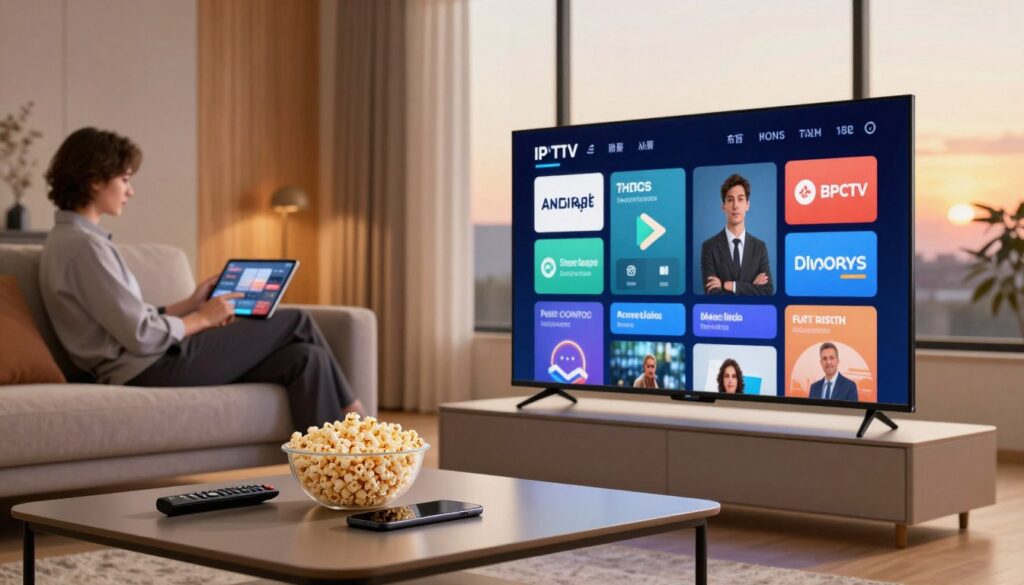
Internet TV brings video to our homes and pockets through IP networks. In the U.S., it includes big names like Netflix and Hulu, as well as IPTV from ISPs and broadcasters. Today, smart TVs, Roku, Amazon Fire TV, and phones make internet TV the top choice for many.
IPTV in the U.S. stands out because of how it’s packaged. Subscribers get linear channels, video on demand, and catch-up services. ISPs manage traffic to ensure smooth streaming, even during busy times.
People choose IPTV over cable and satellite for its modern features. They get on-demand content, interactive guides, and personalized recommendations. Plus, they can watch on different devices without long contracts or rental fees.
IPTV’s popularity has grown as networks and apps get better. Broadcasters update apps easily, adding new features without needing new hardware. This flexibility draws in cord-cutters who want more control over their viewing experience.
The debate between OTT and IPTV often comes up. OTT services stream over the public internet, where quality can vary. IPTV, however, runs on reserved routes, ensuring better quality, especially for live sports and 4K channels.
Here’s a comparison to help you decide between OTT and IPTV services.
| Aspect | OTT Examples | Managed Network IPTV |
|---|---|---|
| Delivery Path | Public internet via CDNs (Netflix, Amazon Prime Video) | ISP-controlled routes with traffic prioritization |
| Typical Strength | Large content libraries and device reach | Consistent bitrate, lower latency for live events |
| Best Use | Binge viewing, on-demand movies and series | Live sports, linear channels, IPTV in the United States deployments |
| Subscription Model | Standalone apps, month-to-month plans | Bundles with broadband, often single billing |
| Device Support | Smart TVs, phones, streaming sticks | Set-top boxes plus apps on major platforms |
| Quality Control | Depends on ISP and internet congestion | Provider can guarantee service levels via managed network IPTV |
How IPTV Works: Technology Behind the Streams
Learning about IPTV starts with three main steps: getting content, moving it, and decoding it. We’ll look at each step to understand how IPTV brings live TV and movies to your home.
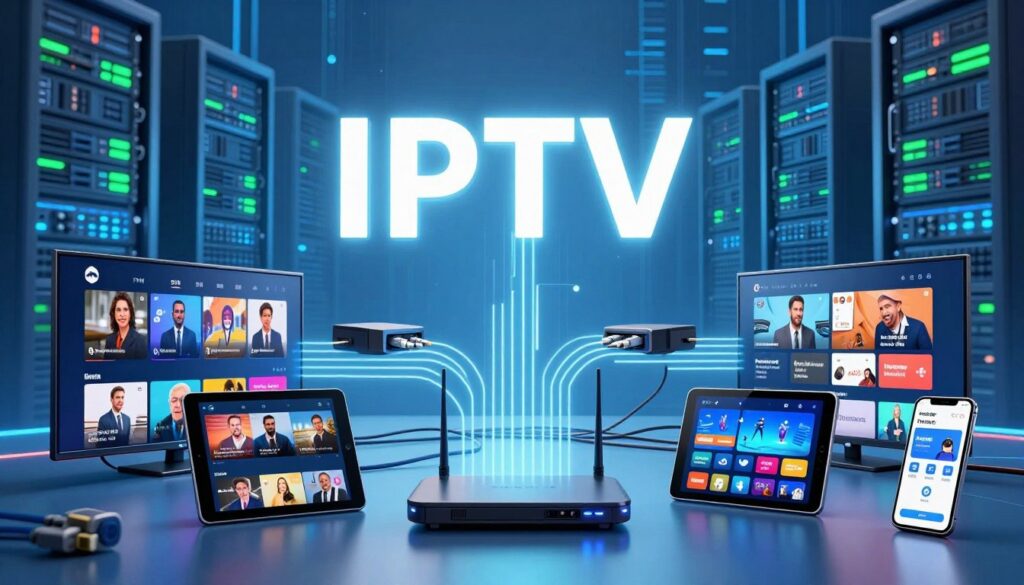
Content acquisition, encoding, and server storage
Providers get channels and movies from big names like Warner Bros. and Disney. They then compress these into formats like H.264 for regular TV and HEVC/H.265 for 4K movies.
These files are stored on servers or CDNs. Cloud DVR copies are kept on provider servers. This lets you watch shows anytime without needing to re-encode them.
Delivery over IP networks: managed networks, protocols, and adaptive streaming
Streams are sent as IP packets over ISP networks or the internet. Managed IPTV ensures big events stream smoothly, even when lots of people are watching.
Protocols like multicast and unicast are used for live and on-demand content. HTTP-based adaptive streaming adjusts quality based on your internet speed. This makes sure you get the best viewing experience.
CDNs help by caching popular streams near viewers. This combination of methods makes IPTV reliable and flexible.
Decoding and playback: apps, set-top boxes, and smart TVs
On the receiving end, apps or set-top box software unpack and decode the streams. Devices range from smart TVs to streaming sticks like Amazon Fire TV and Apple TV.
Dedicated boxes offer advanced features like robust EPGs and smart buffering. Mobile and desktop apps handle streaming and let you navigate through content.
Types of IPTV Services and Viewing Models
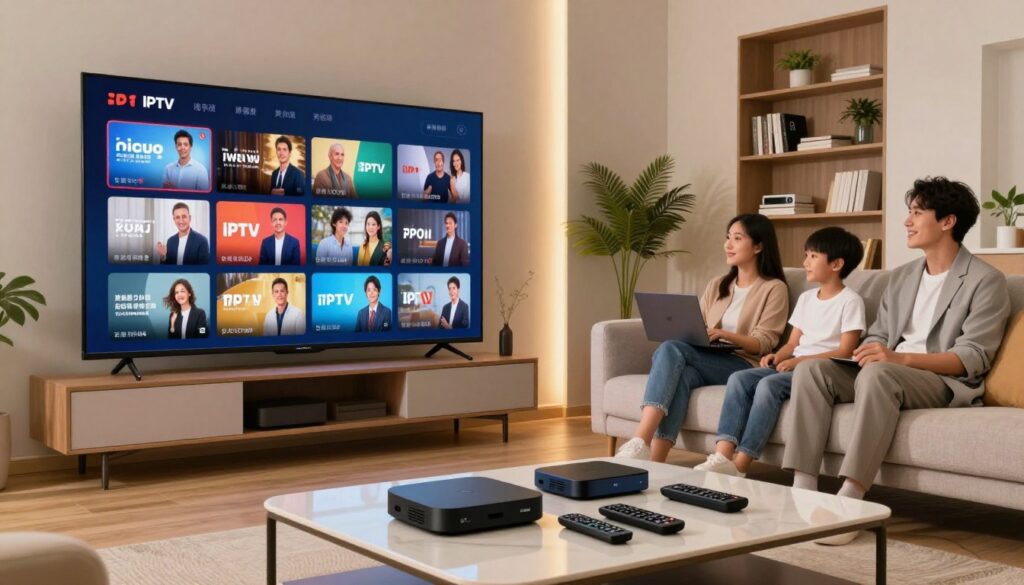
IPTV lets viewers watch TV in many ways. They can choose from a catalog, watch archives, or stream live events. Each model has its own rules for control, speed, and cost.
Video on Demand (VOD) explained
VOD IPTV lets you watch movies, series, and specials anytime. You can binge-watch and make your own playlists. It’s all about watching what you want, when you want.
There are different ways providers offer VOD. Some, like Netflix, charge a monthly fee. Others let you buy or rent individual titles. And then there are services that mix free and paid content.
Time-shifted media and catch-up TV
Time-shifted services let you watch shows after they air. This model is a mix of live TV and on-demand content. It makes it easy to catch up on missed episodes.
Cloud DVR and archives help make catch-up TV easy. Networks like NBC and CBS offer recent shows on-demand. You can pause, rewind, or start where you left off.
Live IPTV for sports and real-time events
Live IPTV streams events like news, sports, and awards in real-time. It’s important for a good experience during big events. Low latency and steady bandwidth are key.
Managed networks and CDN help handle large audiences. Live IPTV often includes features like pause and rewind. It also has interactive stats and social feeds to enhance the event.
Benefits of IPTV Over Traditional TV and OTT
IPTV offers viewers more choice, control, and a modern interface. It turns watching TV into an active, personalized experience. Here are the main ways IPTV enhances TV watching.
Personalization and interactive program guides
Each household member can get recommendations based on their viewing history. Smart suggestions highlight movies, shows, or sports that fit their tastes.
An interactive program guide makes searching easy by genre, actor, or team. It offers reminders, stats during live events, and one-click recordings. These features highlight the importance of iptv personalization and interactive guides.
Multi-device compatibility and mobility
Streams work on a Samsung smart TV, an iPhone, an iPad, and a laptop. Apps for Amazon Fire TV, Apple TV, and Chromecast keep your watchlist consistent across devices.
Starting a show on one device and finishing on another is seamless. This flexibility is great for those with busy lives.
Cost flexibility, slim bundles, and no equipment rental fees
Providers offer month-to-month plans and niche bundles for sports or movies. You can pick only what you want, avoiding long-term contracts.
Using an app on existing hardware means no set-top box rental fees. This leads to lower monthly bills and targeted channel choices, changing the cost of IPTV for many.
| Feature | Traditional Cable | OTT Services | IPTV |
|---|---|---|---|
| Personalized profiles | Limited | Strong for VOD | Strong with iptv personalization |
| Interactive program guide | Basic EPG | App-based grids | Feature-rich interactive program guide |
| Device mobility | Mostly home-only | High | High across smart TVs and mobile |
| Pricing model | Long-term contracts, hardware fees | Subscription per service | Flexible plans; lower cost of iptv |
| Equipment rental | Common | Rare | Usually none |
Choosing the Right IPTV Service for Your Home
Finding the right streaming provider can be tough. Look at three key things: the devices you have, the channels and quality you want, and how they handle payments and support. These steps help you pick an IPTV service that matches your home and lifestyle.
Checking device compatibility
First, check if your devices work with the IPTV service. Make sure they support Amazon Fire TV, Android TV, iOS, Roku, and MAG or Formuler boxes. This ensures your devices can use the service.
Check if the app is in the Apple App Store or Google Play. This lowers the risk and makes installation easier. Try the app on each device during the trial period.
Evaluating channel lineups, HD/4K support, and free trials
Compare the channels offered by different providers. Look for local stations, sports packages, and special networks you like. Also, see how many devices can stream at the same time.
Look for 4K IPTV options and reliable HD feeds. Use trials to test the picture quality, EPG accuracy, and how fast channels change. A trial or money-back guarantee lets you see how it works before you buy.
Payment methods, customer support, and reputation
Choose services that accept secure payments like credit cards or PayPal. Stay away from providers that only take anonymous crypto or peer-to-peer transfers.
Check the provider’s reputation by reading recent customer feedback and forum threads. See how fast they respond to support questions during the trial. Reputable options include Sling TV, Hulu + Live TV, YouTube TV, Philo, and DirecTV Stream.
By checking devices, channels, and payment methods, you’re more likely to find a good IPTV service. It will work well at home and have a strong reputation.
Setup Guide: Installing IPTV in Your Home
Setting up IPTV at home is easy when you have the right gear and a good network. This guide will help you understand what internet speed you need, which devices work best, and how to set everything up. You’ll be streaming smoothly in no time.
Assessing internet speed requirements for SD, HD, and 4K
Before you start, check your internet speed. SD streams work fine at 3–5 Mbps. HD channels need 10–15 Mbps each. For 4K, you’ll need 25 Mbps or more for each stream.
Remember to add some extra speed to your plan. Use Speedtest.net on your device to test it. If you have other users, add their needs to your total.
Hardware options: smart TV apps, streaming sticks, set-top boxes
You can choose from smart TV apps, streaming sticks like Amazon Fire TV or Roku, or set-top boxes like Formuler or MAG. Smart TV apps are easy to use. Streaming sticks offer good value. Set-top boxes have advanced features and EPGs.
Choose a device that fits your needs. For 4K, look for devices with good 4K support and fast Ethernet or Wi-Fi. Make sure the app you need is available for your provider before buying.
Step-by-step setup and optimizing app settings
- Connect your device to your TV and network. Use Ethernet for the best connection.
- Install the provider app or an IPTV client like TiviMate or IPTV Smarters from the store.
- Log in with your account details or import the M3U/portal URL from your provider.
- Choose your stream quality in the app. Match it to your internet speed and device.
- Create profiles, set favorites, and enable cloud DVR if available.
To improve performance, enable QoS on your router. This prioritizes streaming. Also, limit heavy downloads while watching. Keep your device and app up to date for the best experience.
| Use Case | Recommended Device | Network Tip |
|---|---|---|
| Casual viewing, mixed channels | Smart TV app (Samsung, LG) | Wi‑Fi 5 with 20% headroom above expected load |
| Portable or budget | Amazon Fire TV Stick or Roku | Place near router or use 5 GHz band |
| Power user, advanced EPG | Formuler box or MAG device | Wired Ethernet and router QoS enabled |
| Multiple 4K streams | Apple TV 4K or high-end Android TV box | Gigabit Ethernet or Wi‑Fi 6, meet 4K streaming requirements |
Follow this guide to make setting up IPTV quick and easy. Small choices in device and network can make a big difference for a great viewing experience.
Troubleshooting Common IPTV Issues
If your stream stutters or the guide looks wrong, a few targeted checks will usually fix things fast. Start with basic network and device steps. Then, move to app settings and logs before you reach out for professional iptv support.
Fixing buffering and playback interruptions
First, test your internet speed and compare it to the needed bitrate for HD or 4K playback. Use an ethernet cable for set-top boxes and smart TVs when you can. Restart your modem and router, then reduce concurrent devices on the network to see if playback stabilizes.
Lower the stream resolution inside the app if speeds are limited. Clear the app cache on Android, Fire TV, or the native app. Rural viewers with limited bandwidth should switch to HD or SD for more consistent results. If buffering persists after these steps, check for ISP outages or throttling.
Resolving audio/video sync and connection drops
Power-cycle the app and the device first. Update firmware on your smart TV, streaming stick, or set-top box and update the IPTV app. Inspect HDMI and audio cables for loose or damaged connections.
Test the same stream on another device to see if the problem is device-specific. Verify your subscription status in the provider account. Disable any VPN that may interfere with streaming. For repeated drops, contact your internet provider to check line stability and packet loss.
EPG problems, device-specific fixes, and when to contact support
Force-refresh the electronic program guide from the app settings. Confirm the device clock and time zone are correct. Update the app and device firmware to ensure guide data parses properly.
Perform a cold boot for STBs by unplugging power for 10 seconds. On Fire TV and Android devices, clear app cache and storage if the EPG or channel list shows errors. On iOS, make sure the app has required permissions and is running the latest iOS build.
Reach out to iptv support when multiple channels show missing or wrong guide data, when streams fail repeatedly across devices, or when account or subscription validation appears incorrect. Provide logs, device model, and screenshots to speed up the resolution.
Legal Considerations and How to Spot Illegal IPTV
It’s important to know about iptv legality before you sign up. Services like Sling TV and Hulu + Live TV are licensed. They clearly state their terms, protecting you and lowering security risks.
Difference between licensed services and pirated offerings
Licensed services show who they partner with and offer support through official apps. They also follow copyright laws. On the other hand, pirated services broadcast without permission. They often promise many channels for a low price.
Signs a provider may be illegal
- Prices that seem too good to be true for lots of channels.
- Payment options that are anonymous or only accept crypto.
- No apps on Apple App Store or Google Play, but they offer APKs.
- Unprofessional websites and no clear company info or licenses.
Legal risks and security threats
Using illegal IPTV can lead to copyright issues and financial problems. These services often have malware, putting your network at risk. They also have poor reliability and stop working without notice.
Industry enforcement trends
Copyright holders and law enforcement are cracking down on pirate services. They’re taking legal action against operators and payment methods. If you use illegal IPTV, you might face service blocks, chargebacks, or legal warnings.
Practical tips to stay safe
- Stick with well-known providers that are licensed and have official apps.
- Stay away from services that need side-loading or crypto payments.
- Use antivirus software and keep your devices updated to avoid security risks.
- If you’re unsure, contact a trusted provider’s support to check their services.
Advanced Tips for Power Users and Network Optimization
Improving your home network can greatly enhance streaming quality. These IPTV advanced tips focus on managing traffic, privacy, and smart integrations. They help keep your streams smooth and your setup flexible. Follow these simple steps to balance speed, reliability, and convenience.
Quality of Service settings help prioritize video packets from devices. Set high priority for streaming ports and devices. Choose traffic shaping options on routers from Asus, Netgear, or Ubiquiti. Also, enable jitter buffering when available.
Create a dedicated VLAN for streaming devices to isolate IPTV traffic. Use wired ethernet for primary players like Apple TV, NVIDIA Shield, or a media PC. For whole-home coverage, deploy mesh Wi‑Fi or enterprise-grade access points from Ubiquiti or Aruba to reduce dropouts and packet loss.
VPN IPTV can protect privacy and enable geo-routing. Pick providers known for low latency and consistent throughput. Use split tunneling to keep IPTV streams on your ISP route while sending web browsing or P2P traffic through the VPN. Test servers during prime time to confirm sustained speeds for 4K content.
Routing IPTV through a VPN will add overhead. If latency rises, move heavy streaming devices off the tunnel or choose a nearby server. Balance security and speed by applying the VPN to specific devices rather than the entire router when possible.
Cloud DVR services simplify recording without local hardware. Use cloud DVR when you want convenience and remote access. For personal libraries, pair a Synology or QNAP iptv NAS to store rips, metadata, and backups.
An iptv NAS gives control over local media and faster access for internal clients. Configure SMB or Plex media shares and set scheduled backups to the cloud. Keep NAS firmware up to date and allocate RAID or snapshot protection for reliability.
Integrate advanced remotes and voice assistants to streamline navigation. Logitech Harmony or Amazon Echo can combine channel changes, volume control, and scene triggers. Link routines to smart home platforms like HomeKit or SmartThings to pause video for doorbells and dim lights for movie mode.
Use this quick comparison to choose optimization steps for common setups.
| Scenario | Recommended Action | Impact |
|---|---|---|
| Single-room 4K streaming | Wired Ethernet + QoS for IPTV + local NAS for cache | Lowest latency, stable 4K playback |
| Whole-home multi-device use | Mesh Wi‑Fi, VLAN for streaming, prioritize AP backhaul | Fewer stalls across rooms, consistent quality |
| Privacy-focused user | VPN IPTV with split tunneling, choose fast nearby server | Improved privacy with limited speed loss |
| Hybrid cloud/local recording | cloud DVR for scheduled shows + iptv NAS for archives | Convenient recording and durable local storage |
| Smart home automation | Voice assistant routines, advanced remotes, API triggers | Seamless control and automated viewing scenes |
Small changes can make a big difference in iptv optimization. Prioritize QoS for IPTV, choose split-tunnel VPN IPTV setups when needed, and add cloud DVR or iptv NAS where they make sense. Test one change at a time so you can measure the benefit and keep your system responsive.
IPTV in Context: Market, Canadian/US Differences, and Future Trends
The IPTV market is changing how we watch TV. People pick services based on cost, app quality, and channel selection. Telecoms and OTT platforms are racing to meet these needs.
How it stacks up against cable and satellite
In cities, IPTV offers flexible pricing and more on-demand content than cable. Monthly costs are often lower for similar channels with slim bundles.
In rural areas, satellite or old cable is still common due to limited broadband. In Canada, Bell Fibe and Rogers Ignite offer IPTV-style services with licensed channels and streaming apps. In the US, YouTube TV and Hulu + Live TV compete with IPTV and virtual operators.
Regional rules, local channels, and connectivity
Canadian content rules affect what’s available. IPTV must include local content to comply with regulations. This impacts channel choices and prices.
Availability of local channels varies by location. Good network speed is needed for HD or 4K streaming. Poor connectivity makes satellite a reliable choice for live TV.
The near horizon: niches, creators, and new models
Streaming tools and fast internet are opening up for niche channels and creator-led services. Independent producers can now monetize content through subscriptions or ads.
New business models are emerging. Expect micro-subscriptions, ad-supported services, and interactive tiers that reward viewer engagement. Platforms built on web tools and payment plugins make it easier to start legitimate channels.
| Aspect | Traditional Cable/Satellite | Licensed IPTV / Telecom | OTT & Creator IPTV |
|---|---|---|---|
| Pricing | Higher base fees, bundle focus | Mid-range, package plus streaming apps | Flexible: micro-subscriptions and ad tiers |
| Content Rules | Carriage contracts, regional blackouts | Must meet CanCon rules in Canada | Creator-controlled, fewer regulatory limits |
| Availability | Broad, including low-bandwidth areas | Urban and suburban strong, rural limited | Depends on user bandwidth and platform reach |
| Interactivity | Limited DVR and guides | Advanced EPG and cloud DVR options | High: live chat, paywalls, targeted ads |
| Best fit | Households needing wide channel access | Subscribers wanting integrated telecom services | Niche audiences and independent creators |
Conclusion
IPTV is a smart way to watch TV and videos online. This guide showed how it offers on-demand, time-shifted, and live content. It also brings interactivity, personalization, and watching on different devices.
Choosing a provider is key. Look for licensed services with official apps and good customer support. Make sure your devices are compatible and your internet speed is high enough.
Try free trials to see if a service works well for you. This is important before you pay for it. Remember, IPTV can be a great way for creators to reach their audience.
But, be careful of illegal IPTV services. They can get you into legal trouble and are not safe. For the future, expect more personalized content and better streaming quality in North America.


