
If your monthly bill makes you wince, this guide is for you. In 2026, cable alternatives like DirecTV Stream, Fubo, Hulu + Live TV, Philo, Sling TV, and YouTube TV offer similar channel lineups. These services combine local channels with cable networks. Add-ons and premium networks like HBO Max and Paramount+ Premium can increase the cost.
Average cable subscribers paid between $83 and $120 per month in 2026. Budget streamers cost much less. For example, Philo is about $28–$33/month, and Sling Orange and Sling Blue are $46–$51. Combined Sling plans are roughly $61. YouTube TV is near $83, and Hulu + Live TV is around $90. Hidden fees can add another $30–$50 monthly.
This guide offers practical cord cutting 2026 strategies to save $100/month or more. You’ll learn which live-TV streamers best replace cable. You’ll also discover how to combine free FAST apps and an antenna. Plus, how to build a low-cost TV + internet bundle without surprise charges.
Key Takeaways
- Cheap Cable TV Alternatives now include major streamers: YouTube TV, Hulu + Live TV, Fubo, Sling, Philo, and DirecTV Stream.
- Typical cable bills average $83–$120/month; switching can shave off $100+/month with the right mix.
- Philo is the lowest-cost paid option; Sling and YouTube TV fit different needs like sports or breadth.
- Combine an antenna and free FAST apps to cut costs dramatically, and watch for add-ons and hidden fees.
- Plan your internet speed and bundle carefully to avoid losing savings when you move from cable to streaming.
Why switch from cable in 2026: cost, value, and hidden fees
Many families can save money by cutting cable in 2026. Cable costs are now $83–$120 a month. You can find cheaper alternatives that offer similar channels and apps.
Let’s look at what you pay now and how you can save. This comparison shows the potential savings from streaming in 2026.
Average cable costs vs streaming savings
Full-service cable packages cost between $83 and $120 a month in 2026. Streaming services range from $33–$45 for basic plans to $90 or more for premium ones. Choosing the right streaming mix can save you $40–$80 a month.
Some streaming services match cable prices at higher tiers. Hulu Live and YouTube TV have raised their prices. A mix of a low-cost streamer like Philo and a digital antenna can save you a lot of money.
Common bill surprises to avoid
Hidden fees often surprise people when their bills go up. These include equipment rental fees of $10–$20 and broadcast TV surcharges of $10–$25. Sports fees, premium channel charges, and rate increases after promotions add another $5–$50 a month.
Switching to streaming can avoid many of these fees. But, watch out for in-app add-ons, cloud-DVR fees, and channel packs. These extras can reduce your savings unless you choose cheaper options.
Who benefits most from cutting cable
Light viewers, seniors, and low-income families save the most. Seniors 65+ spend a lot of time watching TV, so saving $40–$80 a month adds up quickly. Households without a need for many sports channels or simultaneous streams tend to switch to streaming more easily.
Families needing many high-definition streams or specific sports packages might save less. They should compare bundle offers and low-cost internet plans to find the best deal for TV and internet.
| Household Type | Typical 2026 Cable Cost | Representative Streaming Build | Estimated Monthly Savings |
|---|---|---|---|
| Light viewers / seniors | $83–$95 | Philo + antenna + free FAST apps | $40–$80 |
| Entertainment-focused family | $95–$120 | Philo or Sling + Hulu or Netflix for originals | $30–$60 |
| Sports-focused household | $100–$140 | Sling Blue or YouTube TV + sports add-ons | $10–$40 |
| Low-income / budget shoppers | $83–$110 | Antenna + free tiers + starter streamer bundle | $50–$90 |
Top cheap live-TV streaming services that replace cable
In 2026, there are many ways to cut your cable bill without missing out on your favorite shows. This section covers options from the cheapest to the most comprehensive, so you can find the right fit for your needs. Look for features like local channels, DVR, and sports.
Overview of live TV streamers in 2026
Services like DirecTV Stream, Fubo, Hulu + Live TV, Philo, Sling TV, and YouTube TV offer live cable channels. Most have local affiliates, cable networks, and premium add-ons for extra cost. Availability can vary by county, so check before switching.
Budget picks: Philo and Sling
Philo is the cheapest paid option for those who love entertainment. It costs in the high $20s to low $30s per month and has 70+ entertainment channels. It doesn’t have local broadcasts or sports, making it great for sitcoms and lifestyle channels.
Sling TV offers flexible plans for those on a budget. Sling Orange is for sports fans with ESPN, while Sling Blue has Fox and Discovery networks. Prices vary, with a combined Orange+Blue tier for a mid-budget rate. Sling has DVR limits unless you upgrade to Unlimited DVR.
Premium and full-replacement options
YouTube TV is known for its wide channel selection and top cloud DVR system. It has a clean interface and is great for family streaming. It offers extensive local coverage, making it a solid full-replacement option.
Hulu + Live TV combines a deep on-demand library with live channels and unlimited DVR. It often matches YouTube TV in price and features. A merger with Fubo is pending, which could change bundles and channel lineups.
DirecTV Stream and Fubo focus on sports and local stations. DirecTV Stream has wide local coverage and unlimited DVR. Fubo is for live sports, international feeds, and sports coverage without traditional cable boxes.
| Service | Typical 2026 Price | Best for | Local Channels | DVR |
|---|---|---|---|---|
| Philo | $28–$33/mo | Entertainment channels on a budget | No | Standard cloud DVR |
| Sling TV | $46–$61/mo (tiers) | Flexible budget, sports via add-ons | Partial (varies by market) | 50 hours standard; Unlimited DVR add-on |
| YouTube TV | Around $83/mo | Full replacement, deep DVR | Strong local coverage | Unlimited, 9-month retention |
| Hulu + Live TV | Around $90/mo | On-demand plus live TV | Good local coverage | Unlimited cloud DVR |
| DirecTV Stream | ~$90/mo base | Sports, broad local carriage | Strong in many markets | Unlimited cloud DVR |
| Fubo | Varies by plan; sports tiers higher | Sports-first households | Good local and international options | Cloud DVR with tiered storage |
Free and ultra-low-cost alternatives: antenna, FAST apps, and free tiers
It’s possible to save money without missing out on local news or big shows. By choosing smart options, most families can get the channels they need without spending much. A mix of over-the-air reception and ad-supported streaming makes it easy and affordable.
Use a digital antenna for local channels
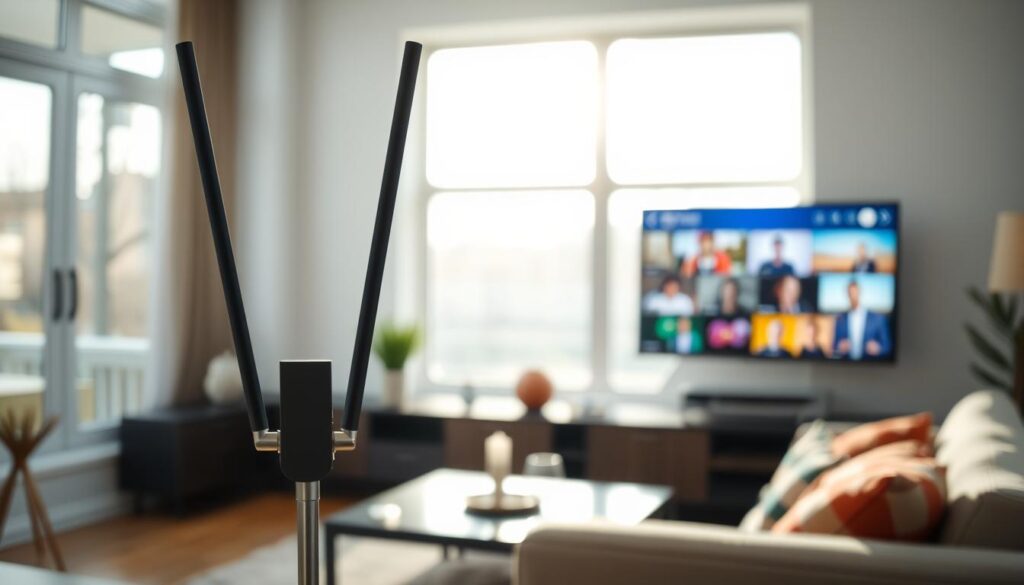
Buying a digital antenna for $25–$50 can get you 30–60 local stations in HD. This includes ABC, CBS, NBC, Fox, PBS, and many local subchannels. It’s a reliable way to watch live sports, morning news, and network shows without paying monthly.
Free ad-supported streaming TV (FAST) and platforms
FAST channels have grown a lot and now offer a wide range of content. Sling Freestream has 600+ free channels in an app-style guide. Pluto TV has about 250 live channels. Tubi offers around 260 FAST channels across movies, news, and niche streams.
These platforms work well with smart TVs or streaming sticks. Most devices have built-in apps for free streaming 2026 options. You can try premium services with trials and promotions without paying right away.
Combine free and paid to cut costs to $0–$30/month
Start with a digital antenna for local channels. Then add Sling Freestream, Pluto TV, and Tubi for a wide range of FAST channels. This setup can be free if you already have internet.
If you want on-demand originals or a few cable channels, add a low-cost plan. Philo at about $28/month is a good choice because it doesn’t carry local stations. Some ISPs offer discounted streaming apps like Xfinity’s low-cost TV options with internet. This can bring your total TV spend down to $0–$30/month.
| Option | Typical Cost | Key Benefit | Best Use |
|---|---|---|---|
| Digital antenna | $25–$50 one-time | Free local HD channels, live sports, news | Homes near broadcast towers, primary source for locals |
| Sling Freestream | $0 | 600+ free live channels and on-demand | Expand live options without adding cost |
| Pluto TV | $0 | 250+ curated live channels, genre streams | Background viewing, themed channels |
| Tubi | $0 | 260+ FAST channels plus on-demand library | Free movie nights and niche programming |
| Philo (paired) | ~$28/month | Low-cost paid service for entertainment channels | Households that rely on antenna for locals |
| Combined free build | $0/month (after antenna) | Local networks + extensive FAST channels | Zero-month TV budget with internet only |
Cheap Cable TV Alternatives
There are many ways to cut cable without losing out on your favorite shows. You can find services that offer similar channels and shows at a lower cost. Here are three options: a streamer focused on entertainment, a flexible live-TV service, and programs for low-income households.
Philo as the top cheap paid replacement
Philo TV is all about entertainment, lifestyle, and reality shows at a low price. It has about 70+ channels for a single monthly fee. This makes it perfect for those who don’t need local broadcasts or live sports.
Philo lets you add extra channels and premium networks if you want more. Its simple channel lineup and low cost make it a great choice for families who love sitcoms, cooking shows, and lifestyle content.
Sling TV for flexible, sports-friendly budgets
Sling TV offers different tiers to fit your interests. You can choose Sling Orange or Sling Blue for different channel mixes. Sling Blue might have local ABC, NBC, or Fox in some areas, which is great for those who need local channels sometimes.
Sling includes a basic DVR and an option to upgrade to Unlimited DVR. Sling Freestream offers free channels for those on a tight budget. It’s a good choice for anyone who wants sports without the high cost of cable.
Bundles and low-income programs that recreate cable for less
Some internet providers offer TV-style services at a lower cost for eligible households. Programs like Xfinity Internet Essentials pair with cheap TV tiers to give many live channels for less than cable prices.
For example, Xfinity Internet Essentials with a low-cost live option offers internet and 125+ live channels for less than a single cable bill. Spectrum Internet Assist has a similar deal for seniors and SSI recipients with its streaming TV product.
| Option | What it suits | Sample monthly cost | Notes |
|---|---|---|---|
| Philo TV | Entertainment and lifestyle viewers | $28 | 70+ channels; no local broadcast or major live sports |
| Sling TV | Flexible pick-and-choose viewers; light sports | Orange $46 / Blue $51 / Combined $61 | Local channels in some markets; DVR upgrade available |
| Xfinity bundle (eligible) | Low-income households wanting many live channels | Xfinity Internet Essentials $14.95 + StreamSaver $30 = $44.95 | Internet plus 125+ live channels for qualifying customers |
| Spectrum bundle (eligible) | Seniors and SSI recipients seeking full channel lineup | Spectrum Internet Assist $25 + Spectrum TV Stream $40 = $65 | Bundle pricing for eligible households recreates cable choices |
Choosing the right option depends on what you value most. Go for Philo TV if you want the cheapest entertainment lineup. Sling TV is best for those who need local or sports content without a full cable bill. Consider Xfinity Internet Essentials or Spectrum Internet Assist if you’re eligible for a wider channel lineup at a lower cost.
How to build a custom low-cost TV package that saves $100+/month
Begin by checking your current TV bill and viewing habits. Make a list of channels you must have, how often you watch sports, and if you need unlimited DVR. This helps you create a TV package that fits your life and budget.
Next, think about what devices you need and if you want local channels. Check if your smart TV, Roku, Amazon Fire TV Stick, or mobile apps support your chosen services. If local channels are important, consider a $25–$50 digital antenna instead of paying for them in a pricey bundle.
Choose services based on what you need. Philo is great for entertainment at a low price. YouTube TV offers strong DVR and a wide range of channels for a full replacement. Sling is good for budget sports with flexible add-ons. Use these features to create a cord cutting plan that saves money without losing important channels.
Step-by-step: audit, map needs, pick services
1. Check your current bill and note the channels you watch weekly. 2. Decide if you can handle ads and if you need DVR or cloud recording. 3. Choose if you want locals from an antenna or a streamer. 4. Compare ongoing rates and promotional pricing. 5. Confirm device compatibility. 6. Subscribe to one or two services, then try them for a month and adjust.
Sample build: entertainment-focused household
For entertainment-focused homes, combine a one-time antenna with a low-cost streamer. Buy a $30 indoor antenna and subscribe to Philo at its low monthly rate. Add free FAST apps like Pluto TV and Tubi for extra content.
This setup costs between $28 to $40 a month, plus internet. It covers local news, 70+ entertainment channels, and a large on-demand library. It’s a cost-effective way to save big compared to traditional packages.
Sample build: sports/watch-everything household
For sports fans, mix a robust live-TV streamer with an antenna for locals. YouTube TV gives a full-replacement experience with unlimited DVR. Sling with sports add-ons and an antenna is cheaper for specific channels like ESPN.
Consider YouTube TV for coverage and DVR at a higher monthly price. Or Sling Blue/Orange with Peacock and Paramount+ during peak sports months. Look for retention offers and promotions to lower initial costs and save $100/month compared to cable.
| Household Type | Components | Estimated Monthly Cost | Strengths |
|---|---|---|---|
| Entertainment-focused | Digital antenna + Philo + Pluto/Tubi | $28–$40 | Low base cost, strong on-demand, locals via antenna |
| Budget sports | Sling Blue/Orange + antenna + Peacock | $45–$60 | Affordable sports access, flexible add-ons, seasonal upgrades |
| All-in sports & news | YouTube TV or DirecTV Choice + antenna (optional) | $83–$115 | Extensive channel lineups, unlimited DVR, regional sports networks |
| Aggressive saver | Antenna + Philo + selective premium monthlies | $30–$50 (varies) | Targets major savings, add premium services only when needed |
Follow this guide to create TV packages that meet your viewing and financial needs. A detailed audit, smart device choices, and selective subscriptions lead to a cord cutting plan. This plan can save $100/month from typical cable bills while keeping your favorite channels.
Internet requirements and cheapest ways to get both TV + internet
Streaming live channels requires good internet as much as the service you choose. Make sure your devices and Wi-Fi are ready before cutting the cord. Here are steps to find the best internet for streaming at a low cost.
What internet speed you need for streaming multiple streams
For one HD stream, aim for 5–8 Mbps. Two people watching need 10–15 Mbps. For three or more, or mixing 4K and HD, go for 25 Mbps or more.
Upload speed is key for video calls and cloud DVR. Old routers and network congestion can slow things down. Add 20–30% to the minimum speeds for better performance.
Low-cost internet programs and bundle strategies
Many providers offer cheap plans for those who qualify. Xfinity Internet Essentials starts at $14.95/month. Spectrum Internet Assist is about $25/month for seniors and low-income families.
Pairing Xfinity Internet Essentials with streaming services can be very affordable. Some ISPs offer special programs like Cox Connect2Compete for $9.95/month for K–12 families.
When looking for deals, compare prices before and after promotions end. Check for discounts for military, seniors, or AARP members. Bundling internet with mobile or streaming can save money, but check the long-term cost.
How to use the FCC broadband map and shop by ZIP code
Start with the FCC broadband map to find licensed providers in your area. Enter your ZIP code to see who offers service and speeds.
Then, compare offers on local websites and by phone. Use sites that show real plans by ZIP code. Call to confirm the total cost, including modem fees and taxes. Ask about low-income programs like Xfinity Internet Essentials or Spectrum Internet Assist if you qualify.
When negotiating, mention direct quotes and FCC map findings. If a better deal comes up, ask your current provider to match it. Keep track of dates and rates to avoid surprises after promotions end.
Devices, DVRs, and technical tips to keep costs low
Choosing the right hardware can cut your monthly bills. It gives you full access to live channels and on-demand apps. Start with low-cost endpoints and pair them with smart DVR choices to avoid recurring rental fees and hidden costs.
Best cheap streaming devices and free options
Streaming sticks like the Amazon Fire TV Stick, Roku Express, and Google Chromecast are affordable. They offer most apps at a low one-time price. Many smart TVs also come with built-in apps, so you can skip extra boxes.
Some providers let you stream via apps on phones, tablets, and streaming devices without renting equipment. Using these endpoints is a simple way to save money.
DVR and recording options
Cloud DVR services from YouTube TV, Hulu + Live TV, and DirecTV let you record without buying hardware. YouTube TV offers long retention, Hulu and DirecTV include unlimited DVR tiers. Sling has a 50-hour cap unless you add the Unlimited DVR add-on for a small fee.
For antenna users, local-network tuners and one-time hardware DVRs can replace rentals. SiliconDust HDHomeRun and Tablo DVR connect to your home network and record OTA channels. They play on Roku, Fire TV, or Plex. This setup has an upfront cost that often beats months of set-top box fees.
Hidden setup and ongoing fees to avoid
Ask providers about all recurring charges before you sign up. Common extras include equipment rental, broadcast TV surcharges, and sports or regional fees. These can add $10–$50 per month.
Save by using a compatible owned modem or router and choosing self-install when available. If a service offers cloud DVR, use it to avoid paying for a separate DVR box. Confirm what happens after promos end by asking, “What is my total monthly bill including fees, taxes, and the price after the promotional period?”
Quick checklist to save
- Buy a low-cost streaming device instead of leasing a set-top box.
- Use cloud DVR when included to skip hardware rental charges.
- For over-the-air channels, consider HDHomeRun or Tablo for one-time investment.
- Always ask about equipment rental and ask providers to itemize recurring fees.
- Compare endpoints and DVR options across services to find the best mix.
Conclusion
Switching to Cheap Cable TV Alternatives in 2026 is both realistic and practical. A mix of services like Philo, Sling, YouTube TV, Hulu, DirecTV, and Fubo can offer great value. Adding a digital antenna and FAST apps like Pluto or Tubi can make it even better.
These options can match or beat traditional cable for most families. Budget-friendly choices like Philo and Sling help save money. Meanwhile, services with strong DVR and channel lineups might be worth the extra cost for some.
On average, cable costs $83–$120 a month. Hidden fees can take another $30–$50 from your bill. Cutting cable in 2026 is possible by checking your bill, looking into low-income programs, and using the FCC broadband map.
Calling providers to negotiate can also help. For many, the cheapest TV+internet combos or a $0 setup with an antenna and free apps can cut costs dramatically.
To save on TV bills, start by reviewing your current subscriptions. Choose a core streaming service and add an antenna for local channels. FAST channels can provide extra content without extra cost.
Compare bundles and check if you qualify for Lifeline or ISP discounts. Watch out for add-on fees. These steps can help you save $100+/month and create a TV setup that fits your budget and viewing habits.
FAQ
What are the cheapest ways to replace cable in 2026?
Which live-TV streaming services most closely replicate cable channel lineups?
How much can I realistically save by cutting cable?
Does Philo include local channels and sports?
How do Sling TV’s Orange and Blue plans differ and which is best for sports?
Are there full replacements that match cable feature-for-feature?
Can I get local broadcast channels without paying for them through a streamer?
What are FAST apps and how many channels do they offer?
What internet speed do I need to stream reliably for a family?
What are the cheapest legitimate internet programs to pair with streaming?
How do hidden fees affect my monthly TV bill, and how can I avoid them?
What DVR and recording options minimize monthly costs?
Which streaming devices are best if I want to keep costs low?
How should I start building a custom low-cost TV package that saves 0+/month?
Are there zero-cost ways to get TV if I already have internet?
What are the cheapest ways to replace cable in 2026?
Which live-TV streaming services most closely replicate cable channel lineups?
How much can I realistically save by cutting cable?
Does Philo include local channels and sports?
How do Sling TV’s Orange and Blue plans differ and which is best for sports?
Are there full replacements that match cable feature-for-feature?
Can I get local broadcast channels without paying for them through a streamer?
What are FAST apps and how many channels do they offer?
What internet speed do I need to stream reliably for a family?
What are the cheapest legitimate internet programs to pair with streaming?
How do hidden fees affect my monthly TV bill, and how can I avoid them?
What DVR and recording options minimize monthly costs?
Which streaming devices are best if I want to keep costs low?
How should I start building a custom low-cost TV package that saves 0+/month?
Are there zero-cost ways to get TV if I already have internet?
FAQ
What are the cheapest ways to replace cable in 2026?
The cheapest options include a digital antenna for local channels and free FAST apps like Pluto TV and Tubi. You can also use a budget streamer like Philo for – a month. Sling TV’s Orange/Blue tiers are about – a month and are good for sports fans.
For low-income families, options like Xfinity Internet Essentials + StreamSaver or Spectrum Internet Assist + Spectrum TV Stream are very affordable. You can also use an antenna with Sling Freestream or FAST channels for no monthly cost if you have internet.
Which live-TV streaming services most closely replicate cable channel lineups?
YouTube TV, Hulu + Live TV, DirecTV Stream, Fubo, Sling TV, and Philo are the closest to cable. Most include local channels and cable networks. You can add extra channels and premium networks like HBO Max for more.
YouTube TV and Hulu are the closest to full cable. Sling and Philo are good for those on a budget.
How much can I realistically save by cutting cable?
Cable bills in 2026 are about to 0 a month. Cutting cable can save –0+ a month. A basic Philo + antenna setup costs – a month, plus internet.
Sling builds cost – a month. Remember, hidden fees like equipment rental and sports fees can add – a month.
Does Philo include local channels and sports?
No, Philo focuses on entertainment and lifestyle channels. It doesn’t have local channels or major sports networks. It’s great for those who get locals via an antenna and don’t need live sports.
How do Sling TV’s Orange and Blue plans differ and which is best for sports?
Sling Orange focuses on ESPN and Disney networks. Sling Blue has Fox, NBC, and Discovery networks. Orange+Blue is about a month.
Sling is good for sports fans on a budget. Its default DVR is limited, but you can upgrade for a fee.
Are there full replacements that match cable feature-for-feature?
Yes, YouTube TV and Hulu + Live TV are the closest to full cable. They have most local channels and deep channel lineups. YouTube TV costs about a month, and Hulu + Live TV is about a month.
DirecTV Stream and Fubo also offer cable-like lineups, but at higher prices. They have sports packages too.
Can I get local broadcast channels without paying for them through a streamer?
Yes, a digital antenna can get 30–60 local channels in HD. You can use an antenna with FAST apps and a low-cost streamer for a cable-like lineup at a lower cost.
What are FAST apps and how many channels do they offer?
FAST stands for free ad-supported streaming TV. Pluto TV, Tubi, and Roku Channel offer hundreds of channels. Sling Freestream has 600+ free channels.
FAST apps are a great no-cost addition to an antenna or paid streamer, covering news, entertainment, and niche channels.
What internet speed do I need to stream reliably for a family?
For one HD stream, you need 5–8 Mbps. For multiple HD streams, you need 10–25+ Mbps. For 4K, you need 25+ Mbps per stream.
If many people stream at once, aim for 100 Mbps or higher to avoid buffering.
What are the cheapest legitimate internet programs to pair with streaming?
Income-qualified programs include Xfinity Internet Essentials (~.95/mo) and Spectrum Internet Assist (~/mo for eligible seniors/SSI recipients). Xfinity’s Internet Essentials + StreamSaver bundle (~.95/mo) is a low-cost combo for qualifying households.
Other local programs and provider-specific discounts can also reduce costs. Check eligibility before switching.
How do hidden fees affect my monthly TV bill, and how can I avoid them?
Hidden fees add – a month, including equipment rentals and broadcast surcharges. Avoid them by using your own modem/router and choosing cloud DVR over hardware rentals.
Always ask for the total post-promo price and negotiate or ask for retention offers when calling providers.
What DVR and recording options minimize monthly costs?
Many streamers include cloud DVR, so you can avoid DVR hardware rental. Sling’s default DVR is limited but offers an Unlimited DVR add-on.
For antenna recordings, you can use one-time hardware like HDHomeRun with Tablo or Plex. These setups require an initial purchase but save money long term.
Which streaming devices are best if I want to keep costs low?
Affordable streaming sticks and devices like Amazon Fire TV Stick, Roku Express, and Chromecast are reliable and low-cost. Many providers support apps on smart TVs and streaming sticks.
Some ISPs offer free streaming boxes as part of internet plans. Choose a device that supports your required apps and any local-DVR or AirTV tuner hardware.
How should I start building a custom low-cost TV package that saves 0+/month?
Start by auditing your current cable bill and listing channels you actually watch. Decide how important live sports and local affiliates are.
Check local channel availability via antenna and use the FCC broadband map to confirm internet options and speeds. Combine a digital antenna, free FAST apps, and a low-cost paid streamer or a full replacement like YouTube TV/Hulu.
Finally, check low-income eligibility and call providers to confirm total monthly cost including all fees.
Are there zero-cost ways to get TV if I already have internet?
Yes, use an antenna for local channels and FAST platforms like Pluto TV and Tubi. You can watch live news, entertainment, and niche content for
FAQ
What are the cheapest ways to replace cable in 2026?
The cheapest options include a digital antenna for local channels and free FAST apps like Pluto TV and Tubi. You can also use a budget streamer like Philo for $28–$33 a month. Sling TV’s Orange/Blue tiers are about $46–$51 a month and are good for sports fans.
For low-income families, options like Xfinity Internet Essentials + StreamSaver or Spectrum Internet Assist + Spectrum TV Stream are very affordable. You can also use an antenna with Sling Freestream or FAST channels for no monthly cost if you have internet.
Which live-TV streaming services most closely replicate cable channel lineups?
YouTube TV, Hulu + Live TV, DirecTV Stream, Fubo, Sling TV, and Philo are the closest to cable. Most include local channels and cable networks. You can add extra channels and premium networks like HBO Max for more.
YouTube TV and Hulu are the closest to full cable. Sling and Philo are good for those on a budget.
How much can I realistically save by cutting cable?
Cable bills in 2026 are about $83 to $120 a month. Cutting cable can save $40–$100+ a month. A basic Philo + antenna setup costs $28–$40 a month, plus internet.
Sling builds cost $50–$70 a month. Remember, hidden fees like equipment rental and sports fees can add $30–$50 a month.
Does Philo include local channels and sports?
No, Philo focuses on entertainment and lifestyle channels. It doesn’t have local channels or major sports networks. It’s great for those who get locals via an antenna and don’t need live sports.
How do Sling TV’s Orange and Blue plans differ and which is best for sports?
Sling Orange focuses on ESPN and Disney networks. Sling Blue has Fox, NBC, and Discovery networks. Orange+Blue is about $61 a month.
Sling is good for sports fans on a budget. Its default DVR is limited, but you can upgrade for a fee.
Are there full replacements that match cable feature-for-feature?
Yes, YouTube TV and Hulu + Live TV are the closest to full cable. They have most local channels and deep channel lineups. YouTube TV costs about $83 a month, and Hulu + Live TV is about $90 a month.
DirecTV Stream and Fubo also offer cable-like lineups, but at higher prices. They have sports packages too.
Can I get local broadcast channels without paying for them through a streamer?
Yes, a digital antenna can get 30–60 local channels in HD. You can use an antenna with FAST apps and a low-cost streamer for a cable-like lineup at a lower cost.
What are FAST apps and how many channels do they offer?
FAST stands for free ad-supported streaming TV. Pluto TV, Tubi, and Roku Channel offer hundreds of channels. Sling Freestream has 600+ free channels.
FAST apps are a great no-cost addition to an antenna or paid streamer, covering news, entertainment, and niche channels.
What internet speed do I need to stream reliably for a family?
For one HD stream, you need 5–8 Mbps. For multiple HD streams, you need 10–25+ Mbps. For 4K, you need 25+ Mbps per stream.
If many people stream at once, aim for 100 Mbps or higher to avoid buffering.
What are the cheapest legitimate internet programs to pair with streaming?
Income-qualified programs include Xfinity Internet Essentials (~$14.95/mo) and Spectrum Internet Assist (~$25/mo for eligible seniors/SSI recipients). Xfinity’s Internet Essentials + StreamSaver bundle (~$44.95/mo) is a low-cost combo for qualifying households.
Other local programs and provider-specific discounts can also reduce costs. Check eligibility before switching.
How do hidden fees affect my monthly TV bill, and how can I avoid them?
Hidden fees add $30–$50 a month, including equipment rentals and broadcast surcharges. Avoid them by using your own modem/router and choosing cloud DVR over hardware rentals.
Always ask for the total post-promo price and negotiate or ask for retention offers when calling providers.
What DVR and recording options minimize monthly costs?
Many streamers include cloud DVR, so you can avoid DVR hardware rental. Sling’s default DVR is limited but offers an Unlimited DVR add-on.
For antenna recordings, you can use one-time hardware like HDHomeRun with Tablo or Plex. These setups require an initial purchase but save money long term.
Which streaming devices are best if I want to keep costs low?
Affordable streaming sticks and devices like Amazon Fire TV Stick, Roku Express, and Chromecast are reliable and low-cost. Many providers support apps on smart TVs and streaming sticks.
Some ISPs offer free streaming boxes as part of internet plans. Choose a device that supports your required apps and any local-DVR or AirTV tuner hardware.
How should I start building a custom low-cost TV package that saves $100+/month?
Start by auditing your current cable bill and listing channels you actually watch. Decide how important live sports and local affiliates are.
Check local channel availability via antenna and use the FCC broadband map to confirm internet options and speeds. Combine a digital antenna, free FAST apps, and a low-cost paid streamer or a full replacement like YouTube TV/Hulu.
Finally, check low-income eligibility and call providers to confirm total monthly cost including all fees.
Are there zero-cost ways to get TV if I already have internet?
Yes, use an antenna for local channels and FAST platforms like Pluto TV and Tubi. You can watch live news, entertainment, and niche content for $0 a month beyond internet.
Some households add a single low-cost paid service seasonally for specific shows or sports.
How often do prices and channel availability change, and what should I watch for?
Prices and channel carriage change often. Recent years have seen service increases and consolidation, like the Hulu–Fubo merger.
Check local channel availability by ZIP code before committing. Watch for promotional vs ongoing rates, carriage disputes, and added sports or broadcast surcharges when comparing total monthly cost.
Where can I verify available providers and confirm real total costs for my address?
Use the FCC broadband map (broadbandmap.fcc.gov) to see licensed providers by address. Comparison sites like allconnect.com and cabletv.com can surface offers, but always call providers to confirm the full monthly price including taxes, equipment fees, broadcast surcharges, and the post-promotional rate.
How often do prices and channel availability change, and what should I watch for?
Where can I verify available providers and confirm real total costs for my address?
a month beyond internet.
Some households add a single low-cost paid service seasonally for specific shows or sports.
How often do prices and channel availability change, and what should I watch for?
Prices and channel carriage change often. Recent years have seen service increases and consolidation, like the Hulu–Fubo merger.
Check local channel availability by ZIP code before committing. Watch for promotional vs ongoing rates, carriage disputes, and added sports or broadcast surcharges when comparing total monthly cost.
Where can I verify available providers and confirm real total costs for my address?
Use the FCC broadband map (broadbandmap.fcc.gov) to see licensed providers by address. Comparison sites like allconnect.com and cabletv.com can surface offers, but always call providers to confirm the full monthly price including taxes, equipment fees, broadcast surcharges, and the post-promotional rate.


