
Can you stream top-quality 1080p60 video with low latency for under $500? This is key for church streams, sports channels, or mobile broadcasts. You need reliable, affordable gear.
This guide explores the best IPTV Encoders for U.S. buyers in 2026. We focus on trusted brands like URayCoder, DDMALL, Kiloview, and Roland. They offer H.264 and H.265 support, multi-protocol streaming, and stable 1080p@60fps performance for under $500.
Find concise, user-focused reviews and a practical buyer’s guide here. Choose the best iptv encoders for live events, OTT channels, and portable setups. This list of the top 5 IPTV encoders 2026 shows each model’s strengths and trade-offs for budget encoders.
Key Takeaways
- Affordable encoders can offer H.264/H.265 and multi-protocol support for professional streams.
- Choose based on use case: portability, multi-camera switching, or bidirectional NDI workflows.
- URayCoder and DDMALL pair value with low-latency results for mobile and OTT streaming.
- Kiloview and Roland suit studio or live-event setups that need advanced routing and previews.
- Expect solid 1080p performance under $500, but not 4K—plan network and bitrate accordingly.
Overview: Why Choosing the Right IPTV Encoder Matters for Streaming Quality
Choosing the right device is key for every stream. The best IPTV encoders do more than just convert signals. They affect how video plays, how much network capacity you need, and how live feeds feel.
What an IPTV encoder does and why it’s essential
An encoder turns raw camera or media output into a digital stream ready for IP delivery. Knowing what an IPTV encoder is helps you pick the right one. It covers compression, packetization, and protocol handoff for platforms like CDN or streaming servers.
How encoders affect latency, bandwidth, and viewer experience
Encoder choice impacts latency reduction through efficient processing and low-latency protocols like SRT. A device built for low latency keeps live interactions tight during events and remote production.
Codec efficiency is linked to bandwidth efficiency. H.265 units lower bitrate for the same quality as H.264. This matters for mobile viewers and limited uplinks.
Stable bitrate control, multi-protocol support, and reliable hardware reduce buffering and pixelation. These factors improve viewer retention more than specs do.
Budget reality: professional features you can expect under $500
Many IPTV encoders under $500 have H.264 and H.265 support, 1080p60 performance, and web UI management. They offer SRT, RTMP, HLS, and RTSP streaming, making small broadcasters or IPTV startups viable without huge costs.
Expect trade-offs. Most sub-$500 models stop at 1080p rather than 4K. Some compact units sacrifice built-in Wi‑Fi for Ethernet-only connections. You can still find robust, portable choices like URayCoder and DDMALL that deliver professional results at a modest price.
| Feature | Typical in Devices | Impact on Streams |
|---|---|---|
| H.264 / H.265 | Common | Better compression and bandwidth efficiency, lower costs for delivery |
| 1080p @ 60fps | Standard | Smooth motion for sports and events without 4K bandwidth |
| Low-latency protocols (SRT, optimized RTMP) | Often supported | Enables latency reduction for live interaction |
| Multi-protocol output | Yes | Flexible delivery to CDNs, OTT platforms, and direct viewers |
| Wireless connectivity | Less common | May limit field setups; Ethernet favored for stable uplinks |
| Encoder/decoder combos | Selective | Useful for bi-directional workflows and monitoring |
Best IPTV Encoders — What to Look For in 2026
Choosing the right encoder is key for quality and flexibility. Look for codec support, protocol compatibility, I/O options, and a design that fits your workflow. Here are quick tips to help you find the best iptv encoders for your needs.
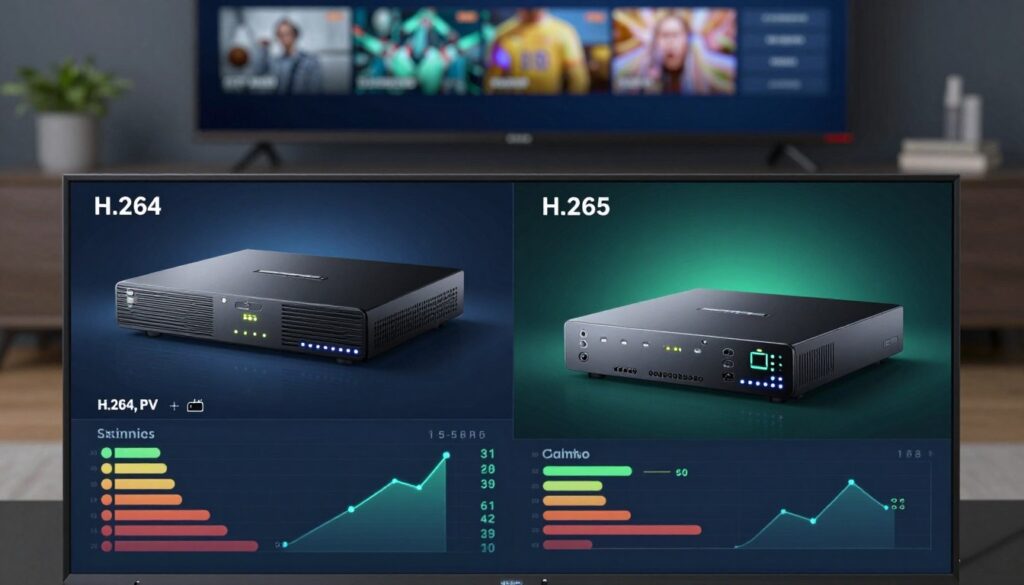
When shopping, compare H.265 vs H.264. H.264 is more compatible and uses less CPU. A HEVC encoder offers better compression and saves bandwidth while keeping quality high. If you’re planning for mobile or OTT, choose H.265.
Streaming protocols to prioritize
Seek devices that support multiple protocols like RTMP HLS SRT NDI. RTMP is key for direct uploads to YouTube and Facebook Live. HLS is great for wide device support. SRT ensures secure, low-latency delivery. NDI is essential for studio workflows and multi-camera setups.
Inputs and outputs
Most encoders have an HDMI port. SDI options are less common but useful for pro cameras. USB-C offers plug-and-play with laptops and capture cards. Ensure Ethernet is strong and Wi-Fi is built-in for mobile needs.
Portability and power
For teams on the move, a portable encoder that runs on USB power is ideal. Battery-backed or USB-powered designs are great for live sports and mobile reporting. Rugged units from Kiloview and Roland are better for frequent transport.
Encoder vs encoder/decoder combos
Go for a dedicated encoder if you only send streams. For bi-directional production, choose an encoder decoder combo. Devices like the Kiloview N60 and D1110 are perfect for both sending and receiving streams.
- Prioritize multi-protocol devices for future flexibility.
- Use H.265 for bandwidth-saving and H.264 for universal playback.
- Match I/O to your cameras and switchers: HDMI for cameras, SDI for broadcast, USB-C for laptops.
- Decide if you need a battery-powered encoder for field use or if mains power is okay.
How We Tested and Ranked These IPTV Encoders
We used a clear plan to test each device. We looked at how well they work in real life. This helped us find the best iptv encoders for different needs.
We checked video quality at 1080p@60 with H.264 and H.265. We looked at how clear the video was, its color, and any compression issues. This is what streamers and small broadcasters need.
Latency tests showed how fast the devices were. We used SRT and RTMP paths to measure delay. This is important for live feeds and interactive content.
We checked if devices worked with different protocols like RTMP, HLS, and SRT. We also looked at how easy they were to set up and use. Then, we tested them for a long time to see how they handled stress.
We tested them in real situations too. For example, we used a Roland switcher with a Kiloview N60 for live events. We also tested OTT streaming with URayCoder and DDMALL.
Mobile tests checked how well devices worked on the go. We used laptops and field networks to see how easy they were to set up and use.
We compared features, build quality, and support against price. We looked for value, not just high prices. This helped us find the best deals for under $500.
Ranking was based on both what we tested and how easy it was to use. For example, URayCoder was great value at around $250. Kiloview N60 was top for NDI but was pricier at around $500.
The table below shows our test results and scores for each device. We averaged multiple tests to show consistent performance.
| Model | Video Quality (1080p60) | Avg Latency (ms) | Protocol Support | Stability (hrs continuous) | Price Range | Value Score (1–10) |
|---|---|---|---|---|---|---|
| URayCoder | High clarity, low artifacting (H.264/H.265) | 120 (RTMP), 80 (SRT) | RTMP, HLS, SRT, RTSP | 72+ | $249–$279 | 8 |
| DDMALL HEV-10 | Good clarity, efficient H.265 encoding | 150 (RTMP), 95 (SRT) | RTMP, HLS, SRT | 48–72 | $69–$99 | 7 |
| Kiloview N60 | Very good studio-grade output | 90 (RTMP), 55 (SRT) | RTMP, SRT, NDI, RTSP | 72+ | $479–$499 | 9 |
| D1110 | Solid multi-protocol performance | 130 (RTMP), 85 (SRT) | RTMP, HLS, SRT, RTP | 72+ | $199–$249 | 7 |
| Roland AV Encoder | Strong performance when paired with switcher | 110 (RTMP), 70 (SRT) | RTMP, UVC, HLS | 60–72 | $450–$499 | 8 |
URayCoder HDMI Video Encoder — Best Value for Stable Multi-Platform Streaming
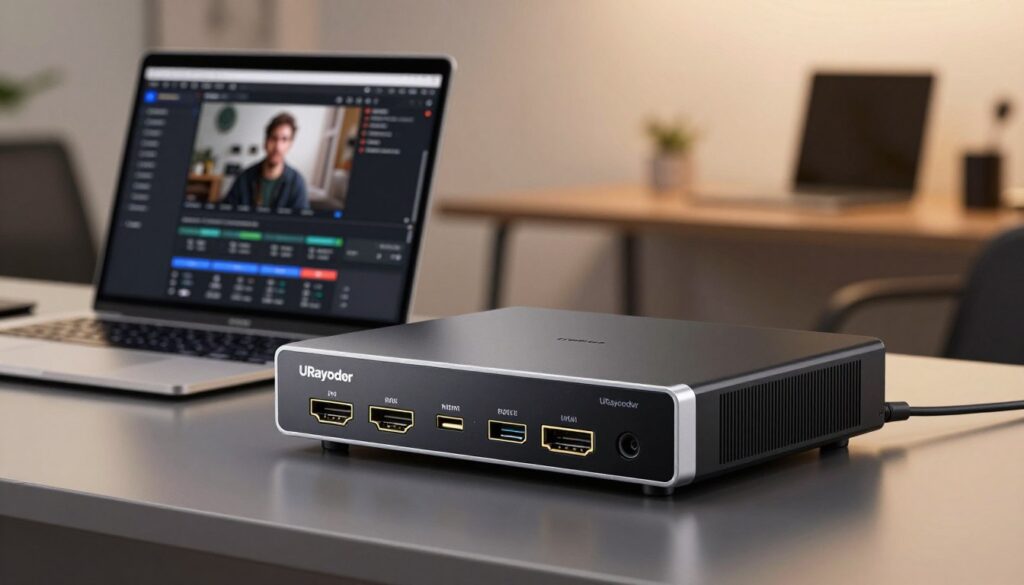
The URayCoder encoder is a great mix of professional features and a low price. It supports H.264 and H.265, goes up to 1080p60, and streams to many services at once.
Key features and specs
It has H.265 for better compression and H.264 for more compatibility. The device can handle 1080p at 60fps. It supports RTMP, HLS, SRT, RTSP, RTP, UDP, and HTTP for streaming on different platforms.
Strengths
It’s great for live events because of its low-latency encoder. You can stream to many places without extra hardware. Its small size makes it easy to set up in small spaces.
Limitations
It only goes up to 1080p and doesn’t do 4K. You can only connect it via Ethernet, which might be a problem for mobile use unless you add Wi-Fi or adapters.
Who should buy the URayCoder
It’s perfect for IPTV startups, churches, small businesses, and solo streamers. It offers professional features without costing over $500. If you need a good H.265 encoder and a reliable low-latency encoder, consider this.
| Attribute | URayCoder | Why it matters |
|---|---|---|
| Codec support | H.264, H.265 | Balance of compatibility and efficient compression |
| Max resolution | 1080p60 | Sharp HD streams with smooth motion for most shows |
| Latency | Low-latency encoder performance | Better interactivity and live event sync |
| Network | Ethernet only | Stable wired streams; limits field flexibility unless adapted |
| Multi-stream | Simultaneous outputs | Stream to several platforms without extra boxes |
| Form factor | Compact, portable | Easy transport and quick deployment |
| Price range | $249–$279 | Strong value among best iptv encoders for budget-conscious buyers |
| Best fit | IPTV startups, churches, small businesses, solo streamers | When you need reliable multi-platform streaming under budget |
DDMALL HEV-10 HDMI Encoder — Best for Ultra-Portable Field Streaming
The DDMALL HEV-10 is small but powerful. It supports 1080p60 H.264 and H.265 in a size that’s easy to carry. It’s perfect for mobile journalists, vloggers, and small studios needing quick setup and reliable output.
Key features and specs
This encoder is USB-powered and supports H.264/H.265. It can stream 1080p at up to 60fps. It also covers many protocols like RTMP, HLS, UDP, RTP, RTSP, and SRT. Its price is around $269–$299, making it a great choice for those on a budget.
Strengths
The DDMALL HEV-10 is small and can run off a USB connection. It has low latency, making it great for live broadcasts. Its light design makes it easy to carry in your bag or camera kit.
Limitations
This encoder only has one input, so you’ll need an external switcher for multiple cameras. It doesn’t support 4K, focusing on 1080p. You might need extra hardware for multi-input setups and it’s not ideal for complex studio routing.
Who should choose the DDMALL HEV-10
Mobile journalists, remote presenters, vloggers, and small crews will find it useful. It’s perfect for those needing a compact encoder that works well with laptops. Reviewers say it’s one of the best for quick, portable broadcasts.
| Attribute | DDMALL HEV-10 | Why it matters |
|---|---|---|
| Codec support | H.264 / H.265 | Good balance of compatibility and efficiency for 1080p streaming |
| Max resolution | 1080p60 | Meets broadcast-standard HD needs without 4K complexity |
| Power | USB-powered | Simplifies mobile workflows and laptop-centric use |
| Inputs | Single HDMI input | Best for single-camera rigs; requires switcher for multi-camera |
| Protocols | RTMP, HLS, UDP, RTP, RTSP, SRT | Flexible delivery options for streaming platforms and low-latency links |
| Form factor | Palm-sized | Fits into travel kits and pocketed camera bags |
| Price range | $269–$299 | Competitive for those seeking the best iptv encoders under $500 |
| Best fit | Mobile journalists, vloggers, small studios | Ideal for users asking who should buy DDMALL HEV-10 and needing a compact encoder |
Kiloview N60 Encoder/Decoder — Best for Bi-Directional Workflows and NDI
The Kiloview N60 is a compact unit that combines encoder and decoder functions. It’s perfect for users who need flexible, low-latency video transport. It supports 1080p60 and both NDI|HX and NDI High Bandwidth modes, making it ideal for modern IP-based production setups.
Key features and specs
This device can handle 1080p at 60fps and supports various workflows like RTMP, RTSP, SRT, HLS, RTP, and NDI. It has HDMI and USB Type-C inputs and outputs. It also comes with real-time preview, adjustable OSD, and a built-in web UI for easy monitoring.
Strengths for production
NDI support allows for low-latency video transport within a local network. Real-time preview and OSD enable technicians to check feeds on site. Its bi-directional design supports return feeds and remote production, making it great for conference AV teams and broadcasters.
Limitations to consider
The price is around $499, which is near the $500 cap. It might be overwhelming for new streamers who prefer simple gear. Kiloview limitations mainly affect beginners learning NDI workflows and advanced network routing.
Who benefits most
Remote production teams, small studios, and event technicians will find great value in the Kiloview N60. It’s perfect for bi-directional feeds, on-site monitoring, and NDI workflows in LAN-based multi-camera setups. It’s one of the best iptv encoders for those needing both encode and decode capabilities in one durable package.
D1110 Video Decoder/Encoder — Best for Multi-Device and Protocol-Heavy Streaming
The D1110 encoder is great for workflows needing flexible input and output. It works with H.264 and H.265 and has HDMI input and IP output over LAN. This makes it a top choice in its price range.
Key features and specs
This device supports H.264 and H.265 and many protocols like RTSP and HLS. It can handle HDMI input and send IP streams over LAN. It also offers push pull streaming for easy distribution. Its price is around $419–$449, making it a good value for mid-budget needs.
Strengths
It has push and pull features for sending streams to different servers or getting them from various sources. It’s easy to stream to many devices, perfect for digital signage and IPTV providers. Its wide compatibility and stable output make it great for complex streaming setups.
Limitations
The D1110 is bigger than some USB encoders and doesn’t support 4K. It’s designed for reliable 1080p streaming, which is good for most places but not for high-resolution needs.
Ideal scenarios
It’s perfect for remote broadcasting, multi-display setups, and large IPTV distributions. It’s great for event producers and signage integrators needing flexibility. However, if you need something very portable or 4K, there are better options.
Roland Professional AV Switcher + Encoder — Best for Live Events and Multi-Camera Production
The Roland unit is a true all-in-one solution for live events and multi-camera productions. It has H.264 encoding and USB-C UVC output for direct streaming. It also has multiple HDMI inputs, onboard audio mixing, scene transitions, and direct platform streaming.
This device is great for houses of worship, corporate webinars, and touring AV teams. It’s compact and easy to use. It’s perfect for those who need a simple workflow.
Strengths
The Roland unit combines a switcher, mixer, and encoder into one. It has onboard audio mixing and effects. This makes it easy to use and stream directly to platforms.
Limitations
It’s a bit larger than single-purpose encoders. The interface and features might be hard for beginners. It only supports 1080p output, not 4K.
Despite its limitations, it’s a great choice for those on a budget. It’s easy to set up and stream. It’s built with Roland’s quality, making it a reliable choice for event teams.
| Feature | What it means | Practical impact |
|---|---|---|
| Multiple HDMI inputs | Connect 2–4 cameras for live switching | Simplifies multi-camera encoder setups for concerts and services |
| H.264 encoder + USB-C UVC | Driver-free capture to PCs and platforms | Quick plug-and-play streaming with common software |
| Onboard audio mixing | Mix channels and add effects without external mixer | Cleaner live audio workflow, less gear to manage |
| Direct streaming features | Built-in presets for YouTube and social platforms | Speeds event delivery and reduces setup steps |
| Physical size and controls | More buttons and knobs than pocket encoders | Offers tactile control at the cost of portability |
| Price (~$479–$499) | Competitive for combined switcher and encoder | One purchase can replace multiple devices in a kit |
| Limitations | 1080p only; feature complexity | Not suitable for native 4K production; learning required |
Comparative Buyer’s Guide: Choosing the Right Model for Your Needs
Choosing an encoder is about balancing features, budget, and workflow. This guide helps match your needs with real products. This way, you can choose with confidence.
Matching encoder features to common use cases
For churches, a simple and reliable encoder is best. The URayCoder is affordable and works well for small to mid-size services. Roland’s encoder suite is great for larger worship bands needing audio mixing and camera control.
Sports and live events need low latency and can handle many sources. Roland and Kiloview N60 offer these features. URayCoder or DDMALL are good for single-camera setups or remote reporting.
IPTV startups and OTT services need devices that support many protocols and streams. The D1110 and URayCoder are cost-effective for OTT delivery and are among the best for early-stage operations.
Portability vs production features: picking the right trade-offs
For mobility, choose a small device like the DDMALL HEV-10. It’s easy to carry and use USB power. This choice sacrifices advanced features for size and battery life.
For production control, pick devices like Roland’s switcher + encoder or Kiloview N60. They offer inputs, NDI, preview, and switcher functions for complex workflows.
Network and protocol checklist before purchase
- Check if you need RTMP for platforms, HLS for devices, SRT for security, and NDI for production.
- Look at the network checklist: Ethernet, Wi-Fi, USB, and multi-stream outputs for CDNs.
- Make sure the device supports H.264 or H.265, depending on your CDN or platform.
Budget planning: when to invest more than $500
Invest over $500 for native 4K, redundancy, rack-mounting, SDI inputs, or HEVC features. Brands like Haivision and Vitec offer these. For most users, a mid-range device is enough without breaking the bank.
Cloud or software encoders like OBS or cloud services can complement hardware. They might cost more but offer flexibility for scaling. They let you mix local hardware with cloud workflows as you grow.
| Use Case | Recommended Models | Key Reasons | Notes |
|---|---|---|---|
| Small church / single-camera worship | URayCoder | Affordable, reliable, multi-stream output | Great starter option for houses of worship; fits budget-conscious ministries |
| Large worship with band | Roland switcher + encoder | Integrated switching, audio mixing, platform streaming | Best choice when production control matters; steeper learning curve |
| Mobile reporting / field crews | DDMALL HEV-10 | Palm-sized, USB-powered, low-latency | Top pick for portability; limited to single HDMI input |
| Multi-camera sports and live events | Kiloview N60, Roland | NDI support, low latency, switching capabilities | Preferred when many sources and real-time monitoring are required |
| IPTV startup / OTT delivery | D1110, URayCoder | Multi-protocol, multi-stream, cost-effective scaling | Balances protocol flexibility with budget constraints |
| Enterprise or broadcast facilities | Haivision, Vitec (higher-end) | 4K, redundancy, rack-mount, multi-channel HEVC | Consider when long-term reliability and advanced features justify higher spend |
Use this guide when shopping for an encoder. Compare features, check the network and protocol checklist, and consider your platform needs. If you’re growing or need specific features, invest in encoders that can grow with you.
Practical Setup Tips and Best Practices for Reliable Streaming
Start with clear defaults and a simple checklist for good setup. Use proven encoder settings 1080p as a starting point. Then, adjust based on your content and network. Follow these steps for stable streaming, less latency, and avoiding common issues with top iptv encoders.
Recommended encoder settings for stable 1080p streaming
For talking-head streams, use 1080p30. For sports or fast action, go for 1080p60. For H.264, aim for 3–6 Mbps at 30fps and 6–8 Mbps at 60fps. For H.265, target 2–4 Mbps at 30fps and 4–6 Mbps at 60fps. Set keyframe interval to 2 seconds for broad platform compatibility.
Adjust GOP size for your encoder’s efficiency. Use hardware encoding when possible to offload CPU and reduce dropped frames. Always test audio delay and sync before going live.
Bandwidth planning and bitrate recommendations (H.264 vs H.265)
Always have 1.5–2x headroom above your target bitrate on the upstream link. For example, if streaming 1080p60 at 8 Mbps, your uplink should handle 12–16 Mbps. Use the provided bitrate recommendations to choose target rates based on motion and complexity.
Consider adaptive bitrate or multi-bitrate outputs for devices that support multiple streams. The best iptv encoders often include multi-streaming. This way, you can serve both high-quality and low-bandwidth viewers.
Reducing latency: network and protocol tips (SRT, optimized RTMP)
Prefer wired Ethernet over Wi‑Fi for stable throughput and lower jitter. Use SRT when both endpoints support it to reduce latency and improve resilience in variable networks. Adjust SRT latency buffers to balance delay and packet recovery based on your path.
For RTMP optimization, lower encoder buffer settings and point to CDN edge servers near your audience. RTMP is useful for many platforms, so combine RTMP optimization with CDN placement to reduce transit delay.
Maintenance, firmware updates, and troubleshooting common issues
Keep an encoder firmware update schedule to apply security patches and codec improvements. Check vendor web UI for updates from URayCoder, DDMALL, Kiloview, and Roland. Back up custom presets before updating firmware.
Common encoder troubleshooting items include dropped frames, audio/video sync, and connection timeouts. For dropped frames, check CPU, temperature, and bandwidth. For sync issues, adjust audio delay or resample in the encoder UI. For timeouts, verify network stability and correct server addresses.
| Task | Quick setting | Why it matters |
|---|---|---|
| Resolution & frame rate | 1080p30 or 1080p60 | Matches motion needs and keeps encoder load predictable |
| Bitrate (H.264) | 3–6 Mbps (30fps), 6–8 Mbps (60fps) | Balanced quality for common viewers and CDNs |
| Bitrate (H.265) | 2–4 Mbps (30fps), 4–6 Mbps (60fps) | Smaller streams with similar perceived quality |
| Keyframe interval | 2 seconds | Platform compatibility and seeking accuracy |
| Network | Wired Ethernet, 1.5–2x headroom | Prevents congestion and dropped frames |
| Low-latency protocol | SRT with tuned latency buffers | Secure, resilient low-latency transport |
| RTMP optimization | Lower buffer, use nearby CDN edge | Reduces transit time and smooths playback |
| Firmware & support | Regular encoder firmware update | Fixes bugs, adds protocol and codec improvements |
| Troubleshooting | Check CPU/temp, bandwidth, audio delay | Resolves dropped frames, sync, and timeout issues |
By following these checks and using vendor support resources, you can increase reliability without overcomplicating things. Use SRT tips and RTMP optimization where needed. Choose from the best iptv encoders that fit your workflow for smooth launches and fewer surprises during live streams.
Conclusion
Finding top-notch IPTV encoders for under $500 is possible in 2026. You can enjoy professional 1080p60 quality without spending too much. URayCoder is great for its value and stable streaming on many platforms. DDMALL HEV-10 is perfect for those who need something portable.
For advanced features, Kiloview N60 offers NDI and flexibility in both directions. The D1110 is great for handling many devices and protocols. Roland is ideal for live events with its integrated switching.
When picking an IPTV encoder, consider the codec support (like H.265 for saving bandwidth). Also, think about the protocols you need (RTMP, HLS, SRT, NDI) and the I/O options (HDMI or USB-C).
Begin with URayCoder or DDMALL for simple OTT or social streaming. For more features, consider Kiloview, D1110, or Roland. Make sure the encoder fits your workflow and budget by checking compatibility with your CDN or platform.


