

IPTV brings live TV, sports, movies, and channels from around the world to your internet. It’s wise to test IPTV services before you buy, just like you would with YouTube TV or Hulu Live. This guide will show you what to check, why it’s important, and how to do quick tests for US homes in 2026.
With cable bills around $127 a month in 2026, many families look for cheaper options. A good IPTV testing checklist includes checking performance during busy times, verifying 4K quality, and checking EPG accuracy. It also looks at VOD availability, device support, and if the provider is legit. Most setups use M3U playlists or Xtream Codes and work on devices like Amazon Fire TV Stick 4K Max and smart TVs.
This article will guide you through practical steps to test IPTV. You’ll learn how to check connections, legal status, and support. These tests will help you see if IPTV can replace cable and meet your daily viewing needs.
Key Takeaways
- Test IPTV during peak hours to measure real-world reliability.
- Verify true 4K streams on capable devices like Apple TV 4K or Nvidia Shield.
- Check EPG accuracy, catch-up, and VOD updates for usability.
- Confirm device compatibility and easy setup with M3U or Xtream Codes.
- Review provider legitimacy, support response, and trial/refund terms.
Why Americans Are Choosing IPTV and What to Expect from a Test
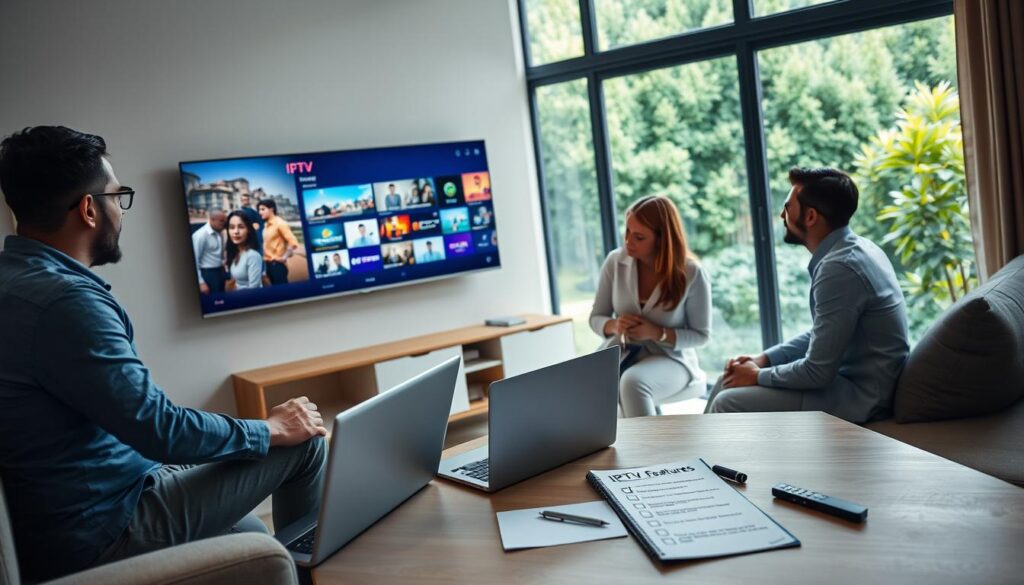
More people are switching from cable as costs rise. Cable bills now average $127 a month. In contrast, IPTV plans start at $12 and go up to $25 a month. Families often save $900 to $1,500 a year by switching to IPTV.
Content variety is another big draw. IPTV offers thousands of channels from around the world. Sports fans get access to major leagues like the NFL, NBA, and UFC. Plus, there are tens of thousands of on-demand titles available.
Flexibility in service models is also attractive. Many IPTV services offer month-to-month plans without long-term contracts. They work on various devices, making it easy to watch on different screens.
When you test IPTV, look for certain key features. Check server performance during busy times and live sports. Look for uptime claims over 99% and dedicated servers.
True 4K quality is crucial. Compare IPTV streams to known 4K sources like Netflix. Real 4K streams need high bitrates and support for HDR.
EPG accuracy and VOD updates show a provider’s commitment. Make sure the guide is up to date and VOD is refreshed often. Providers with large VOD libraries and regular updates are usually better.
Finally, check device compatibility. Test apps on your own devices and with popular front-ends. Ensure they work on Firestick, Nvidia Shield, and smart TVs.
Run a detailed Test IPTV trial. Focus on key areas to avoid surprises. This way, you’ll see the IPTV savings 2026 that many families enjoy.
Test IPTV: The Essential Live-Streaming and Performance Checks
Before you commit, run a focused test iptv routine. It measures real-world playback, resilience, and quality. Start with short trials in the evening and during major live events to see how a service behaves under pressure. Use simple notes you can compare across providers.

Peak-hour and stress testing strategy
Schedule tests between 7–11 PM and during marquee sports nights like Sunday Night Football. This reveals server limits and shows whether buffering spikes when demand jumps. Record dropouts, rebuffer times, and how quickly streams recover.
Ask providers about US server nodes, private dedicated servers, failover, and load-balancing for reliable delivery. Cheap plans under $5/month often use shared panels and fail most stress trials. Use an IPTV stress test to compare services under identical conditions.
Measuring video quality and true 4K verification
To verify 4K IPTV, compare an offered 4K channel against a verified 4K source like Netflix 4K. Genuine 4K should match in sharpness, HDR tone, and detail, not look like upscaled 1080p.
Watch for sustained bitrate near 15–25 Mbps for real 4K. Check codec (HEVC or VP9), resolution, and HDR flagging. Test on devices like Fire TV Stick 4K Max, NVIDIA Shield TV Pro, or Apple TV 4K for accurate results. Look closely for compression artifacts that drop perceived quality to near-1080p.
Connection, bandwidth, and VPN considerations
Run speed tests during your trial at peak times. Your sustained bandwidth must cover peak stream bitrate plus headroom for network bursts. If you plan multiple simultaneous streams, multiply required bitrates accordingly.
Use an IPTV VPN if you suspect ISP throttling or want privacy. Test with and without a VPN to measure impact on latency and throughput. Trusted VPN options include NordVPN, ExpressVPN, Surfshark, and Planet VPN for Android. When using US-based feeds, connect to a US server to reduce routing delays.
| Test Focus | What to Measure | Practical Tip |
|---|---|---|
| Peak-hour behavior | Buffer frequency, startup time, failover performance | Run tests 7–11 PM and during live sports |
| Stress testing | Multiple streams, concurrent users, server load handling | Perform an IPTV stress test with 2–4 simultaneous streams |
| 4K verification | Bitrate, codec, HDR, visual parity with Netflix 4K | Compare on Fire TV Stick 4K Max or Apple TV 4K |
| Bandwidth checks | Sustained Mbps, packet loss during peak | Run Speedtest.net during streaming |
| VPN impact | Latency, throughput drop, device compatibility | Test IPTV with and without an IPTV VPN for best insight |
What to Verify During Your Trial: Channel Lists, EPG, VOD and Compatibility
Before you commit, spend your trial time on checks that matter. Focus on what you watch most, confirm program guides work, and test apps on the exact devices you own. A short, structured test saves time and prevents surprises after purchase.
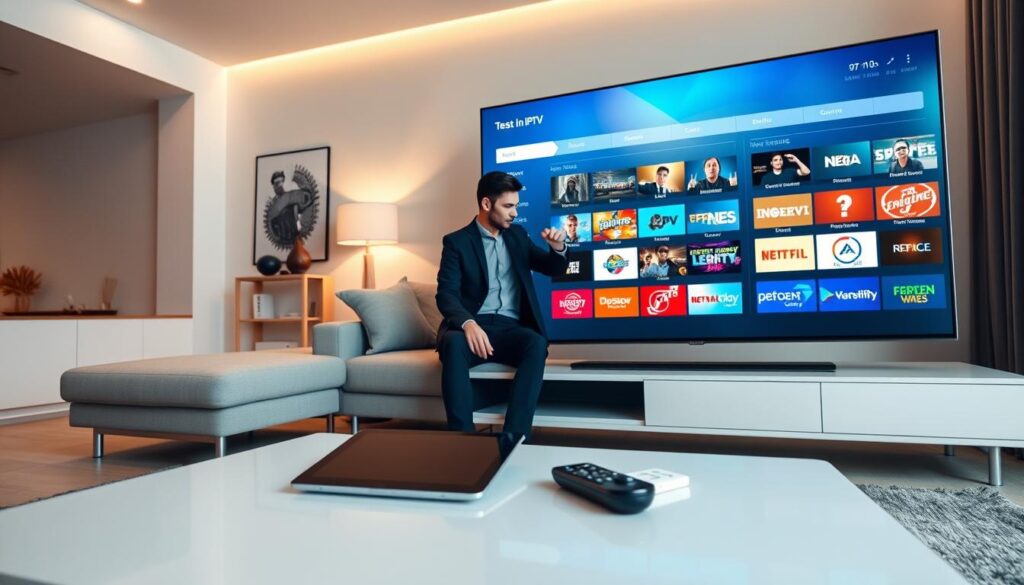
Channel list quality versus raw channel counts
Ignore headline numbers like 20,000+ channels until you verify actual streams. Providers such as ReflexSat, ViralIPTV, and many others advertise huge catalogs. Run an IPTV channel list test by sampling your top 10 watched stations. Check for dead links, duplicate echoes, stale streams, and correct regional feeds.
Ask for a working channel sample before paying. A reliable channel list should load quickly, match what the provider claims, and include functioning EPG entries for each tested channel.
EPG, catch-up, and VOD library tests
Perform an IPTV EPG test to verify schedule accuracy. The EPG should update daily and show programming at least three to five days ahead. One-off or manual uploads are warning signs. Confirm program titles, start times, and descriptions match live playback.
Evaluate the VOD library for size and freshness. Top services promote 70k–130k VOD items. Verify recent releases appear and metadata is accurate. Test catch-up and DVR features by recording, replaying, and using catch-up windows to ensure recordings play back cleanly.
Device compatibility and app testing matrix
Test on the exact hardware you use. Run a focused checklist that covers Amazon Firestick, Android TV, Apple TV, Samsung Tizen, LG webOS, phones, and PCs. Verify the provider lists explicit support for models like Firestick 4K Max, Nvidia Shield, and Formuler Z8 Pro.
Follow these steps during your test iptv trial: download the recommended app, enter the M3U or Xtream Codes credentials, add the supplied EPG URL, and confirm channels load within 30–60 seconds. Check that the provider supports auto-updates for channel lists and VOD.
Use this compact compatibility matrix to guide device testing.
| Device | Common Apps | Key Checks | Expected Load Time |
|---|---|---|---|
| Amazon Firestick (4K Max) | TiviMate, IPTV Smarters | App installs, M3U/Xtream login, EPG mapping, playback stability | 30–60 seconds |
| Android TV / Nvidia Shield | TiviMate, XCIPTV | 4K stream verification, app responsiveness, DRM/caption support | 30–60 seconds |
| Apple TV | IPTV Smarters | App availability, EPG display, AirPlay behavior, VOD playback | 30–60 seconds |
| Samsung (Tizen) / LG (webOS) | Smart IPTV, native players | Install path, remote navigation, channel list rendering, EPG sync | 30–60 seconds |
| iOS / Android phones | IPTV Smarters, VLC | App performance, stream switching, battery/network behavior | 15–30 seconds |
| Windows / macOS PC | VLC, web players | Browser players, M3U stability, simultaneous streams, VOD download | 15–30 seconds |
Keep notes during the trial. Rate each device for IPTV device compatibility and mark any gaps. Use those results to decide if the service meets your daily viewing needs and to complete a final Test IPTV checklist before buying.
Safety, Legitimacy, Support, and Buying Best Practices
Before you buy, check a few important things. Look at safety, if it’s legit, and the support you’ll get. A trial lets you see how well it works and how the provider acts.
Legal and legitimacy checks
IPTV is legal in itself. But, if a service is legal depends on its content and licenses. Look for clear prices, common payment methods, and a refund policy. Use tools like WHOIS to check the domain’s history for 12–18 months.
Be careful of warning signs. Stay away from services that don’t offer free trials or only accept certain payments. Also, avoid those with no refund policy or new domains with no reviews.
Customer support, refund policy, and trial behavior
Test the support during the free trial. Use live chat, WhatsApp, or email to see how fast they respond. Look for 24/7 support, guides for devices, and quick answers to technical questions.
Guarantees of 7–30 days for refunds show confidence. Free trials usually last 24–48 hours. Ask questions during the trial to see how good the support is. Quick, clear answers mean better service later.
Should you use an unlimited IPTV panel or a consumer service?
Think about who will use the service. Unlimited IPTV panels are for resellers, hotels, and dorms. They need a license, hosting, and upkeep. But, they don’t have licensed content, which can be risky.
For most homes, a licensed app or service for $15–$25 a month is easier. These services have no setup, updates, support, and less legal risk. There are also hybrid options for some automation without the full panel cost.
| Factor | Consumer Service | Unlimited IPTV Panel |
|---|---|---|
| Typical monthly cost | $15–$25 | $30–$60 (managed) or license $80–$250 one-time |
| Setup effort | Minimal; app install and login | High; VPS, DNS, SSL, and maintenance required |
| Legal exposure | Lower when provider is licensed | Higher if used to redistribute unlicensed content |
| Support expectations | 24/7 support common; built-in help | Owner must handle or contract support |
| Best use case | Households and casual viewers | Resellers, hotels, dorms, operators at scale |
| Scales well for | Individual families or small groups | Managing 20–30+ accounts |
Conclusion
When you test IPTV, treat the trial like a checklist-driven audit. Start with a 24–48 hour free trial. Run peak-hour tests and any live sports. Use your primary devices like Fire TV Stick 4K Max, NVIDIA Shield, Apple TV, Samsung or LG smart TVs.
Use apps like TiviMate or IPTV Smarters. This helps verify device support and everyday behavior.
Verify genuine 4K on a native 4K display by comparing to a known 4K source. Confirm sustained bitrate (15–25 Mbps), codec, HDR support, and absence of compression artifacts. Check EPG accuracy for 3–5 days.
Test catch-up/DVR, and review the VOD library size and update cadence. Aim for 50k+ titles and regular updates to verify IPTV quality.
During the trial, test support responsiveness via live chat, WhatsApp, or email. Confirm the refund policy (7–30 days). Prefer providers that accept PayPal or credit cards.
Show consistent operation for 12–18 months. Look for reliable peak-hour performance, dedicated servers or redundant nodes. Honest 4K delivery and transparent pricing in the $12–$25 range are key.
Avoid ultra-cheap offers under $5/month. They often indicate shared panels and poor performance.
Use this IPTV buying checklist to run focused tests and make a confident choice. Prioritize licensed, transparent providers with clear support and refund terms. If you follow these steps to test iptv and verify IPTV quality, you’ll reduce risk and get a service that meets your expectations without unnecessary complexity.
FAQ
What is IPTV and how does it differ from traditional cable?
How much can a typical U.S. household save by switching to IPTV?
What is IPTV and how does it differ from traditional cable?
How much can a typical U.S. household save by switching to IPTV?
FAQ
What is IPTV and how does it differ from traditional cable?
IPTV (Internet Protocol Television) sends live TV, sports, movies, and international channels over the internet. Services like YouTube TV and Hulu Live use IPTV. Independent IPTV services also offer M3U playlists or Xtream Codes for players.
Unlike traditional cable, IPTV is often month-to-month. It’s flexible for devices and can replace many paid apps at a lower cost.
How much can a typical U.S. household save by switching to IPTV?
The average monthly cable bill is about 7, or over
FAQ
What is IPTV and how does it differ from traditional cable?
IPTV (Internet Protocol Television) sends live TV, sports, movies, and international channels over the internet. Services like YouTube TV and Hulu Live use IPTV. Independent IPTV services also offer M3U playlists or Xtream Codes for players.
Unlike traditional cable, IPTV is often month-to-month. It’s flexible for devices and can replace many paid apps at a lower cost.
How much can a typical U.S. household save by switching to IPTV?
The average monthly cable bill is about $127, or over $1,500 a year. IPTV subscriptions cost $12–$25 a month. So, switching can save households $900–$1,500 a year, depending on what services are replaced.
What should I test during a free IPTV trial?
Test the service during peak hours (7–11 PM and live sports). Check if it offers true 4K delivery. Make sure the EPG is accurate for at least 3–5 days.
Also, test the VOD library size and how often it updates. Check if it works on your exact devices. See how a VPN affects it and if customer support is responsive. Check refund policies and payment options too.
How do I check peak‑hour and stress performance?
Test during evening prime time and live sports nights. Look for buffering, bitrate drops, and server failover. See if streams degrade under load.
Ask the provider about private dedicated servers and multiple US nodes. Generic marketing claims are not enough.
How can I verify a provider’s 4K streams are genuine?
Compare the advertised 4K IPTV stream with a verified 4K source like Netflix 4K. Genuine 4K streams should have 15–25 Mbps per stream. They should support proper codecs and HDR without quality loss.
What devices should I test on for compatibility?
Test on the exact devices you use. This includes Amazon Firestick, Nvidia Shield TV Pro, and Apple TV 4K. Confirm the provider supports your model and loads channels quickly.
What internet speed do I need for IPTV and 4K?
Run speed tests during the trial. For HD streams, allow 5–10 Mbps per stream. For genuine 4K, plan for 15–25 Mbps per stream plus overhead. Make sure there’s enough speed for all your devices.
Should I use a VPN with IPTV?
A VPN is not always needed but can help with ISP throttling and privacy. Recommended VPNs include NordVPN and ExpressVPN. Test performance with and without the VPN during the trial.
Do channel counts matter when evaluating an IPTV provider?
Raw channel counts are often misleading. Focus on the channels you actually watch. Verify your top 10 channels work reliably and have accurate EPG entries.
How do I test EPG, catch‑up, and VOD quality?
Confirm the EPG syncs and shows accurate listings at least 3–5 days ahead. Check VOD catalog size and update frequency. Test catch-up and DVR features by recording and playing back content.
What are the red flags when assessing legality and legitimacy?
Red flags include no free trial, payment only by gift card or wire transfer, and no contact information. Also, brand-new domains with no reviews and ultra-cheap pricing are signs of trouble. Positive signs include transparent pricing, major payment processors, and a documented refund policy.
How should I test customer support during a trial?
Contact support by live chat, WhatsApp, or email with setup or playback questions. Good providers respond quickly and offer device-specific setup guides. Use this interaction to judge post-purchase support quality.
What’s the difference between an unlimited IPTV panel and a consumer service?
Unlimited IPTV panels are for resellers and require a lot of setup. They make sense for managing many accounts. For most households, a consumer service ($12–$25/mo) is simpler and includes automatic updates and support.
How long should a trial be to run meaningful tests?
A 24–48 hour free trial is usually enough. Run peak-hour and sports tests during that time. Longer money-back guarantees (7–30 days) show provider confidence and allow more thorough verification.
Can I rely on providers that advertise anti‑buffer or anti‑freeze tech?
Such claims are marketing until you test them. Verify during peak hours whether buffering is prevented. Look for concrete evidence rather than vague promises.
What payment methods and policies indicate a trustworthy provider?
Trustworthy providers accept standard payment processors like PayPal and major credit cards. They publish refund policies (7–30 days) and offer transparent pricing. They also have verifiable customer reviews or a stable domain history of 12–18 months.
How can I confirm a provider’s 4K claims on my Firestick or Nvidia Shield?
Use a Firestick 4K Max or Nvidia Shield TV Pro and play a known 4K source (Netflix 4K) side-by-side with the IPTV 4K stream. Check sustained bitrate, HDR/codec support, and visual parity. Watch for compression artifacts that indicate the stream is upscaled rather than native 4K.
What should I do if channels are dead or EPG is wrong during the trial?
Report the issue to support and check response time and resolution. Ask for a working channel sample for your favorite networks. Persistent dead links or stale EPG after support intervention are a sign to move on to another provider.
Are ultra‑cheap IPTV plans ever a good value?
Plans under about $5/month are often shared-panel resellers with poor peak-hour performance. They may be tempting for price but typically fail under real-world loads. For reliability, choose providers in the $12–$25/month range that offer dedicated nodes, proven device support, and clear refund policies.
What is the recommended step‑by‑step testing checklist for a trial?
Start the trial and run peak-hour tests (7–11 PM and live sports). Verify 4K against a known 4K source. Confirm EPG for 3–5 days and check VOD size and updates (target 50k+).
Test catch-up/DVR, test on your primary devices, test with and without a VPN, and evaluate support response and refund terms.
,500 a year. IPTV subscriptions cost – a month. So, switching can save households 0–
FAQ
What is IPTV and how does it differ from traditional cable?
IPTV (Internet Protocol Television) sends live TV, sports, movies, and international channels over the internet. Services like YouTube TV and Hulu Live use IPTV. Independent IPTV services also offer M3U playlists or Xtream Codes for players.
Unlike traditional cable, IPTV is often month-to-month. It’s flexible for devices and can replace many paid apps at a lower cost.
How much can a typical U.S. household save by switching to IPTV?
The average monthly cable bill is about $127, or over $1,500 a year. IPTV subscriptions cost $12–$25 a month. So, switching can save households $900–$1,500 a year, depending on what services are replaced.
What should I test during a free IPTV trial?
Test the service during peak hours (7–11 PM and live sports). Check if it offers true 4K delivery. Make sure the EPG is accurate for at least 3–5 days.
Also, test the VOD library size and how often it updates. Check if it works on your exact devices. See how a VPN affects it and if customer support is responsive. Check refund policies and payment options too.
How do I check peak‑hour and stress performance?
Test during evening prime time and live sports nights. Look for buffering, bitrate drops, and server failover. See if streams degrade under load.
Ask the provider about private dedicated servers and multiple US nodes. Generic marketing claims are not enough.
How can I verify a provider’s 4K streams are genuine?
Compare the advertised 4K IPTV stream with a verified 4K source like Netflix 4K. Genuine 4K streams should have 15–25 Mbps per stream. They should support proper codecs and HDR without quality loss.
What devices should I test on for compatibility?
Test on the exact devices you use. This includes Amazon Firestick, Nvidia Shield TV Pro, and Apple TV 4K. Confirm the provider supports your model and loads channels quickly.
What internet speed do I need for IPTV and 4K?
Run speed tests during the trial. For HD streams, allow 5–10 Mbps per stream. For genuine 4K, plan for 15–25 Mbps per stream plus overhead. Make sure there’s enough speed for all your devices.
Should I use a VPN with IPTV?
A VPN is not always needed but can help with ISP throttling and privacy. Recommended VPNs include NordVPN and ExpressVPN. Test performance with and without the VPN during the trial.
Do channel counts matter when evaluating an IPTV provider?
Raw channel counts are often misleading. Focus on the channels you actually watch. Verify your top 10 channels work reliably and have accurate EPG entries.
How do I test EPG, catch‑up, and VOD quality?
Confirm the EPG syncs and shows accurate listings at least 3–5 days ahead. Check VOD catalog size and update frequency. Test catch-up and DVR features by recording and playing back content.
What are the red flags when assessing legality and legitimacy?
Red flags include no free trial, payment only by gift card or wire transfer, and no contact information. Also, brand-new domains with no reviews and ultra-cheap pricing are signs of trouble. Positive signs include transparent pricing, major payment processors, and a documented refund policy.
How should I test customer support during a trial?
Contact support by live chat, WhatsApp, or email with setup or playback questions. Good providers respond quickly and offer device-specific setup guides. Use this interaction to judge post-purchase support quality.
What’s the difference between an unlimited IPTV panel and a consumer service?
Unlimited IPTV panels are for resellers and require a lot of setup. They make sense for managing many accounts. For most households, a consumer service ($12–$25/mo) is simpler and includes automatic updates and support.
How long should a trial be to run meaningful tests?
A 24–48 hour free trial is usually enough. Run peak-hour and sports tests during that time. Longer money-back guarantees (7–30 days) show provider confidence and allow more thorough verification.
Can I rely on providers that advertise anti‑buffer or anti‑freeze tech?
Such claims are marketing until you test them. Verify during peak hours whether buffering is prevented. Look for concrete evidence rather than vague promises.
What payment methods and policies indicate a trustworthy provider?
Trustworthy providers accept standard payment processors like PayPal and major credit cards. They publish refund policies (7–30 days) and offer transparent pricing. They also have verifiable customer reviews or a stable domain history of 12–18 months.
How can I confirm a provider’s 4K claims on my Firestick or Nvidia Shield?
Use a Firestick 4K Max or Nvidia Shield TV Pro and play a known 4K source (Netflix 4K) side-by-side with the IPTV 4K stream. Check sustained bitrate, HDR/codec support, and visual parity. Watch for compression artifacts that indicate the stream is upscaled rather than native 4K.
What should I do if channels are dead or EPG is wrong during the trial?
Report the issue to support and check response time and resolution. Ask for a working channel sample for your favorite networks. Persistent dead links or stale EPG after support intervention are a sign to move on to another provider.
Are ultra‑cheap IPTV plans ever a good value?
Plans under about $5/month are often shared-panel resellers with poor peak-hour performance. They may be tempting for price but typically fail under real-world loads. For reliability, choose providers in the $12–$25/month range that offer dedicated nodes, proven device support, and clear refund policies.
What is the recommended step‑by‑step testing checklist for a trial?
Start the trial and run peak-hour tests (7–11 PM and live sports). Verify 4K against a known 4K source. Confirm EPG for 3–5 days and check VOD size and updates (target 50k+).
Test catch-up/DVR, test on your primary devices, test with and without a VPN, and evaluate support response and refund terms.
,500 a year, depending on what services are replaced.
What should I test during a free IPTV trial?
Test the service during peak hours (7–11 PM and live sports). Check if it offers true 4K delivery. Make sure the EPG is accurate for at least 3–5 days.
Also, test the VOD library size and how often it updates. Check if it works on your exact devices. See how a VPN affects it and if customer support is responsive. Check refund policies and payment options too.
How do I check peak‑hour and stress performance?
Test during evening prime time and live sports nights. Look for buffering, bitrate drops, and server failover. See if streams degrade under load.
Ask the provider about private dedicated servers and multiple US nodes. Generic marketing claims are not enough.
How can I verify a provider’s 4K streams are genuine?
Compare the advertised 4K IPTV stream with a verified 4K source like Netflix 4K. Genuine 4K streams should have 15–25 Mbps per stream. They should support proper codecs and HDR without quality loss.
What devices should I test on for compatibility?
Test on the exact devices you use. This includes Amazon Firestick, Nvidia Shield TV Pro, and Apple TV 4K. Confirm the provider supports your model and loads channels quickly.
What internet speed do I need for IPTV and 4K?
Run speed tests during the trial. For HD streams, allow 5–10 Mbps per stream. For genuine 4K, plan for 15–25 Mbps per stream plus overhead. Make sure there’s enough speed for all your devices.
Should I use a VPN with IPTV?
A VPN is not always needed but can help with ISP throttling and privacy. Recommended VPNs include NordVPN and ExpressVPN. Test performance with and without the VPN during the trial.
Do channel counts matter when evaluating an IPTV provider?
Raw channel counts are often misleading. Focus on the channels you actually watch. Verify your top 10 channels work reliably and have accurate EPG entries.
How do I test EPG, catch‑up, and VOD quality?
Confirm the EPG syncs and shows accurate listings at least 3–5 days ahead. Check VOD catalog size and update frequency. Test catch-up and DVR features by recording and playing back content.
What are the red flags when assessing legality and legitimacy?
Red flags include no free trial, payment only by gift card or wire transfer, and no contact information. Also, brand-new domains with no reviews and ultra-cheap pricing are signs of trouble. Positive signs include transparent pricing, major payment processors, and a documented refund policy.
How should I test customer support during a trial?
Contact support by live chat, WhatsApp, or email with setup or playback questions. Good providers respond quickly and offer device-specific setup guides. Use this interaction to judge post-purchase support quality.
What’s the difference between an unlimited IPTV panel and a consumer service?
Unlimited IPTV panels are for resellers and require a lot of setup. They make sense for managing many accounts. For most households, a consumer service (–/mo) is simpler and includes automatic updates and support.
How long should a trial be to run meaningful tests?
A 24–48 hour free trial is usually enough. Run peak-hour and sports tests during that time. Longer money-back guarantees (7–30 days) show provider confidence and allow more thorough verification.
Can I rely on providers that advertise anti‑buffer or anti‑freeze tech?
Such claims are marketing until you test them. Verify during peak hours whether buffering is prevented. Look for concrete evidence rather than vague promises.
What payment methods and policies indicate a trustworthy provider?
Trustworthy providers accept standard payment processors like PayPal and major credit cards. They publish refund policies (7–30 days) and offer transparent pricing. They also have verifiable customer reviews or a stable domain history of 12–18 months.
How can I confirm a provider’s 4K claims on my Firestick or Nvidia Shield?
Use a Firestick 4K Max or Nvidia Shield TV Pro and play a known 4K source (Netflix 4K) side-by-side with the IPTV 4K stream. Check sustained bitrate, HDR/codec support, and visual parity. Watch for compression artifacts that indicate the stream is upscaled rather than native 4K.
What should I do if channels are dead or EPG is wrong during the trial?
Report the issue to support and check response time and resolution. Ask for a working channel sample for your favorite networks. Persistent dead links or stale EPG after support intervention are a sign to move on to another provider.
Are ultra‑cheap IPTV plans ever a good value?
Plans under about /month are often shared-panel resellers with poor peak-hour performance. They may be tempting for price but typically fail under real-world loads. For reliability, choose providers in the –/month range that offer dedicated nodes, proven device support, and clear refund policies.
What is the recommended step‑by‑step testing checklist for a trial?
Start the trial and run peak-hour tests (7–11 PM and live sports). Verify 4K against a known 4K source. Confirm EPG for 3–5 days and check VOD size and updates (target 50k+).
Test catch-up/DVR, test on your primary devices, test with and without a VPN, and evaluate support response and refund terms.
FAQ
What is IPTV and how does it differ from traditional cable?
IPTV (Internet Protocol Television) sends live TV, sports, movies, and international channels over the internet. Services like YouTube TV and Hulu Live use IPTV. Independent IPTV services also offer M3U playlists or Xtream Codes for players.
Unlike traditional cable, IPTV is often month-to-month. It’s flexible for devices and can replace many paid apps at a lower cost.
How much can a typical U.S. household save by switching to IPTV?
The average monthly cable bill is about 7, or over
FAQ
What is IPTV and how does it differ from traditional cable?
IPTV (Internet Protocol Television) sends live TV, sports, movies, and international channels over the internet. Services like YouTube TV and Hulu Live use IPTV. Independent IPTV services also offer M3U playlists or Xtream Codes for players.
Unlike traditional cable, IPTV is often month-to-month. It’s flexible for devices and can replace many paid apps at a lower cost.
How much can a typical U.S. household save by switching to IPTV?
The average monthly cable bill is about $127, or over $1,500 a year. IPTV subscriptions cost $12–$25 a month. So, switching can save households $900–$1,500 a year, depending on what services are replaced.
What should I test during a free IPTV trial?
Test the service during peak hours (7–11 PM and live sports). Check if it offers true 4K delivery. Make sure the EPG is accurate for at least 3–5 days.
Also, test the VOD library size and how often it updates. Check if it works on your exact devices. See how a VPN affects it and if customer support is responsive. Check refund policies and payment options too.
How do I check peak‑hour and stress performance?
Test during evening prime time and live sports nights. Look for buffering, bitrate drops, and server failover. See if streams degrade under load.
Ask the provider about private dedicated servers and multiple US nodes. Generic marketing claims are not enough.
How can I verify a provider’s 4K streams are genuine?
Compare the advertised 4K IPTV stream with a verified 4K source like Netflix 4K. Genuine 4K streams should have 15–25 Mbps per stream. They should support proper codecs and HDR without quality loss.
What devices should I test on for compatibility?
Test on the exact devices you use. This includes Amazon Firestick, Nvidia Shield TV Pro, and Apple TV 4K. Confirm the provider supports your model and loads channels quickly.
What internet speed do I need for IPTV and 4K?
Run speed tests during the trial. For HD streams, allow 5–10 Mbps per stream. For genuine 4K, plan for 15–25 Mbps per stream plus overhead. Make sure there’s enough speed for all your devices.
Should I use a VPN with IPTV?
A VPN is not always needed but can help with ISP throttling and privacy. Recommended VPNs include NordVPN and ExpressVPN. Test performance with and without the VPN during the trial.
Do channel counts matter when evaluating an IPTV provider?
Raw channel counts are often misleading. Focus on the channels you actually watch. Verify your top 10 channels work reliably and have accurate EPG entries.
How do I test EPG, catch‑up, and VOD quality?
Confirm the EPG syncs and shows accurate listings at least 3–5 days ahead. Check VOD catalog size and update frequency. Test catch-up and DVR features by recording and playing back content.
What are the red flags when assessing legality and legitimacy?
Red flags include no free trial, payment only by gift card or wire transfer, and no contact information. Also, brand-new domains with no reviews and ultra-cheap pricing are signs of trouble. Positive signs include transparent pricing, major payment processors, and a documented refund policy.
How should I test customer support during a trial?
Contact support by live chat, WhatsApp, or email with setup or playback questions. Good providers respond quickly and offer device-specific setup guides. Use this interaction to judge post-purchase support quality.
What’s the difference between an unlimited IPTV panel and a consumer service?
Unlimited IPTV panels are for resellers and require a lot of setup. They make sense for managing many accounts. For most households, a consumer service ($12–$25/mo) is simpler and includes automatic updates and support.
How long should a trial be to run meaningful tests?
A 24–48 hour free trial is usually enough. Run peak-hour and sports tests during that time. Longer money-back guarantees (7–30 days) show provider confidence and allow more thorough verification.
Can I rely on providers that advertise anti‑buffer or anti‑freeze tech?
Such claims are marketing until you test them. Verify during peak hours whether buffering is prevented. Look for concrete evidence rather than vague promises.
What payment methods and policies indicate a trustworthy provider?
Trustworthy providers accept standard payment processors like PayPal and major credit cards. They publish refund policies (7–30 days) and offer transparent pricing. They also have verifiable customer reviews or a stable domain history of 12–18 months.
How can I confirm a provider’s 4K claims on my Firestick or Nvidia Shield?
Use a Firestick 4K Max or Nvidia Shield TV Pro and play a known 4K source (Netflix 4K) side-by-side with the IPTV 4K stream. Check sustained bitrate, HDR/codec support, and visual parity. Watch for compression artifacts that indicate the stream is upscaled rather than native 4K.
What should I do if channels are dead or EPG is wrong during the trial?
Report the issue to support and check response time and resolution. Ask for a working channel sample for your favorite networks. Persistent dead links or stale EPG after support intervention are a sign to move on to another provider.
Are ultra‑cheap IPTV plans ever a good value?
Plans under about $5/month are often shared-panel resellers with poor peak-hour performance. They may be tempting for price but typically fail under real-world loads. For reliability, choose providers in the $12–$25/month range that offer dedicated nodes, proven device support, and clear refund policies.
What is the recommended step‑by‑step testing checklist for a trial?
Start the trial and run peak-hour tests (7–11 PM and live sports). Verify 4K against a known 4K source. Confirm EPG for 3–5 days and check VOD size and updates (target 50k+).
Test catch-up/DVR, test on your primary devices, test with and without a VPN, and evaluate support response and refund terms.
,500 a year. IPTV subscriptions cost – a month. So, switching can save households 0–
FAQ
What is IPTV and how does it differ from traditional cable?
IPTV (Internet Protocol Television) sends live TV, sports, movies, and international channels over the internet. Services like YouTube TV and Hulu Live use IPTV. Independent IPTV services also offer M3U playlists or Xtream Codes for players.
Unlike traditional cable, IPTV is often month-to-month. It’s flexible for devices and can replace many paid apps at a lower cost.
How much can a typical U.S. household save by switching to IPTV?
The average monthly cable bill is about $127, or over $1,500 a year. IPTV subscriptions cost $12–$25 a month. So, switching can save households $900–$1,500 a year, depending on what services are replaced.
What should I test during a free IPTV trial?
Test the service during peak hours (7–11 PM and live sports). Check if it offers true 4K delivery. Make sure the EPG is accurate for at least 3–5 days.
Also, test the VOD library size and how often it updates. Check if it works on your exact devices. See how a VPN affects it and if customer support is responsive. Check refund policies and payment options too.
How do I check peak‑hour and stress performance?
Test during evening prime time and live sports nights. Look for buffering, bitrate drops, and server failover. See if streams degrade under load.
Ask the provider about private dedicated servers and multiple US nodes. Generic marketing claims are not enough.
How can I verify a provider’s 4K streams are genuine?
Compare the advertised 4K IPTV stream with a verified 4K source like Netflix 4K. Genuine 4K streams should have 15–25 Mbps per stream. They should support proper codecs and HDR without quality loss.
What devices should I test on for compatibility?
Test on the exact devices you use. This includes Amazon Firestick, Nvidia Shield TV Pro, and Apple TV 4K. Confirm the provider supports your model and loads channels quickly.
What internet speed do I need for IPTV and 4K?
Run speed tests during the trial. For HD streams, allow 5–10 Mbps per stream. For genuine 4K, plan for 15–25 Mbps per stream plus overhead. Make sure there’s enough speed for all your devices.
Should I use a VPN with IPTV?
A VPN is not always needed but can help with ISP throttling and privacy. Recommended VPNs include NordVPN and ExpressVPN. Test performance with and without the VPN during the trial.
Do channel counts matter when evaluating an IPTV provider?
Raw channel counts are often misleading. Focus on the channels you actually watch. Verify your top 10 channels work reliably and have accurate EPG entries.
How do I test EPG, catch‑up, and VOD quality?
Confirm the EPG syncs and shows accurate listings at least 3–5 days ahead. Check VOD catalog size and update frequency. Test catch-up and DVR features by recording and playing back content.
What are the red flags when assessing legality and legitimacy?
Red flags include no free trial, payment only by gift card or wire transfer, and no contact information. Also, brand-new domains with no reviews and ultra-cheap pricing are signs of trouble. Positive signs include transparent pricing, major payment processors, and a documented refund policy.
How should I test customer support during a trial?
Contact support by live chat, WhatsApp, or email with setup or playback questions. Good providers respond quickly and offer device-specific setup guides. Use this interaction to judge post-purchase support quality.
What’s the difference between an unlimited IPTV panel and a consumer service?
Unlimited IPTV panels are for resellers and require a lot of setup. They make sense for managing many accounts. For most households, a consumer service ($12–$25/mo) is simpler and includes automatic updates and support.
How long should a trial be to run meaningful tests?
A 24–48 hour free trial is usually enough. Run peak-hour and sports tests during that time. Longer money-back guarantees (7–30 days) show provider confidence and allow more thorough verification.
Can I rely on providers that advertise anti‑buffer or anti‑freeze tech?
Such claims are marketing until you test them. Verify during peak hours whether buffering is prevented. Look for concrete evidence rather than vague promises.
What payment methods and policies indicate a trustworthy provider?
Trustworthy providers accept standard payment processors like PayPal and major credit cards. They publish refund policies (7–30 days) and offer transparent pricing. They also have verifiable customer reviews or a stable domain history of 12–18 months.
How can I confirm a provider’s 4K claims on my Firestick or Nvidia Shield?
Use a Firestick 4K Max or Nvidia Shield TV Pro and play a known 4K source (Netflix 4K) side-by-side with the IPTV 4K stream. Check sustained bitrate, HDR/codec support, and visual parity. Watch for compression artifacts that indicate the stream is upscaled rather than native 4K.
What should I do if channels are dead or EPG is wrong during the trial?
Report the issue to support and check response time and resolution. Ask for a working channel sample for your favorite networks. Persistent dead links or stale EPG after support intervention are a sign to move on to another provider.
Are ultra‑cheap IPTV plans ever a good value?
Plans under about $5/month are often shared-panel resellers with poor peak-hour performance. They may be tempting for price but typically fail under real-world loads. For reliability, choose providers in the $12–$25/month range that offer dedicated nodes, proven device support, and clear refund policies.
What is the recommended step‑by‑step testing checklist for a trial?
Start the trial and run peak-hour tests (7–11 PM and live sports). Verify 4K against a known 4K source. Confirm EPG for 3–5 days and check VOD size and updates (target 50k+).
Test catch-up/DVR, test on your primary devices, test with and without a VPN, and evaluate support response and refund terms.
,500 a year, depending on what services are replaced.
What should I test during a free IPTV trial?
Test the service during peak hours (7–11 PM and live sports). Check if it offers true 4K delivery. Make sure the EPG is accurate for at least 3–5 days.
Also, test the VOD library size and how often it updates. Check if it works on your exact devices. See how a VPN affects it and if customer support is responsive. Check refund policies and payment options too.
How do I check peak‑hour and stress performance?
Test during evening prime time and live sports nights. Look for buffering, bitrate drops, and server failover. See if streams degrade under load.
Ask the provider about private dedicated servers and multiple US nodes. Generic marketing claims are not enough.
How can I verify a provider’s 4K streams are genuine?
Compare the advertised 4K IPTV stream with a verified 4K source like Netflix 4K. Genuine 4K streams should have 15–25 Mbps per stream. They should support proper codecs and HDR without quality loss.
What devices should I test on for compatibility?
Test on the exact devices you use. This includes Amazon Firestick, Nvidia Shield TV Pro, and Apple TV 4K. Confirm the provider supports your model and loads channels quickly.
What internet speed do I need for IPTV and 4K?
Run speed tests during the trial. For HD streams, allow 5–10 Mbps per stream. For genuine 4K, plan for 15–25 Mbps per stream plus overhead. Make sure there’s enough speed for all your devices.
Should I use a VPN with IPTV?
A VPN is not always needed but can help with ISP throttling and privacy. Recommended VPNs include NordVPN and ExpressVPN. Test performance with and without the VPN during the trial.
Do channel counts matter when evaluating an IPTV provider?
Raw channel counts are often misleading. Focus on the channels you actually watch. Verify your top 10 channels work reliably and have accurate EPG entries.
How do I test EPG, catch‑up, and VOD quality?
Confirm the EPG syncs and shows accurate listings at least 3–5 days ahead. Check VOD catalog size and update frequency. Test catch-up and DVR features by recording and playing back content.
What are the red flags when assessing legality and legitimacy?
Red flags include no free trial, payment only by gift card or wire transfer, and no contact information. Also, brand-new domains with no reviews and ultra-cheap pricing are signs of trouble. Positive signs include transparent pricing, major payment processors, and a documented refund policy.
How should I test customer support during a trial?
Contact support by live chat, WhatsApp, or email with setup or playback questions. Good providers respond quickly and offer device-specific setup guides. Use this interaction to judge post-purchase support quality.
What’s the difference between an unlimited IPTV panel and a consumer service?
Unlimited IPTV panels are for resellers and require a lot of setup. They make sense for managing many accounts. For most households, a consumer service (–/mo) is simpler and includes automatic updates and support.
How long should a trial be to run meaningful tests?
A 24–48 hour free trial is usually enough. Run peak-hour and sports tests during that time. Longer money-back guarantees (7–30 days) show provider confidence and allow more thorough verification.
Can I rely on providers that advertise anti‑buffer or anti‑freeze tech?
Such claims are marketing until you test them. Verify during peak hours whether buffering is prevented. Look for concrete evidence rather than vague promises.
What payment methods and policies indicate a trustworthy provider?
Trustworthy providers accept standard payment processors like PayPal and major credit cards. They publish refund policies (7–30 days) and offer transparent pricing. They also have verifiable customer reviews or a stable domain history of 12–18 months.
How can I confirm a provider’s 4K claims on my Firestick or Nvidia Shield?
Use a Firestick 4K Max or Nvidia Shield TV Pro and play a known 4K source (Netflix 4K) side-by-side with the IPTV 4K stream. Check sustained bitrate, HDR/codec support, and visual parity. Watch for compression artifacts that indicate the stream is upscaled rather than native 4K.
What should I do if channels are dead or EPG is wrong during the trial?
Report the issue to support and check response time and resolution. Ask for a working channel sample for your favorite networks. Persistent dead links or stale EPG after support intervention are a sign to move on to another provider.
Are ultra‑cheap IPTV plans ever a good value?
Plans under about /month are often shared-panel resellers with poor peak-hour performance. They may be tempting for price but typically fail under real-world loads. For reliability, choose providers in the –/month range that offer dedicated nodes, proven device support, and clear refund policies.
What is the recommended step‑by‑step testing checklist for a trial?
Start the trial and run peak-hour tests (7–11 PM and live sports). Verify 4K against a known 4K source. Confirm EPG for 3–5 days and check VOD size and updates (target 50k+).
Test catch-up/DVR, test on your primary devices, test with and without a VPN, and evaluate support response and refund terms.
What should I test during a free IPTV trial?
How do I check peak‑hour and stress performance?
How can I verify a provider’s 4K streams are genuine?
What devices should I test on for compatibility?
What internet speed do I need for IPTV and 4K?
Should I use a VPN with IPTV?
Do channel counts matter when evaluating an IPTV provider?
How do I test EPG, catch‑up, and VOD quality?
What are the red flags when assessing legality and legitimacy?
How should I test customer support during a trial?
What’s the difference between an unlimited IPTV panel and a consumer service?
How long should a trial be to run meaningful tests?
Can I rely on providers that advertise anti‑buffer or anti‑freeze tech?
What payment methods and policies indicate a trustworthy provider?
How can I confirm a provider’s 4K claims on my Firestick or Nvidia Shield?
What should I do if channels are dead or EPG is wrong during the trial?
Are ultra‑cheap IPTV plans ever a good value?
What is the recommended step‑by‑step testing checklist for a trial?
What is IPTV and how does it differ from traditional cable?
How much can a typical U.S. household save by switching to IPTV?
FAQ
What is IPTV and how does it differ from traditional cable?
IPTV (Internet Protocol Television) sends live TV, sports, movies, and international channels over the internet. Services like YouTube TV and Hulu Live use IPTV. Independent IPTV services also offer M3U playlists or Xtream Codes for players.
Unlike traditional cable, IPTV is often month-to-month. It’s flexible for devices and can replace many paid apps at a lower cost.
How much can a typical U.S. household save by switching to IPTV?
The average monthly cable bill is about 7, or over
FAQ
What is IPTV and how does it differ from traditional cable?
IPTV (Internet Protocol Television) sends live TV, sports, movies, and international channels over the internet. Services like YouTube TV and Hulu Live use IPTV. Independent IPTV services also offer M3U playlists or Xtream Codes for players.
Unlike traditional cable, IPTV is often month-to-month. It’s flexible for devices and can replace many paid apps at a lower cost.
How much can a typical U.S. household save by switching to IPTV?
The average monthly cable bill is about $127, or over $1,500 a year. IPTV subscriptions cost $12–$25 a month. So, switching can save households $900–$1,500 a year, depending on what services are replaced.
What should I test during a free IPTV trial?
Test the service during peak hours (7–11 PM and live sports). Check if it offers true 4K delivery. Make sure the EPG is accurate for at least 3–5 days.
Also, test the VOD library size and how often it updates. Check if it works on your exact devices. See how a VPN affects it and if customer support is responsive. Check refund policies and payment options too.
How do I check peak‑hour and stress performance?
Test during evening prime time and live sports nights. Look for buffering, bitrate drops, and server failover. See if streams degrade under load.
Ask the provider about private dedicated servers and multiple US nodes. Generic marketing claims are not enough.
How can I verify a provider’s 4K streams are genuine?
Compare the advertised 4K IPTV stream with a verified 4K source like Netflix 4K. Genuine 4K streams should have 15–25 Mbps per stream. They should support proper codecs and HDR without quality loss.
What devices should I test on for compatibility?
Test on the exact devices you use. This includes Amazon Firestick, Nvidia Shield TV Pro, and Apple TV 4K. Confirm the provider supports your model and loads channels quickly.
What internet speed do I need for IPTV and 4K?
Run speed tests during the trial. For HD streams, allow 5–10 Mbps per stream. For genuine 4K, plan for 15–25 Mbps per stream plus overhead. Make sure there’s enough speed for all your devices.
Should I use a VPN with IPTV?
A VPN is not always needed but can help with ISP throttling and privacy. Recommended VPNs include NordVPN and ExpressVPN. Test performance with and without the VPN during the trial.
Do channel counts matter when evaluating an IPTV provider?
Raw channel counts are often misleading. Focus on the channels you actually watch. Verify your top 10 channels work reliably and have accurate EPG entries.
How do I test EPG, catch‑up, and VOD quality?
Confirm the EPG syncs and shows accurate listings at least 3–5 days ahead. Check VOD catalog size and update frequency. Test catch-up and DVR features by recording and playing back content.
What are the red flags when assessing legality and legitimacy?
Red flags include no free trial, payment only by gift card or wire transfer, and no contact information. Also, brand-new domains with no reviews and ultra-cheap pricing are signs of trouble. Positive signs include transparent pricing, major payment processors, and a documented refund policy.
How should I test customer support during a trial?
Contact support by live chat, WhatsApp, or email with setup or playback questions. Good providers respond quickly and offer device-specific setup guides. Use this interaction to judge post-purchase support quality.
What’s the difference between an unlimited IPTV panel and a consumer service?
Unlimited IPTV panels are for resellers and require a lot of setup. They make sense for managing many accounts. For most households, a consumer service ($12–$25/mo) is simpler and includes automatic updates and support.
How long should a trial be to run meaningful tests?
A 24–48 hour free trial is usually enough. Run peak-hour and sports tests during that time. Longer money-back guarantees (7–30 days) show provider confidence and allow more thorough verification.
Can I rely on providers that advertise anti‑buffer or anti‑freeze tech?
Such claims are marketing until you test them. Verify during peak hours whether buffering is prevented. Look for concrete evidence rather than vague promises.
What payment methods and policies indicate a trustworthy provider?
Trustworthy providers accept standard payment processors like PayPal and major credit cards. They publish refund policies (7–30 days) and offer transparent pricing. They also have verifiable customer reviews or a stable domain history of 12–18 months.
How can I confirm a provider’s 4K claims on my Firestick or Nvidia Shield?
Use a Firestick 4K Max or Nvidia Shield TV Pro and play a known 4K source (Netflix 4K) side-by-side with the IPTV 4K stream. Check sustained bitrate, HDR/codec support, and visual parity. Watch for compression artifacts that indicate the stream is upscaled rather than native 4K.
What should I do if channels are dead or EPG is wrong during the trial?
Report the issue to support and check response time and resolution. Ask for a working channel sample for your favorite networks. Persistent dead links or stale EPG after support intervention are a sign to move on to another provider.
Are ultra‑cheap IPTV plans ever a good value?
Plans under about $5/month are often shared-panel resellers with poor peak-hour performance. They may be tempting for price but typically fail under real-world loads. For reliability, choose providers in the $12–$25/month range that offer dedicated nodes, proven device support, and clear refund policies.
What is the recommended step‑by‑step testing checklist for a trial?
Start the trial and run peak-hour tests (7–11 PM and live sports). Verify 4K against a known 4K source. Confirm EPG for 3–5 days and check VOD size and updates (target 50k+).
Test catch-up/DVR, test on your primary devices, test with and without a VPN, and evaluate support response and refund terms.
,500 a year. IPTV subscriptions cost – a month. So, switching can save households 0–
FAQ
What is IPTV and how does it differ from traditional cable?
IPTV (Internet Protocol Television) sends live TV, sports, movies, and international channels over the internet. Services like YouTube TV and Hulu Live use IPTV. Independent IPTV services also offer M3U playlists or Xtream Codes for players.
Unlike traditional cable, IPTV is often month-to-month. It’s flexible for devices and can replace many paid apps at a lower cost.
How much can a typical U.S. household save by switching to IPTV?
The average monthly cable bill is about $127, or over $1,500 a year. IPTV subscriptions cost $12–$25 a month. So, switching can save households $900–$1,500 a year, depending on what services are replaced.
What should I test during a free IPTV trial?
Test the service during peak hours (7–11 PM and live sports). Check if it offers true 4K delivery. Make sure the EPG is accurate for at least 3–5 days.
Also, test the VOD library size and how often it updates. Check if it works on your exact devices. See how a VPN affects it and if customer support is responsive. Check refund policies and payment options too.
How do I check peak‑hour and stress performance?
Test during evening prime time and live sports nights. Look for buffering, bitrate drops, and server failover. See if streams degrade under load.
Ask the provider about private dedicated servers and multiple US nodes. Generic marketing claims are not enough.
How can I verify a provider’s 4K streams are genuine?
Compare the advertised 4K IPTV stream with a verified 4K source like Netflix 4K. Genuine 4K streams should have 15–25 Mbps per stream. They should support proper codecs and HDR without quality loss.
What devices should I test on for compatibility?
Test on the exact devices you use. This includes Amazon Firestick, Nvidia Shield TV Pro, and Apple TV 4K. Confirm the provider supports your model and loads channels quickly.
What internet speed do I need for IPTV and 4K?
Run speed tests during the trial. For HD streams, allow 5–10 Mbps per stream. For genuine 4K, plan for 15–25 Mbps per stream plus overhead. Make sure there’s enough speed for all your devices.
Should I use a VPN with IPTV?
A VPN is not always needed but can help with ISP throttling and privacy. Recommended VPNs include NordVPN and ExpressVPN. Test performance with and without the VPN during the trial.
Do channel counts matter when evaluating an IPTV provider?
Raw channel counts are often misleading. Focus on the channels you actually watch. Verify your top 10 channels work reliably and have accurate EPG entries.
How do I test EPG, catch‑up, and VOD quality?
Confirm the EPG syncs and shows accurate listings at least 3–5 days ahead. Check VOD catalog size and update frequency. Test catch-up and DVR features by recording and playing back content.
What are the red flags when assessing legality and legitimacy?
Red flags include no free trial, payment only by gift card or wire transfer, and no contact information. Also, brand-new domains with no reviews and ultra-cheap pricing are signs of trouble. Positive signs include transparent pricing, major payment processors, and a documented refund policy.
How should I test customer support during a trial?
Contact support by live chat, WhatsApp, or email with setup or playback questions. Good providers respond quickly and offer device-specific setup guides. Use this interaction to judge post-purchase support quality.
What’s the difference between an unlimited IPTV panel and a consumer service?
Unlimited IPTV panels are for resellers and require a lot of setup. They make sense for managing many accounts. For most households, a consumer service ($12–$25/mo) is simpler and includes automatic updates and support.
How long should a trial be to run meaningful tests?
A 24–48 hour free trial is usually enough. Run peak-hour and sports tests during that time. Longer money-back guarantees (7–30 days) show provider confidence and allow more thorough verification.
Can I rely on providers that advertise anti‑buffer or anti‑freeze tech?
Such claims are marketing until you test them. Verify during peak hours whether buffering is prevented. Look for concrete evidence rather than vague promises.
What payment methods and policies indicate a trustworthy provider?
Trustworthy providers accept standard payment processors like PayPal and major credit cards. They publish refund policies (7–30 days) and offer transparent pricing. They also have verifiable customer reviews or a stable domain history of 12–18 months.
How can I confirm a provider’s 4K claims on my Firestick or Nvidia Shield?
Use a Firestick 4K Max or Nvidia Shield TV Pro and play a known 4K source (Netflix 4K) side-by-side with the IPTV 4K stream. Check sustained bitrate, HDR/codec support, and visual parity. Watch for compression artifacts that indicate the stream is upscaled rather than native 4K.
What should I do if channels are dead or EPG is wrong during the trial?
Report the issue to support and check response time and resolution. Ask for a working channel sample for your favorite networks. Persistent dead links or stale EPG after support intervention are a sign to move on to another provider.
Are ultra‑cheap IPTV plans ever a good value?
Plans under about $5/month are often shared-panel resellers with poor peak-hour performance. They may be tempting for price but typically fail under real-world loads. For reliability, choose providers in the $12–$25/month range that offer dedicated nodes, proven device support, and clear refund policies.
What is the recommended step‑by‑step testing checklist for a trial?
Start the trial and run peak-hour tests (7–11 PM and live sports). Verify 4K against a known 4K source. Confirm EPG for 3–5 days and check VOD size and updates (target 50k+).
Test catch-up/DVR, test on your primary devices, test with and without a VPN, and evaluate support response and refund terms.
,500 a year, depending on what services are replaced.
What should I test during a free IPTV trial?
Test the service during peak hours (7–11 PM and live sports). Check if it offers true 4K delivery. Make sure the EPG is accurate for at least 3–5 days.
Also, test the VOD library size and how often it updates. Check if it works on your exact devices. See how a VPN affects it and if customer support is responsive. Check refund policies and payment options too.
How do I check peak‑hour and stress performance?
Test during evening prime time and live sports nights. Look for buffering, bitrate drops, and server failover. See if streams degrade under load.
Ask the provider about private dedicated servers and multiple US nodes. Generic marketing claims are not enough.
How can I verify a provider’s 4K streams are genuine?
Compare the advertised 4K IPTV stream with a verified 4K source like Netflix 4K. Genuine 4K streams should have 15–25 Mbps per stream. They should support proper codecs and HDR without quality loss.
What devices should I test on for compatibility?
Test on the exact devices you use. This includes Amazon Firestick, Nvidia Shield TV Pro, and Apple TV 4K. Confirm the provider supports your model and loads channels quickly.
What internet speed do I need for IPTV and 4K?
Run speed tests during the trial. For HD streams, allow 5–10 Mbps per stream. For genuine 4K, plan for 15–25 Mbps per stream plus overhead. Make sure there’s enough speed for all your devices.
Should I use a VPN with IPTV?
A VPN is not always needed but can help with ISP throttling and privacy. Recommended VPNs include NordVPN and ExpressVPN. Test performance with and without the VPN during the trial.
Do channel counts matter when evaluating an IPTV provider?
Raw channel counts are often misleading. Focus on the channels you actually watch. Verify your top 10 channels work reliably and have accurate EPG entries.
How do I test EPG, catch‑up, and VOD quality?
Confirm the EPG syncs and shows accurate listings at least 3–5 days ahead. Check VOD catalog size and update frequency. Test catch-up and DVR features by recording and playing back content.
What are the red flags when assessing legality and legitimacy?
Red flags include no free trial, payment only by gift card or wire transfer, and no contact information. Also, brand-new domains with no reviews and ultra-cheap pricing are signs of trouble. Positive signs include transparent pricing, major payment processors, and a documented refund policy.
How should I test customer support during a trial?
Contact support by live chat, WhatsApp, or email with setup or playback questions. Good providers respond quickly and offer device-specific setup guides. Use this interaction to judge post-purchase support quality.
What’s the difference between an unlimited IPTV panel and a consumer service?
Unlimited IPTV panels are for resellers and require a lot of setup. They make sense for managing many accounts. For most households, a consumer service (–/mo) is simpler and includes automatic updates and support.
How long should a trial be to run meaningful tests?
A 24–48 hour free trial is usually enough. Run peak-hour and sports tests during that time. Longer money-back guarantees (7–30 days) show provider confidence and allow more thorough verification.
Can I rely on providers that advertise anti‑buffer or anti‑freeze tech?
Such claims are marketing until you test them. Verify during peak hours whether buffering is prevented. Look for concrete evidence rather than vague promises.
What payment methods and policies indicate a trustworthy provider?
Trustworthy providers accept standard payment processors like PayPal and major credit cards. They publish refund policies (7–30 days) and offer transparent pricing. They also have verifiable customer reviews or a stable domain history of 12–18 months.
How can I confirm a provider’s 4K claims on my Firestick or Nvidia Shield?
Use a Firestick 4K Max or Nvidia Shield TV Pro and play a known 4K source (Netflix 4K) side-by-side with the IPTV 4K stream. Check sustained bitrate, HDR/codec support, and visual parity. Watch for compression artifacts that indicate the stream is upscaled rather than native 4K.
What should I do if channels are dead or EPG is wrong during the trial?
Report the issue to support and check response time and resolution. Ask for a working channel sample for your favorite networks. Persistent dead links or stale EPG after support intervention are a sign to move on to another provider.
Are ultra‑cheap IPTV plans ever a good value?
Plans under about /month are often shared-panel resellers with poor peak-hour performance. They may be tempting for price but typically fail under real-world loads. For reliability, choose providers in the –/month range that offer dedicated nodes, proven device support, and clear refund policies.
What is the recommended step‑by‑step testing checklist for a trial?
Start the trial and run peak-hour tests (7–11 PM and live sports). Verify 4K against a known 4K source. Confirm EPG for 3–5 days and check VOD size and updates (target 50k+).
Test catch-up/DVR, test on your primary devices, test with and without a VPN, and evaluate support response and refund terms.
FAQ
What is IPTV and how does it differ from traditional cable?
IPTV (Internet Protocol Television) sends live TV, sports, movies, and international channels over the internet. Services like YouTube TV and Hulu Live use IPTV. Independent IPTV services also offer M3U playlists or Xtream Codes for players.
Unlike traditional cable, IPTV is often month-to-month. It’s flexible for devices and can replace many paid apps at a lower cost.
How much can a typical U.S. household save by switching to IPTV?
The average monthly cable bill is about 7, or over
FAQ
What is IPTV and how does it differ from traditional cable?
IPTV (Internet Protocol Television) sends live TV, sports, movies, and international channels over the internet. Services like YouTube TV and Hulu Live use IPTV. Independent IPTV services also offer M3U playlists or Xtream Codes for players.
Unlike traditional cable, IPTV is often month-to-month. It’s flexible for devices and can replace many paid apps at a lower cost.
How much can a typical U.S. household save by switching to IPTV?
The average monthly cable bill is about $127, or over $1,500 a year. IPTV subscriptions cost $12–$25 a month. So, switching can save households $900–$1,500 a year, depending on what services are replaced.
What should I test during a free IPTV trial?
Test the service during peak hours (7–11 PM and live sports). Check if it offers true 4K delivery. Make sure the EPG is accurate for at least 3–5 days.
Also, test the VOD library size and how often it updates. Check if it works on your exact devices. See how a VPN affects it and if customer support is responsive. Check refund policies and payment options too.
How do I check peak‑hour and stress performance?
Test during evening prime time and live sports nights. Look for buffering, bitrate drops, and server failover. See if streams degrade under load.
Ask the provider about private dedicated servers and multiple US nodes. Generic marketing claims are not enough.
How can I verify a provider’s 4K streams are genuine?
Compare the advertised 4K IPTV stream with a verified 4K source like Netflix 4K. Genuine 4K streams should have 15–25 Mbps per stream. They should support proper codecs and HDR without quality loss.
What devices should I test on for compatibility?
Test on the exact devices you use. This includes Amazon Firestick, Nvidia Shield TV Pro, and Apple TV 4K. Confirm the provider supports your model and loads channels quickly.
What internet speed do I need for IPTV and 4K?
Run speed tests during the trial. For HD streams, allow 5–10 Mbps per stream. For genuine 4K, plan for 15–25 Mbps per stream plus overhead. Make sure there’s enough speed for all your devices.
Should I use a VPN with IPTV?
A VPN is not always needed but can help with ISP throttling and privacy. Recommended VPNs include NordVPN and ExpressVPN. Test performance with and without the VPN during the trial.
Do channel counts matter when evaluating an IPTV provider?
Raw channel counts are often misleading. Focus on the channels you actually watch. Verify your top 10 channels work reliably and have accurate EPG entries.
How do I test EPG, catch‑up, and VOD quality?
Confirm the EPG syncs and shows accurate listings at least 3–5 days ahead. Check VOD catalog size and update frequency. Test catch-up and DVR features by recording and playing back content.
What are the red flags when assessing legality and legitimacy?
Red flags include no free trial, payment only by gift card or wire transfer, and no contact information. Also, brand-new domains with no reviews and ultra-cheap pricing are signs of trouble. Positive signs include transparent pricing, major payment processors, and a documented refund policy.
How should I test customer support during a trial?
Contact support by live chat, WhatsApp, or email with setup or playback questions. Good providers respond quickly and offer device-specific setup guides. Use this interaction to judge post-purchase support quality.
What’s the difference between an unlimited IPTV panel and a consumer service?
Unlimited IPTV panels are for resellers and require a lot of setup. They make sense for managing many accounts. For most households, a consumer service ($12–$25/mo) is simpler and includes automatic updates and support.
How long should a trial be to run meaningful tests?
A 24–48 hour free trial is usually enough. Run peak-hour and sports tests during that time. Longer money-back guarantees (7–30 days) show provider confidence and allow more thorough verification.
Can I rely on providers that advertise anti‑buffer or anti‑freeze tech?
Such claims are marketing until you test them. Verify during peak hours whether buffering is prevented. Look for concrete evidence rather than vague promises.
What payment methods and policies indicate a trustworthy provider?
Trustworthy providers accept standard payment processors like PayPal and major credit cards. They publish refund policies (7–30 days) and offer transparent pricing. They also have verifiable customer reviews or a stable domain history of 12–18 months.
How can I confirm a provider’s 4K claims on my Firestick or Nvidia Shield?
Use a Firestick 4K Max or Nvidia Shield TV Pro and play a known 4K source (Netflix 4K) side-by-side with the IPTV 4K stream. Check sustained bitrate, HDR/codec support, and visual parity. Watch for compression artifacts that indicate the stream is upscaled rather than native 4K.
What should I do if channels are dead or EPG is wrong during the trial?
Report the issue to support and check response time and resolution. Ask for a working channel sample for your favorite networks. Persistent dead links or stale EPG after support intervention are a sign to move on to another provider.
Are ultra‑cheap IPTV plans ever a good value?
Plans under about $5/month are often shared-panel resellers with poor peak-hour performance. They may be tempting for price but typically fail under real-world loads. For reliability, choose providers in the $12–$25/month range that offer dedicated nodes, proven device support, and clear refund policies.
What is the recommended step‑by‑step testing checklist for a trial?
Start the trial and run peak-hour tests (7–11 PM and live sports). Verify 4K against a known 4K source. Confirm EPG for 3–5 days and check VOD size and updates (target 50k+).
Test catch-up/DVR, test on your primary devices, test with and without a VPN, and evaluate support response and refund terms.
,500 a year. IPTV subscriptions cost – a month. So, switching can save households 0–
FAQ
What is IPTV and how does it differ from traditional cable?
IPTV (Internet Protocol Television) sends live TV, sports, movies, and international channels over the internet. Services like YouTube TV and Hulu Live use IPTV. Independent IPTV services also offer M3U playlists or Xtream Codes for players.
Unlike traditional cable, IPTV is often month-to-month. It’s flexible for devices and can replace many paid apps at a lower cost.
How much can a typical U.S. household save by switching to IPTV?
The average monthly cable bill is about $127, or over $1,500 a year. IPTV subscriptions cost $12–$25 a month. So, switching can save households $900–$1,500 a year, depending on what services are replaced.
What should I test during a free IPTV trial?
Test the service during peak hours (7–11 PM and live sports). Check if it offers true 4K delivery. Make sure the EPG is accurate for at least 3–5 days.
Also, test the VOD library size and how often it updates. Check if it works on your exact devices. See how a VPN affects it and if customer support is responsive. Check refund policies and payment options too.
How do I check peak‑hour and stress performance?
Test during evening prime time and live sports nights. Look for buffering, bitrate drops, and server failover. See if streams degrade under load.
Ask the provider about private dedicated servers and multiple US nodes. Generic marketing claims are not enough.
How can I verify a provider’s 4K streams are genuine?
Compare the advertised 4K IPTV stream with a verified 4K source like Netflix 4K. Genuine 4K streams should have 15–25 Mbps per stream. They should support proper codecs and HDR without quality loss.
What devices should I test on for compatibility?
Test on the exact devices you use. This includes Amazon Firestick, Nvidia Shield TV Pro, and Apple TV 4K. Confirm the provider supports your model and loads channels quickly.
What internet speed do I need for IPTV and 4K?
Run speed tests during the trial. For HD streams, allow 5–10 Mbps per stream. For genuine 4K, plan for 15–25 Mbps per stream plus overhead. Make sure there’s enough speed for all your devices.
Should I use a VPN with IPTV?
A VPN is not always needed but can help with ISP throttling and privacy. Recommended VPNs include NordVPN and ExpressVPN. Test performance with and without the VPN during the trial.
Do channel counts matter when evaluating an IPTV provider?
Raw channel counts are often misleading. Focus on the channels you actually watch. Verify your top 10 channels work reliably and have accurate EPG entries.
How do I test EPG, catch‑up, and VOD quality?
Confirm the EPG syncs and shows accurate listings at least 3–5 days ahead. Check VOD catalog size and update frequency. Test catch-up and DVR features by recording and playing back content.
What are the red flags when assessing legality and legitimacy?
Red flags include no free trial, payment only by gift card or wire transfer, and no contact information. Also, brand-new domains with no reviews and ultra-cheap pricing are signs of trouble. Positive signs include transparent pricing, major payment processors, and a documented refund policy.
How should I test customer support during a trial?
Contact support by live chat, WhatsApp, or email with setup or playback questions. Good providers respond quickly and offer device-specific setup guides. Use this interaction to judge post-purchase support quality.
What’s the difference between an unlimited IPTV panel and a consumer service?
Unlimited IPTV panels are for resellers and require a lot of setup. They make sense for managing many accounts. For most households, a consumer service ($12–$25/mo) is simpler and includes automatic updates and support.
How long should a trial be to run meaningful tests?
A 24–48 hour free trial is usually enough. Run peak-hour and sports tests during that time. Longer money-back guarantees (7–30 days) show provider confidence and allow more thorough verification.
Can I rely on providers that advertise anti‑buffer or anti‑freeze tech?
Such claims are marketing until you test them. Verify during peak hours whether buffering is prevented. Look for concrete evidence rather than vague promises.
What payment methods and policies indicate a trustworthy provider?
Trustworthy providers accept standard payment processors like PayPal and major credit cards. They publish refund policies (7–30 days) and offer transparent pricing. They also have verifiable customer reviews or a stable domain history of 12–18 months.
How can I confirm a provider’s 4K claims on my Firestick or Nvidia Shield?
Use a Firestick 4K Max or Nvidia Shield TV Pro and play a known 4K source (Netflix 4K) side-by-side with the IPTV 4K stream. Check sustained bitrate, HDR/codec support, and visual parity. Watch for compression artifacts that indicate the stream is upscaled rather than native 4K.
What should I do if channels are dead or EPG is wrong during the trial?
Report the issue to support and check response time and resolution. Ask for a working channel sample for your favorite networks. Persistent dead links or stale EPG after support intervention are a sign to move on to another provider.
Are ultra‑cheap IPTV plans ever a good value?
Plans under about $5/month are often shared-panel resellers with poor peak-hour performance. They may be tempting for price but typically fail under real-world loads. For reliability, choose providers in the $12–$25/month range that offer dedicated nodes, proven device support, and clear refund policies.
What is the recommended step‑by‑step testing checklist for a trial?
Start the trial and run peak-hour tests (7–11 PM and live sports). Verify 4K against a known 4K source. Confirm EPG for 3–5 days and check VOD size and updates (target 50k+).
Test catch-up/DVR, test on your primary devices, test with and without a VPN, and evaluate support response and refund terms.
,500 a year, depending on what services are replaced.
What should I test during a free IPTV trial?
Test the service during peak hours (7–11 PM and live sports). Check if it offers true 4K delivery. Make sure the EPG is accurate for at least 3–5 days.
Also, test the VOD library size and how often it updates. Check if it works on your exact devices. See how a VPN affects it and if customer support is responsive. Check refund policies and payment options too.
How do I check peak‑hour and stress performance?
Test during evening prime time and live sports nights. Look for buffering, bitrate drops, and server failover. See if streams degrade under load.
Ask the provider about private dedicated servers and multiple US nodes. Generic marketing claims are not enough.
How can I verify a provider’s 4K streams are genuine?
Compare the advertised 4K IPTV stream with a verified 4K source like Netflix 4K. Genuine 4K streams should have 15–25 Mbps per stream. They should support proper codecs and HDR without quality loss.
What devices should I test on for compatibility?
Test on the exact devices you use. This includes Amazon Firestick, Nvidia Shield TV Pro, and Apple TV 4K. Confirm the provider supports your model and loads channels quickly.
What internet speed do I need for IPTV and 4K?
Run speed tests during the trial. For HD streams, allow 5–10 Mbps per stream. For genuine 4K, plan for 15–25 Mbps per stream plus overhead. Make sure there’s enough speed for all your devices.
Should I use a VPN with IPTV?
A VPN is not always needed but can help with ISP throttling and privacy. Recommended VPNs include NordVPN and ExpressVPN. Test performance with and without the VPN during the trial.
Do channel counts matter when evaluating an IPTV provider?
Raw channel counts are often misleading. Focus on the channels you actually watch. Verify your top 10 channels work reliably and have accurate EPG entries.
How do I test EPG, catch‑up, and VOD quality?
Confirm the EPG syncs and shows accurate listings at least 3–5 days ahead. Check VOD catalog size and update frequency. Test catch-up and DVR features by recording and playing back content.
What are the red flags when assessing legality and legitimacy?
Red flags include no free trial, payment only by gift card or wire transfer, and no contact information. Also, brand-new domains with no reviews and ultra-cheap pricing are signs of trouble. Positive signs include transparent pricing, major payment processors, and a documented refund policy.
How should I test customer support during a trial?
Contact support by live chat, WhatsApp, or email with setup or playback questions. Good providers respond quickly and offer device-specific setup guides. Use this interaction to judge post-purchase support quality.
What’s the difference between an unlimited IPTV panel and a consumer service?
Unlimited IPTV panels are for resellers and require a lot of setup. They make sense for managing many accounts. For most households, a consumer service (–/mo) is simpler and includes automatic updates and support.
How long should a trial be to run meaningful tests?
A 24–48 hour free trial is usually enough. Run peak-hour and sports tests during that time. Longer money-back guarantees (7–30 days) show provider confidence and allow more thorough verification.
Can I rely on providers that advertise anti‑buffer or anti‑freeze tech?
Such claims are marketing until you test them. Verify during peak hours whether buffering is prevented. Look for concrete evidence rather than vague promises.
What payment methods and policies indicate a trustworthy provider?
Trustworthy providers accept standard payment processors like PayPal and major credit cards. They publish refund policies (7–30 days) and offer transparent pricing. They also have verifiable customer reviews or a stable domain history of 12–18 months.
How can I confirm a provider’s 4K claims on my Firestick or Nvidia Shield?
Use a Firestick 4K Max or Nvidia Shield TV Pro and play a known 4K source (Netflix 4K) side-by-side with the IPTV 4K stream. Check sustained bitrate, HDR/codec support, and visual parity. Watch for compression artifacts that indicate the stream is upscaled rather than native 4K.
What should I do if channels are dead or EPG is wrong during the trial?
Report the issue to support and check response time and resolution. Ask for a working channel sample for your favorite networks. Persistent dead links or stale EPG after support intervention are a sign to move on to another provider.
Are ultra‑cheap IPTV plans ever a good value?
Plans under about /month are often shared-panel resellers with poor peak-hour performance. They may be tempting for price but typically fail under real-world loads. For reliability, choose providers in the –/month range that offer dedicated nodes, proven device support, and clear refund policies.
What is the recommended step‑by‑step testing checklist for a trial?
Start the trial and run peak-hour tests (7–11 PM and live sports). Verify 4K against a known 4K source. Confirm EPG for 3–5 days and check VOD size and updates (target 50k+).
Test catch-up/DVR, test on your primary devices, test with and without a VPN, and evaluate support response and refund terms.


