
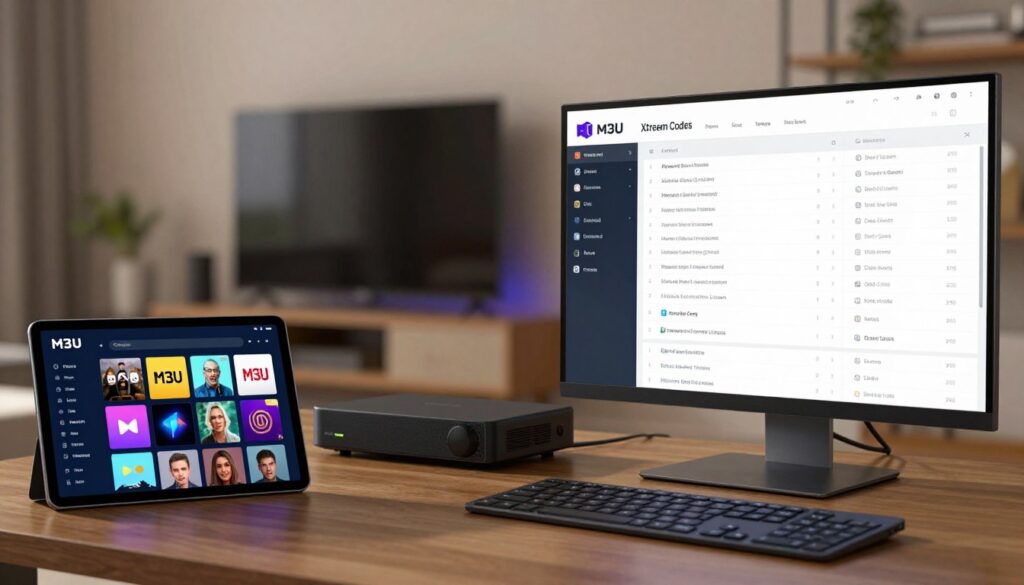
I remember the night I cut the cord and felt both excitement and confusion. Streaming felt freeing, but choosing the right IPTV setup was a maze. If you’re standing where I was, wondering between M3U playlists and Xtream Codes services, this guide is for you.
This guide for 2026 explains the differences clearly. M3U vs Xtream Codes is more than a debate. It’s about control, simplicity, and the viewing experience you want in 2026. The market is changing fast, with better streaming, more content, and smarter apps.
At a glance, m3u vs xtream codes is about format and function. An M3U is a text-based playlist that lists media URLs for easy use. Xtream Codes is a provider-grade API that delivers structured channel lineups and more. This guide compares both, offers setup steps, and talks about security and legality.
Industry summaries support what you’ll find here. M3U’s portability and simplicity versus Xtream Codes’ provider-side control and EPG integration. Read on to choose the best IPTV setup 2026 for you.
Key Takeaways
- M3U vs Xtream Codes: choose M3U for portability and simplicity or Xtream Codes for managed features and EPG.
- This IPTV guide 2026 explains setup steps, security, and provider selection.
- In 2026, streaming improvements make both options viable depending on device and user needs.
- m3u vs xtream codes highlights trade-offs between user control and backend convenience.
- The best IPTV setup 2026 balances reliability, legality, and app compatibility.
Why 2026 Is a Turning Point for IPTV and What It Means for Viewers
Streaming in 2026 is a big change from before. It’s faster and smarter, making it easier for viewers to choose services. This change affects networks, apps, and the content people expect.
Networks have improved, cutting down on buffering and dropped connections. New content delivery networks and streaming protocols allow for stable 4K and HDR streams. Centralized management systems use these improvements to keep channels online and responsive.
Network and streaming infrastructure advances
Content delivery networks now cache more video closer to homes. This reduces latency for live sports and cuts down on rebuffering during peak hours. Providers focus on routing, adaptive bitrate tweaks, and error correction to keep streams smooth.
Edge computing and protocol refinements bring extra resilience. When networks route smartly, even large live events stay stable. These network advances IPTV help services deliver consistent quality across regions.
Device compatibility and cross-device viewing
Viewers expect playback on Smart TVs, Android TV boxes, phones, tablets, and PCs. Apps like VLC, Kodi, Tivimate, IPTV Smarters, GSE Smart IPTV, and the Smart IPTV app on Samsung and LG make M3U widely usable.
Providers that support single-login access let users switch devices without reconnecting. This convenience drives adoption. Device compatibility IPTV makes it easier to watch the same stream across rooms and trips.
Content variety and consumer expectations
Users now want large channel lineups, deep VOD catalogs, and precise EPG guides. Personalized recommendations are no longer a perk; they are expected. High-resolution feeds for sports and documentaries are standard demands.
Many providers deliver curated, frequently updated M3U lists and Xtream Codes integrations to meet those demands. Comparing options is common, with m3u vs xtream codes discussions centered on portability, features, and how each handles EPG and VOD.
| Area | What Changed by 2026 | Viewer Impact |
|---|---|---|
| Delivery | CDN edge caching, adaptive protocols, error correction | Less buffering, smoother live events, higher quality streams |
| Device Support | Wider app compatibility, single-login multi-device access | Seamless cross-device viewing, easier setup on TVs and mobiles |
| Content | Expanded VOD, curated playlists, robust EPG integration | More choice, better discovery, tailored recommendations |
| Service Models | Centralized management, frequent playlist updates | Faster fixes, predictable performance, simpler subscriptions |
M3U Playlists Explained: Simple, Portable, and Universally Compatible
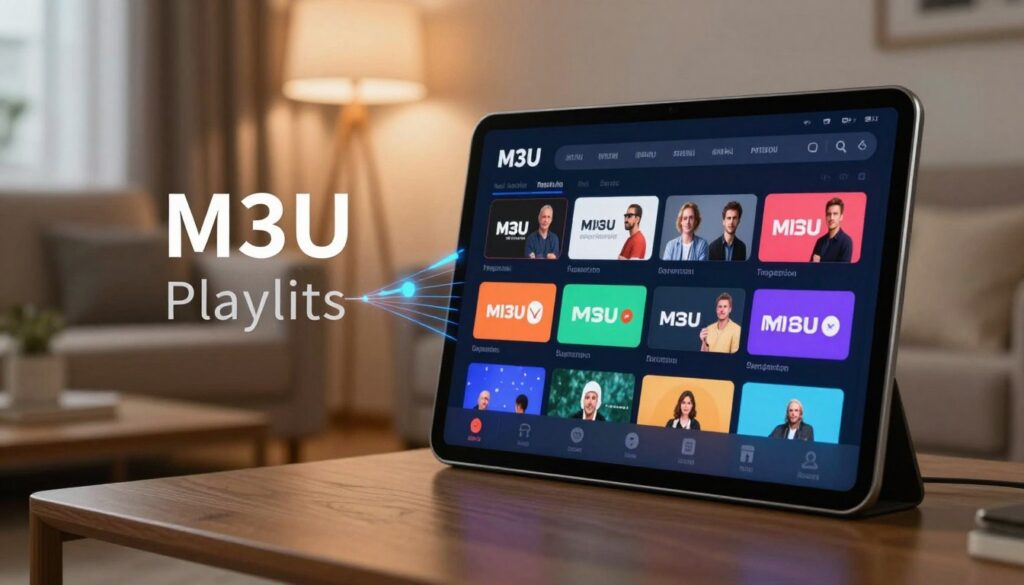
M3U playlists are simple text files. They list channel names and stream URLs. The .m3u8 version supports UTF-8 and works with HLS streams. A player connects to the server and streams live TV or VOD to your device.
These playlists are easy to make and change with tools like Notepad or TextEdit. This simplicity makes them work well with many players. You can use them on phones, tablets, streaming boxes, and desktops.
What an M3U file contains and how it works
An M3U file has lines for each channel. It includes metadata, a name, and the stream URL. Some lists have multiple quality links or backup URLs.
Players read these entries and show channels in a guide or list. With EPG files, an M3U can feel like a managed service.
Advantages of M3U playlists
Creating or changing playlists takes just minutes. One playlist can work on many devices without needing special accounts. It’s also cheaper than some managed systems, offering flexible plans and lots of channels.
Its low cost makes M3U great for DIY setups and hobbyist users.
Limitations and practical concerns in 2026
M3U playlists rely on active stream URLs. This means links can go stale or servers can go down. You need providers that update lists often and offer backup URLs.
Choosing the right provider is key. It’s also important to consider if you need a simple playlist or a more complex service for better control and EPG integration.
Xtream Codes Overview: Backend Power for Managed IPTV Services

Xtream Codes gives IPTV providers control from the server side. It allows them to manage accounts, subscriptions, and channels in one place. This makes it easier for users to access content without the hassle of manual setup.
How it works for end users
Users log in to compatible players with a username, password, and server URL. The xtream codes API checks the login and shows the available channels and content. Apps like TiviMate and Perfect Player then display a ready-made guide and library without needing manual updates.
This login system gives users instant access to updates. When providers change channels or fix EPG, users get the new info right away. This means less downtime and faster recovery when streams go down.
Provider-side benefits
Providers get to manage users and subscriptions from one place. They can control bandwidth, handle errors, and update content on a schedule. This improves stream quality and makes it easier to update VOD and EPG.
Managing large user bases is easier with these tools. Providers can set limits, track usage, and fix issues without asking users to change their apps.
Considerations and compatibility
Whether Xtream Codes works depends on app support. Many popular players use the xtream codes API, but some only handle M3U playlists. This choice affects how easy it is to set up and use the service.
Setting up a managed service takes a bit more effort than using an M3U file. It’s important to check the provider’s quality. Make sure EPG is accurate, servers are redundant, and VOD is up-to-date. Also, confirm backup servers and support to avoid interruptions.
M3U vs Xtream Codes
Choosing between M3U and Xtream Codes depends on your needs. It’s about control, devices, and user experience. This section highlights the main differences for viewers in 2026.
Setup ease is key for many. M3U is quick: just paste a URL or upload a file into VLC or Kodi. It’s perfect for casual users who like simple tools.
Xtream Codes needs server details but auto-loads settings. It’s great for those who want less hassle.
Feature set and user experience
Xtream Codes offers EPG, VOD, and account management. It’s polished and works well with apps like IPTV Smarters and TiviMate.
M3U is minimal but flexible. It works with many players and lets users customize. But, EPG or metadata must be added manually.
Stability, updates, and reliability
IPTV stability in 2026 depends on the provider. Xtream Codes often means better uptime and error handling.
M3U playlists need regular updates to work. Without them, links can break and need frequent updates.
Device and app compatibility
M3U works almost everywhere. It’s supported by VLC, Kodi, and many Android boxes and Fire TV apps.
Xtream Codes works with apps that support its API. This includes IPTV Smarters, TiviMate, and smart-TV apps, making it widely usable.
| Comparison Area | M3U | Xtream Codes |
|---|---|---|
| Setup Speed | Very fast: paste URL or upload file | Moderate: enter server, username, password |
| User Control | High: manual customization and ordering | Medium: provider-driven organization |
| Feature Set | Lightweight: needs extra tools for EPG | Rich: integrated EPG, VOD, account tools |
| Reliability | Variable: depends on playlist updates | Higher: centralized updates and error handling |
| Device Support | Universal across VLC, Kodi, Smart IPTV, mobile | Wide on apps that support API, like IPTV Smarters |
| Best for | Advanced users and wide device coverage | Subscribers who want turnkey, managed experience |
Step-by-Step Setup Guide for M3U Playlists in 2026
Setting up an M3U playlist is easy with a simple guide. This guide will help you choose a provider, select a player, load playlists, and make tweaks for better viewing in 2026.
Choosing a reliable M3U provider and getting your playlist URL
First, pick a M3U provider with regular updates, trial periods, and good support. Look for providers with reliable uptime stats and avoid very cheap services. You’ll get a playlist URL like http://provider.com/get.php?username=USER&password=PASS&type=m3u. Check if they offer backup server URLs or device pairing.
Picking the best player for your device
Choose a player that matches your device. For Android TV and set-top boxes, try IPTV Smarters or Tivimate. iPhone and iPad users should use GSE Smart IPTV. VLC Media Player is great for Windows and macOS. Smart TVs from Samsung or LG work well with Smart IPTV.
Loading and organizing playlists
Open your app and add the playlist link. Name each playlist clearly for easy switching. Create favorites and categories for different types of content. If your provider offers an XMLTV EPG file, add it to sync program listings.
Advanced tweaks for stability
Use wired Ethernet for better performance on TVs. Enable hardware decoding for 4K playback on capable devices. Keep backup server URLs handy. If your provider supports M3U Plus features or device ID pairing, use them for better stream stability.
This M3U setup guide 2026 is simple and portable. If you need more features or multi-account management, try both m3u and xtream codes. Use m3u player recommendations as your starting point.
Step-by-Step Setup Guide for Xtream Codes (API) in 2026
This guide will help you set up Xtream Codes for 2026. It covers verifying provider features, configuring apps, and managing accounts. This ensures smooth playback on all devices.
Obtaining credentials and verifying provider features
Choose a reliable provider that offers Xtream Codes. Get your username, password, and server URL. Try these in a trial to avoid surprises later.
Make sure the provider’s EPG is reliable and VOD library is large. Look for backup servers and clear documentation on connections. Good metadata helps when comparing m3u vs xtream codes.
Configuring compatible IPTV apps
Open a supported app like IPTV Smarters or Tivimate. Choose the Xtream Codes API option. Enter the server URL, username, and password from your provider.
The app will authenticate and fill in live channels, EPG, and VOD. This makes setup faster than manual imports.
Optimizing EPG and VOD integration
Ensure your provider’s EPG is up-to-date. If the app supports XMLTV files, map EPG to channel IDs. This improves the guide experience.
Use players with logos and metadata for better navigation. Make sure VOD categories are indexed right. This reduces searching time when comparing m3u vs xtream codes.
Managing accounts and connections
Use the provider’s portal to manage subscriptions and devices. Track active devices and revoke access for lost or sold devices.
Keep credentials safe and save secondary server links as a backup. Saved credentials and a spare server help with new device setup.
Security, Legality, and Best Practices for 2026 IPTV Users
When you stream, make sure your tech choices are secure and legal. Knowing the rules helps you avoid losing service, privacy issues, and legal problems. This is key for using IPTV in 2026.
Understanding legality and content rights
IPTV tools like M3U playlists or Xtream Codes can be legal. It’s important to know if the provider has the right to distribute each channel or video. Look for services that are open about their licensing and terms.
Avoid providers that don’t show where they get their content. They might offer too many channels at very low prices. Check the provider’s reputation by reading reviews on Trustpilot or Reddit.
Using VPNs responsibly for privacy
A good VPN for IPTV can keep your data safe and stop your ISP from slowing you down. Choose providers like ExpressVPN, NordVPN, or Surfshark. They should support fast speeds for 4K streaming. Always test speeds before buying a yearly plan.
Remember, a VPN is for privacy and avoiding ISP throttling, not to break the law. It should not be used to watch content you’re not allowed to see.
Avoiding common pitfalls and scams
Be cautious of services with no trial, no support, or unclear contact info. Cheap services often fail during big events and might not give refunds.
Check if the service is reliable and offers good quality. Look for providers with backup servers and good customer service. Keep records of payments and subscription pages in case of problems.
Backing up and organizing your access
Keep safe records of your playlist URLs, Xtream credentials, and provider contacts. Use a password manager like 1Password or Bitwarden. Keep local copies of playlists and backup server lists to avoid downtime.
Test both M3U and Xtream codes with your apps. Note which one is easier to recover. Update EPG links and keep important files in an archive if allowed.
Practical checklist of IPTV security best practices
- Confirm provider licensing and read terms before subscribing.
- Use a vetted VPN for IPTV to protect privacy and avoid throttling.
- Store credentials in a password manager and keep backup server URLs.
- Avoid sharing M3U links or credentials publicly.
- Choose providers with trials, clear support, and transparent refund policies.
Follow these steps to enjoy safe and reliable streaming. Embrace IPTV security best practices to respect rights and reduce risks.
How to Choose the Right Provider in 2026: Features to Prioritize
Choosing a provider in 2026 is about finding the right mix of performance, content, and trust. Start by checking how well streams work on your main device. Look for HD, Full HD, and 4K options and check the bitrate during a trial. This helps you see if the provider fits your device and viewing habits.
Stream quality and resolution options
Look for providers that list bitrate ranges and codec support. A service with adaptive streams will keep playback smooth on mobile or smart TVs. Try live channels and on-demand content in different resolutions to see if there’s buffering or frame drops.
EPG quality and content breadth
Good IPTV EPG quality makes navigation easy and reliable. Make sure the electronic program guide updates often and matches your time zone. A wide range of channels and a solid VOD library adds a lot of value.
Support, updates, and transparent policies
Responsive technical support and regular updates reduce downtime. Look for providers with clear refund terms, trial periods, and published maintenance schedules. Clear pricing and verifiable support contacts protect you from surprise fees.
Security and anti-piracy measures
Providers that use device ID pairing, authenticated APIs, and backup servers tend to offer better service for paying customers. These measures limit unauthorized sharing and often improve uptime. Check what anti-piracy steps your candidate takes before subscribing.
The table below compares key attributes to prioritize when you choose IPTV provider 2026. Use it to match needs like stream quality and support with provider promises.
| Attribute | What to Check | Why It Matters |
|---|---|---|
| Stream Resolution | Availability of HD, Full HD, 4K; listed bitrates; codec support | Ensures clear picture and matches device capabilities for smooth playback |
| EPG & Content | Update frequency, timezone accuracy, channel breadth, VOD catalog | Reliable guides and varied content improve discovery and viewing satisfaction |
| Support & Updates | Response times, trial offerings, update cadence, refund policy | Reduces risk and keeps streams current with fewer interruptions |
| Security | Device ID pairing, authenticated APIs (Xtream Codes), backup servers | Limits unauthorized access and often correlates with higher stream reliability |
| Delivery Options | M3U vs Xtream Codes access, adaptive streaming, CDN presence | Determines ease of setup, compatibility with apps, and resilience under load |
| Trial Experience | Length of trial, test content variety, ability to check IPTV EPG quality | Gives a real-world sense of best IPTV provider features before paying |
Conclusion
The debate between M3U and Xtream Codes shows each has its own strengths. M3U is great for those who like simple playlists and control. It works well with VLC and GSE Smart IPTV, perfect for DIY fans.
Xtream Codes, on the other hand, is ideal for a managed experience. It offers EPG, VOD, and account tools. This makes it better for apps like IPTV Smarters and Tivimate, especially for those who want a smoother setup.
What to do next? Try out different providers with trials. Choose the right player for your device. Make sure EPG quality and updates are good. Use wired connections for 4K streaming.
Also, consider a reputable VPN for privacy. Both M3U and Xtream Codes are supported by many apps. Pick what suits your needs best, whether it’s cost, control, or convenience.


