
Internet Protocol Television, or IPTV, brings TV to your screen over the internet. It’s not like watching TV through a cable or satellite. This guide explains IPTV in simple terms and why it’s important today. You’ll learn about its basics, how it works, and the types of content available.
Streaming has changed how we watch TV. Nielsen The Gauge found streaming now leads in U.S. viewing at 44.8% in May 2025. Globally, IPTV has about 250 million subscribers. The market is expected to grow to $109.34 billion by 2026. This shows Internet TV is becoming a big deal.
This guide is easy to follow, even if you’re new to IPTV. It tells you how to get started: check your internet speed, pick a player like VLC or Roku, and find a provider that suits you. You’ll learn about the basics and how to set it up, comparing it to traditional TV.
Key Takeaways
- IPTV means television delivered over the internet rather than by cable or satellite.
- Streaming now leads U.S. viewing share, signaling broad adoption of Internet TV.
- The guide covers live TV, VOD, catch-up, technical needs, and legal concerns.
- Practical next steps: test speeds, select a device or app, and choose a trustworthy provider.
- Market data shows IPTV is growing globally, making it a mainstream option for viewers.
What is IPTV
IPTV is TV delivered over the internet, not through cable or satellite. This makes the service and apps part of a bigger system, not just one product.
Plain-language definition
IPTV means Internet Protocol Television. It shows how video moves: as packets on the internet, like web pages and emails. This is what IPTV is all about — a way for apps and boxes to play live or on-demand shows.
Apps like BBC iPlayer and Hulu Live use this method. Some internet providers even offer IPTV packages with their internet plans.
Why IPTV matters now
More people are interested in IPTV as streaming grows. Streaming now beats cable and broadcast TV in U.S. viewership. This change makes IPTV important for both viewers and broadcasters.
Costs play a big role. IPTV subscriptions usually cost between $10 and $30, which is cheaper than U.S. cable bills. With more subscribers and growth, IPTV is becoming popular on devices like smart TVs, phones, and streaming sticks.
Users get benefits like watching on multiple devices and using interactive features. They can pause, rewind, and catch up on shows. IPTV also offers a wide range of channels, including international ones. Plus, better picture quality is possible with new codecs like H.265/HEVC, without using too much bandwidth.
How IPTV Works: The Technology Behind Internet TV
Streaming video over the internet seems easy on phones or smart TVs. But, it involves packets traveling across networks, servers, and caches. This primer explains IPTV technology that brings live channels and on-demand shows to your screen.
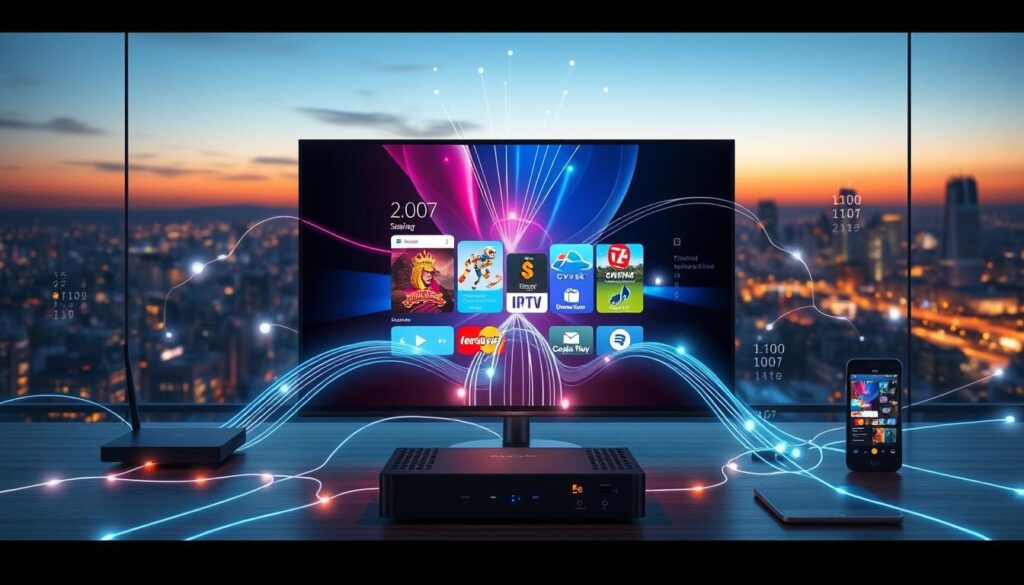
Multicast for live TV
IPTV multicast sends one stream to many viewers. ISPs use it for sports and linear channels. This method keeps latency low during big events.
It works well on fiber or cable networks. This setup keeps the network efficient, even when many watch at once.
Unicast for VOD and catch-up
Unicast creates a unique connection for each viewer. It’s used for VOD and catch-up content. This method ensures reliable delivery and error correction.
It’s flexible but can be costly. Providers adjust bitrates to balance quality and cost.
CDNs and low-latency delivery
CDNs for IPTV store streams on servers across the country. This reduces buffering and keeps latency low. It’s crucial for live events.
For big events, CDNs scale quickly. Choosing a provider with strong CDN support is key for stable playback.
Compression and bandwidth
Video codecs affect IPTV bandwidth. H.264 is common for HD streams. H.265 cuts bitrates in half, making 4K practical.
Guidelines suggest SD at 5–8 Mbps, HD at 10–25 Mbps, and 4K at 25–50+ Mbps. Add 10–20% for extra capacity.
On 100 Mbps fiber, H.265 4K streams work well. But on 25 Mbps DSL, they may buffer during peak hours.
Player software manages the complexity. It chooses between multicast and unicast and negotiates codecs. Focus on device compatibility, reliable broadband, and strong CDNs for the best experience.
Types of IPTV Content and User Experience
IPTV combines different viewing modes into one interface. Users can switch between live channels, on-demand shows, and archives with just one click. This mix shapes how users expect to navigate and enjoy content.

The variety of IPTV content impacts how viewers enjoy their shows. The design of the interface, updates to the Electronic Program Guide, and how content is delivered all play a role. These factors determine if watching live sports is instant or if a movie streams smoothly.
Live TV (linear channels)
Live TV IPTV offers real-time channels over IP. It’s presented in a familiar grid with program times. An accurate Electronic Program Guide makes it easy to browse, making it feel like traditional cable.
Broadcasters like BBC and NBC use EPGs to show schedules. Quality IPTV players fetch and refresh guide data in the background. Sports and breaking news benefit most from live delivery and multicast efficiency.
Video on Demand libraries
IPTV VOD offers catalogs of movies and series that stream on request. Viewers can select a title and get a dedicated stream for pause, rewind, and fast-forward.
These libraries resemble OTT catalogs from Netflix or Hulu but are inside the same IPTV app as live channels. This allows for a seamless switch between scheduled and on-demand viewing.
Time-shifted and catch-up TV
Server-side recordings provide catch-up TV without local hardware. Providers often offer 24 to 7 days of catch-up, depending on rights and storage.
Catch-up content usually appears in the EPG or an archive tab and plays via unicast. This model offers DVR-like functionality without needing a set-top box or hard drive.
User experience varies based on provider choices. Some services excel at fast channel zapping and sharp EPGs. Others focus on deep IPTV VOD catalogs or long catch-up windows. Check which channels include catch-up TV and how long archives are retained before subscribing.
| Content Type | Delivery Method | Typical Use Cases | User Expectation |
|---|---|---|---|
| Live channels | Multicast or low-latency unicast | Sports, news, live events | Immediate start, smooth channel switching |
| IPTV VOD | Unicast on demand | Movies, series, catch-up specials | Reliable seek, resume playback |
| Catch-up TV | Server-side recording, unicast | Missed broadcasts, highlights | Accessible archive via EPG or library |
What You Need to Get Started with IPTV
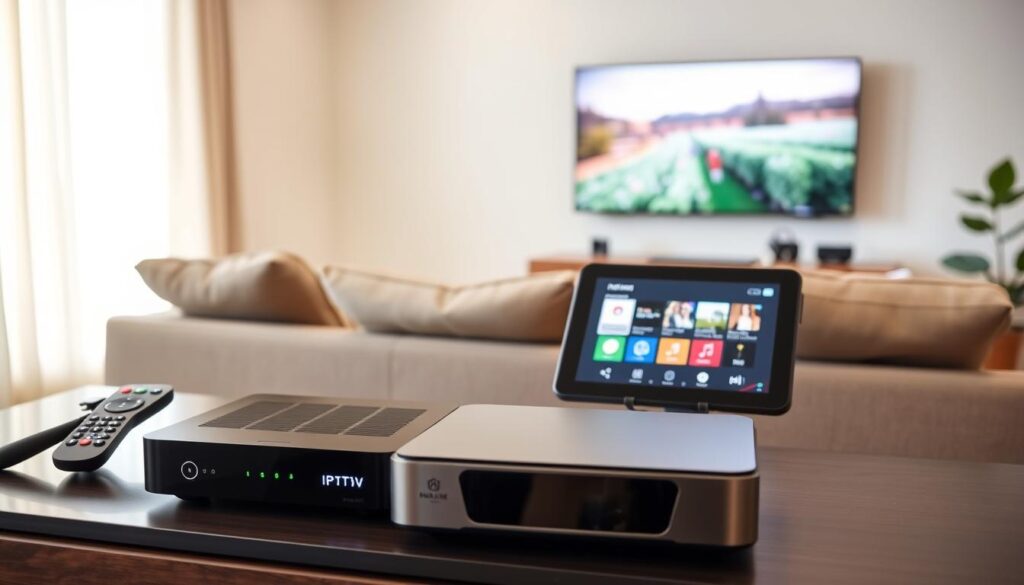
Starting with internet TV is easy when you know the basics. First, make sure your home network is ready. Then, pick the right gear and choose how you want to subscribe. Follow a few simple steps to start watching without any confusion.
Internet connection and recommended speeds
Good bandwidth is key for IPTV. For SD, you need about 5 Mbps, but 8 Mbps is better. HD requires 10–25 Mbps, so aim for 15–25 Mbps per stream.
For 4K, you’ll need 25–50+ Mbps. If many devices use the same network, go for 50–100+ Mbps. Remember to add 10–20% for peak hours and Wi-Fi issues.
These speeds are for each stream. Use Ethernet for stability. Fiber broadband is the best. Test your speed at speedtest.net to ensure it meets IPTV needs.
Devices and players
Many devices can stream IPTV, like smartphones, tablets, smart TVs, and PCs. Popular choices include Amazon Fire TV, Chromecast, and Apple TV. You can also use NVIDIA Shield and MAG boxes.
Smart TV platforms like Android TV, Samsung Tizen, and LG webOS are great too. Player apps like IPTV One and IPTV Smarters Pro are essential. VLC and Kodi can also play M3U sources.
Subscription formats and login methods
Providers offer access in three ways. M3U playlists give you channel streams to paste into players. Xtream Codes provide a server URL, username, and password for channels, VOD, and EPG. Stalker Portal uses a portal URL and device MAC for some boxes.
Choose a provider that fits your player’s needs. Check simultaneous connection limits and test channels during free trials. Knowing your service type makes setup easier.
Equipment and setup steps
Basic setup: ensure good broadband, pick compatible gear, subscribe, install the app, enter credentials, and start watching. This covers most installs.
Optional gear can improve your experience. Use a Fire TV Stick 4K Max for 4K or an NVIDIA Shield for advanced Android TV features. Add Ethernet cables, a quality router, or Wi-Fi extenders to reduce buffering.
For issues, try Ethernet, lower resolution during peak hours, and check provider status. Verify device compatibility, ask about free trials, and test channels before committing.
IPTV vs Cable and Satellite: Costs, Pros, and Cons
Switching to internet TV from traditional pay TV raises questions. This section compares costs, uptime, and channel reach. This helps you choose the best option for your home.
Cost and value comparison
IPTV subscriptions cost between $10 and $30 monthly. Cable plans in the U.S. range from $100 to $147. Satellite packages are from $80 to $120.
IPTV is cheaper. Many save $70 to $120 monthly by switching from cable. That’s $840 to $1,440 saved yearly.
What IPTV saves you is mainly the monthly bill and extra fees. IPTV often includes VOD and 4K without the need for expensive set-top rentals or multi-room fees.
Reliability and outage considerations
Cable and satellite keep working during internet outages. IPTV stops if your internet goes down.
IPTV reliability depends on the provider’s CDN, servers, and your internet quality. Peak events and live sports streams can expose weak points more than regular viewing.
Simple steps can improve uptime. Use wired Ethernet, choose a better broadband tier, or have a mobile hotspot for short outages.
Content availability and international channels
Internet TV excels in offering international channels and niche feeds that cable often misses. Many IPTV services allow streaming on multiple devices without extra fees.
Sports rights and local blackout rules still apply with official providers like YouTube TV and Hulu Live. Licensed services follow these rules. Unlicensed feeds may ignore these rules, posing legal and reliability risks.
When comparing providers, check the channels and on-demand libraries you need. Choose services that list the regional and international channels you watch. Also, confirm catch-up availability for your favorite networks.
Legal, Security, and Quality Concerns with IPTV
IPTV technology itself is neutral. What matters is where the streams come from and who has the rights. People often wonder if IPTV is legal, especially when services offer many channels at low prices. Laws vary by country, so it’s important to check local rules.
Is IPTV legal?
IPTV platforms are legal if they use licensed content. Services like Comcast Xfinity, Hulu Live, YouTube TV, and BBC iPlayer are examples. They have the rights to stream the content they offer. On the other hand, illegal services often promise many channels but lack transparency and support.
How to identify trustworthy providers
Look for clear company details and verifiable payment channels. Also, check if they support your devices. Free trials let you test the quality and stability of live events. Good support, like live chat or phone help, shows they care.
Data usage and ISP caps
IPTV can use a lot of data. HD streams use several gigabytes per hour. 4K streams can use even more, up to 50 Mbps and several GB per hour. Make sure your ISP plan can handle this.
Security best practices
Use strong, unique passwords and keep apps and devices updated. Choose reputable players like VLC and Kodi from official sources. Consider a VPN for privacy, but it might affect speed and quality. Always store your login details securely.
Quality assurance checklist
Test streams during peak events and review independent tests. Make sure the provider uses modern codecs and CDNs. Reliable providers maintain quality and list supported devices clearly. When choosing an IPTV provider, look for transparency, trial options, and technical standards.
| Risk Area | What to Check | Red Flags |
|---|---|---|
| Legal status | Clear licensing, company registration, named broadcasters | Anonymous operator, no rights statements, unrealistic pricing |
| Security | Official apps, regular updates, secure payment methods | Third-party APKs, missing updates, cash-only payments |
| Performance | Live-event stability, CDN use, modern codecs (H.265) | Frequent buffering, quality drops during peaks |
| Data impact | Bitrate estimates, ISP cap guidance, simultaneous stream limits | No data guidance, surprise overage charges |
| Support | Verified contact channels, trial period, refund policy | No support, hidden terms, unclear refunds |
Conclusion
This guide has explained what IPTV is and how it works. It streams live channels, video on demand, and catch-up services over the internet. You need a compatible device, a subscription, and fast internet to avoid buffering.
IPTV is simple: it’s TV delivered over the internet, unlike cable. It offers features cable often lacks.
The benefits are clear. Costs are low, ranging from $10–$30 a month. Many providers support multiple devices. Features like electronic program guides and pause/rewind add flexibility.
This makes IPTV a great alternative to traditional cable and satellite in the U.S.
Risks and how to avoid them are important. Legality depends on provider licensing. Service quality relies on reliable internet. Data caps can increase costs.
Choose reputable providers and test services with free trials. Use a wired Ethernet connection when possible. Follow basic security practices.
For U.S. readers, test your speed at speedtest.net. Pick a device like the Amazon Fire TV Stick 4K Max or your smart TV app. Try a trusted player like TiviMate. Check channel and catch-up availability during the trial.
In conclusion, IPTV is a modern, internet-based alternative to cable and satellite. It can save money and increase viewing flexibility. Use this guide as a starting point for choosing the right setup and provider.
FAQ
What is IPTV?
What is a plain-language definition of IPTV?
Why does IPTV matter now?
How does IPTV deliver live TV efficiently?
How does IPTV handle Video on Demand and catch-up?
What role do CDNs play in IPTV?
What codecs and bandwidth should I expect?
What kinds of IPTV content are available?
How does the user experience compare to traditional TV?
What internet speed do I need for IPTV?
What devices and player apps support IPTV?
What subscription formats and login methods are common?
What equipment and setup steps do I need?
How does IPTV compare cost-wise to cable and satellite?
What is IPTV?
What is a plain-language definition of IPTV?
Why does IPTV matter now?
How does IPTV deliver live TV efficiently?
How does IPTV handle Video on Demand and catch-up?
What role do CDNs play in IPTV?
What codecs and bandwidth should I expect?
What kinds of IPTV content are available?
How does the user experience compare to traditional TV?
What internet speed do I need for IPTV?
What devices and player apps support IPTV?
What subscription formats and login methods are common?
What equipment and setup steps do I need?
How does IPTV compare cost-wise to cable and satellite?
FAQ
What is IPTV?
IPTV stands for Internet Protocol Television. It lets you watch TV over the internet instead of traditional ways. Services like BBC iPlayer and Hulu Live use IPTV. Netflix also uses a similar method but is often talked about separately.
What is a plain-language definition of IPTV?
Simply put, IPTV is TV over the internet. It uses the same Internet Protocol that moves web pages and email. Apps like IPTV One or TiviMate read playlists or server details from content providers.
Why does IPTV matter now?
Streaming has become very popular. In May 2025, it surpassed traditional TV in U.S. viewership. There are about 250 million IPTV subscribers worldwide in 2025. The market is expected to reach 9.34 billion in 2026.
How does IPTV deliver live TV efficiently?
IPTV uses multicast for live TV. This method sends one stream that many viewers can watch at once. It’s efficient for big events and is common in managed IPTV services.
How does IPTV handle Video on Demand and catch-up?
For VOD and catch-up, IPTV uses unicast. This means each viewer gets their own stream. It’s reliable and allows for pause, rewind, and instant start.
What role do CDNs play in IPTV?
Content Delivery Networks (CDNs) host streams on servers around the world. This reduces latency and improves streaming quality. Providers with strong CDN partnerships offer better streaming experiences.
What codecs and bandwidth should I expect?
H.264 is common for HD, while H.265 is used for 4K. H.265 halves the bitrate needed compared to H.264. Recommended speeds are SD ~5–8 Mbps, HD 10–25 Mbps, and 4K 25–50+ Mbps.
What kinds of IPTV content are available?
IPTV offers live TV, Video on Demand, and catch-up TV. Players often combine these in one interface. This makes it easy to find and watch different types of content.
How does the user experience compare to traditional TV?
IPTV combines the ease of VOD with the familiarity of live TV. It has an Electronic Program Guide (EPG) for channel browsing. Quality varies by provider, so check for catch-up and archive length.
What internet speed do I need for IPTV?
For SD, HD, and 4K streams, speeds range from ~5 Mbps to 50+ Mbps. Add 10–20% for headroom. Use wired Ethernet and fiber for the best experience. Test your speed at speedtest.net.
What devices and player apps support IPTV?
IPTV works on many devices, including smartphones, smart TVs, and computers. Popular players include IPTV One, IPTV Smarters Pro, and TiviMate. These apps make it easy to watch IPTV content.
What subscription formats and login methods are common?
Common methods include M3U playlist URLs and Xtream Codes API. Some providers also use Stalker Portal. Choose a provider that matches your player app.
What equipment and setup steps do I need?
Start by ensuring reliable broadband. Choose a compatible device and subscribe to an IPTV provider. Install a player app and enter login details. Optional gear includes Fire TV Stick 4K Max and Ethernet cabling.
How does IPTV compare cost-wise to cable and satellite?
IPTV subscriptions cost –/month. Cable and satellite average 0–7/month. Switching to IPTV can save –0/month or 0–
FAQ
What is IPTV?
IPTV stands for Internet Protocol Television. It lets you watch TV over the internet instead of traditional ways. Services like BBC iPlayer and Hulu Live use IPTV. Netflix also uses a similar method but is often talked about separately.
What is a plain-language definition of IPTV?
Simply put, IPTV is TV over the internet. It uses the same Internet Protocol that moves web pages and email. Apps like IPTV One or TiviMate read playlists or server details from content providers.
Why does IPTV matter now?
Streaming has become very popular. In May 2025, it surpassed traditional TV in U.S. viewership. There are about 250 million IPTV subscribers worldwide in 2025. The market is expected to reach $109.34 billion in 2026.
How does IPTV deliver live TV efficiently?
IPTV uses multicast for live TV. This method sends one stream that many viewers can watch at once. It’s efficient for big events and is common in managed IPTV services.
How does IPTV handle Video on Demand and catch-up?
For VOD and catch-up, IPTV uses unicast. This means each viewer gets their own stream. It’s reliable and allows for pause, rewind, and instant start.
What role do CDNs play in IPTV?
Content Delivery Networks (CDNs) host streams on servers around the world. This reduces latency and improves streaming quality. Providers with strong CDN partnerships offer better streaming experiences.
What codecs and bandwidth should I expect?
H.264 is common for HD, while H.265 is used for 4K. H.265 halves the bitrate needed compared to H.264. Recommended speeds are SD ~5–8 Mbps, HD 10–25 Mbps, and 4K 25–50+ Mbps.
What kinds of IPTV content are available?
IPTV offers live TV, Video on Demand, and catch-up TV. Players often combine these in one interface. This makes it easy to find and watch different types of content.
How does the user experience compare to traditional TV?
IPTV combines the ease of VOD with the familiarity of live TV. It has an Electronic Program Guide (EPG) for channel browsing. Quality varies by provider, so check for catch-up and archive length.
What internet speed do I need for IPTV?
For SD, HD, and 4K streams, speeds range from ~5 Mbps to 50+ Mbps. Add 10–20% for headroom. Use wired Ethernet and fiber for the best experience. Test your speed at speedtest.net.
What devices and player apps support IPTV?
IPTV works on many devices, including smartphones, smart TVs, and computers. Popular players include IPTV One, IPTV Smarters Pro, and TiviMate. These apps make it easy to watch IPTV content.
What subscription formats and login methods are common?
Common methods include M3U playlist URLs and Xtream Codes API. Some providers also use Stalker Portal. Choose a provider that matches your player app.
What equipment and setup steps do I need?
Start by ensuring reliable broadband. Choose a compatible device and subscribe to an IPTV provider. Install a player app and enter login details. Optional gear includes Fire TV Stick 4K Max and Ethernet cabling.
How does IPTV compare cost-wise to cable and satellite?
IPTV subscriptions cost $10–$30/month. Cable and satellite average $100–$147/month. Switching to IPTV can save $70–$120/month or $840–$1,440/year.
What happens during internet outages?
IPTV stops working during internet outages. Unlike cable or satellite, it requires an internet connection. Use wired Ethernet or a mobile hotspot as a backup.
Can IPTV provide international channels and sports?
IPTV is great for international channels and sports. Official providers like YouTube TV follow blackout rules. Unlicensed services may not and could be illegal. Check if a provider offers your favorite channels and sports.
Is IPTV legal?
IPTV technology and many apps are legal. Legality depends on the content source’s rights. Legal examples include BBC iPlayer and Hulu Live. Be wary of low prices and no company info.
How do I identify a trustworthy IPTV provider?
Look for free trials, clear company info, and verifiable payment methods. Check for responsive customer support and device compatibility. Avoid providers with too-good-to-be-true offers.
How much data does IPTV use and what about ISP caps?
IPTV can use a lot of data, especially at HD and 4K. A 4K stream at 25–50 Mbps uses several gigabytes per hour. If your ISP caps data, consider unlimited plans or monitor usage.
What security practices should I follow with IPTV?
Use strong, unique passwords and keep apps and firmware updated. Install apps from official stores. Consider a VPN for privacy but be aware it can affect quality. Keep login details secure.
How can I test an IPTV service before committing?
Use a free trial to test channel availability and EPG performance. Test on your target device during peak times. Check speed with speedtest.net and confirm catch-up and VOD availability.
What are practical next steps for a U.S. viewer interested in IPTV?
Test your internet speed at speedtest.net and choose a device. Install a trusted player like IPTV One or TiviMate. Sign up for a reputable provider with a free trial. Verify your favorite channels and catch-up features during the trial.
Where can I learn more about “what is iptv” and market trends?
For background and market context, check Nielsen The Gauge for U.S. viewing share data (May 2025). Fortune Business Insights provides market projections. Industry reports show IPTV adoption and investment growth globally.
,440/year.
What happens during internet outages?
IPTV stops working during internet outages. Unlike cable or satellite, it requires an internet connection. Use wired Ethernet or a mobile hotspot as a backup.
Can IPTV provide international channels and sports?
IPTV is great for international channels and sports. Official providers like YouTube TV follow blackout rules. Unlicensed services may not and could be illegal. Check if a provider offers your favorite channels and sports.
Is IPTV legal?
IPTV technology and many apps are legal. Legality depends on the content source’s rights. Legal examples include BBC iPlayer and Hulu Live. Be wary of low prices and no company info.
How do I identify a trustworthy IPTV provider?
Look for free trials, clear company info, and verifiable payment methods. Check for responsive customer support and device compatibility. Avoid providers with too-good-to-be-true offers.
How much data does IPTV use and what about ISP caps?
IPTV can use a lot of data, especially at HD and 4K. A 4K stream at 25–50 Mbps uses several gigabytes per hour. If your ISP caps data, consider unlimited plans or monitor usage.
What security practices should I follow with IPTV?
Use strong, unique passwords and keep apps and firmware updated. Install apps from official stores. Consider a VPN for privacy but be aware it can affect quality. Keep login details secure.
How can I test an IPTV service before committing?
Use a free trial to test channel availability and EPG performance. Test on your target device during peak times. Check speed with speedtest.net and confirm catch-up and VOD availability.
What are practical next steps for a U.S. viewer interested in IPTV?
Test your internet speed at speedtest.net and choose a device. Install a trusted player like IPTV One or TiviMate. Sign up for a reputable provider with a free trial. Verify your favorite channels and catch-up features during the trial.
Where can I learn more about “what is iptv” and market trends?
For background and market context, check Nielsen The Gauge for U.S. viewing share data (May 2025). Fortune Business Insights provides market projections. Industry reports show IPTV adoption and investment growth globally.


